
Changing a colleague's role or suspending them
Give a colleague a different role, record their credentials and whether they see clients, suspend them, and let them back in.
Who this is for: Practice administrator, Practice manager
Change roles
- Select Settings, then Team & access, and open the colleague's row.
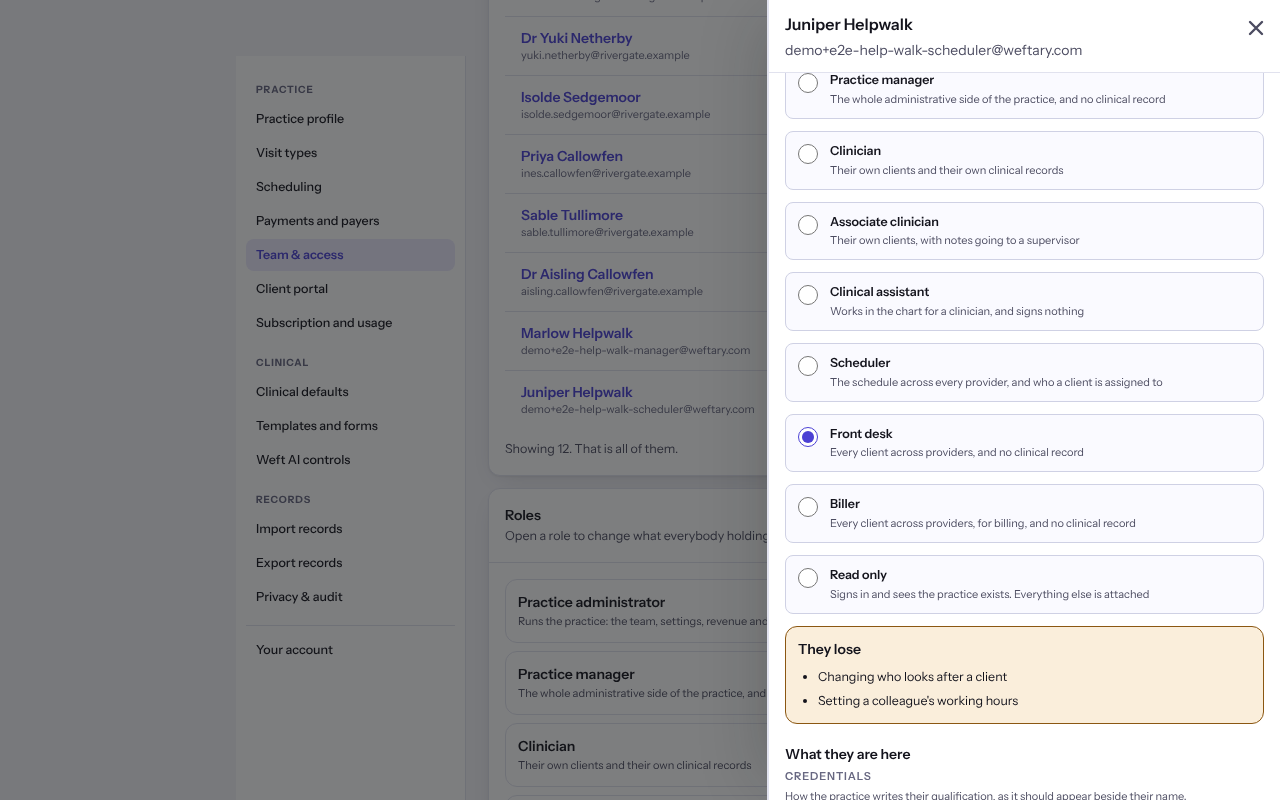
- Under Roles, choose another role. Choosing one replaces the role they hold rather than adding to it.
- Read They lose, which names what only the old role allowed.
- Change Provider, Credentials or Supervising provider if needed, then select Save roles.
Note: A change that would leave supervisees with nobody to countersign their notes is refused, and Weft says what to do first.
Suspend or reactivate an account
- Under Suspend this account, select Suspend and confirm it is you. They can no longer sign in, and notes they signed stay in the record under their name.
- To let them back in, select Reactivate. They sign in with the password and second step they already had.
Note: The last person who administers the practice cannot be suspended.
Last checked against Weft on 07 Oct 2026. Something on your screen reads differently? Tell us at support@weftary.com.