
Helping a colleague who lost their second step
Clear a colleague's multi-factor authentication so they can set it up again at their next sign-in.
Who this is for: Practice administrator, Practice manager
When a colleague has lost every method and every backup code, they ask from the sign-in screen and you are told. See When you cannot finish signing in.
Clear their multi-factor authentication
- Check with the colleague, in person or on the phone, that the request is theirs.
- Select Settings, then Team & access, and open their row.
- Under Multi-factor authentication, select Reset MFA, then Yes, clear them, and confirm it is you.
- Tell them to sign in again. They set up a new method straight away.
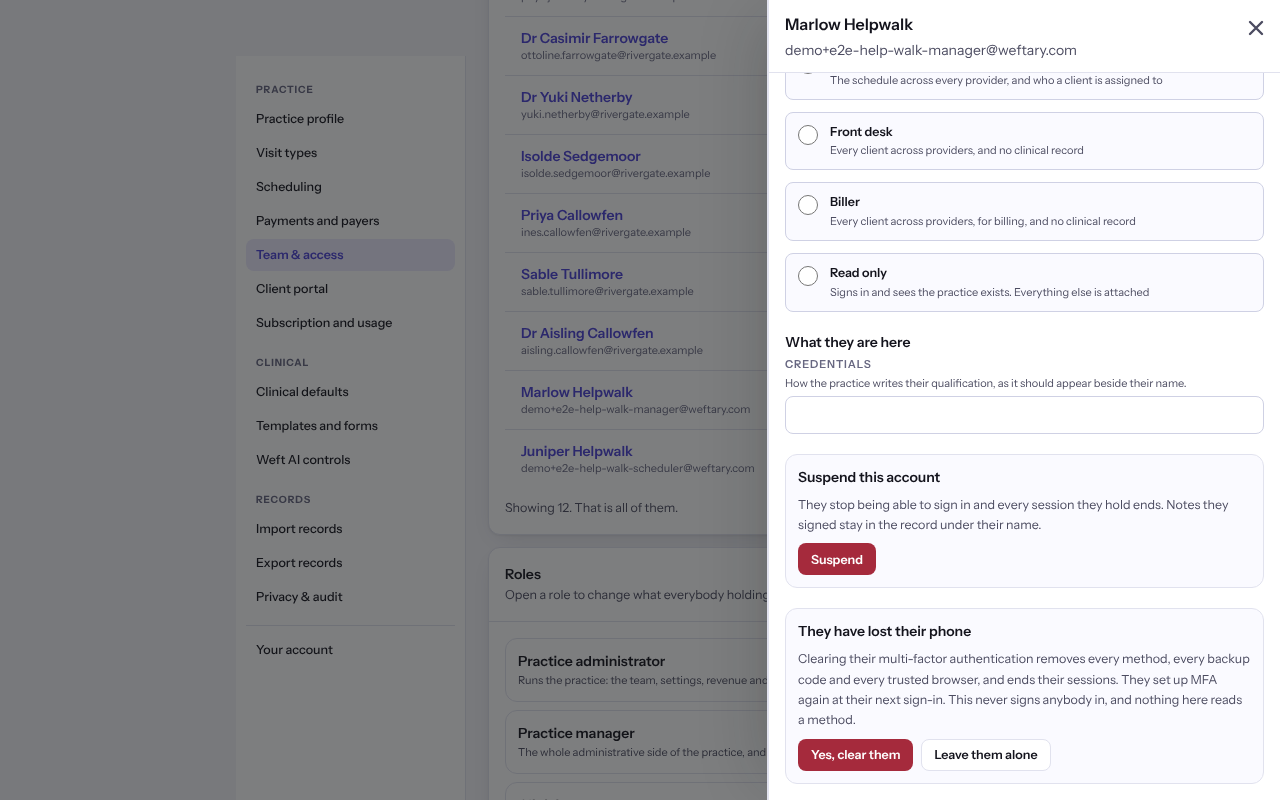
Important: Clearing removes every method, backup code and trusted browser, and ends their sessions. It never signs anybody in.
Last checked against Weft on 07 Oct 2026. Something on your screen reads differently? Tell us at support@weftary.com.