
When you cannot finish signing in
What to do when your phone, security key or backup codes are not to hand, and how to ask an administrator to clear your second step.
Who this is for: Everyone at the practice
Pick what is true
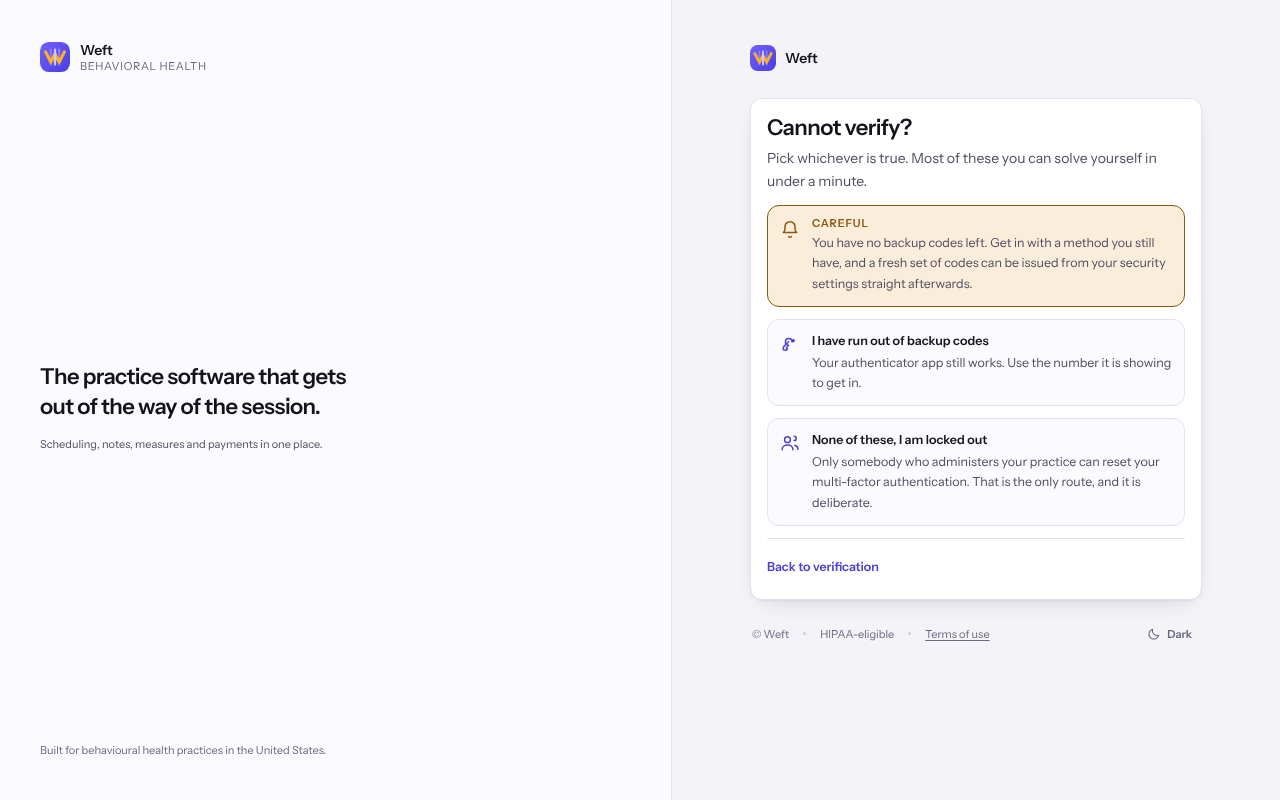
- On the second step screen, select I cannot use any of my methods.
- On Cannot verify?, choose the line that matches, for example My phone is lost or replaced or My key is not with me, and follow what it offers.
Tip: A backup code gets you in when your phone or key is missing. Once you are in, add the method again from Settings, Your account, Security.
Ask an administrator
- If nothing on the list works, select None of these, I am locked out.
- Enter your Email address and select Ask an administrator. Whoever administers your practice is told what you asked for.
- Keep Your reference if one is shown, and tell your administrator you need your multi-factor authentication cleared.
Note: Weft support cannot clear your second step for you. Only somebody who administers your practice can, from the team screen.
Last checked against Weft on 07 Oct 2026. Something on your screen reads differently? Tell us at support@weftary.com.