
Keeping a to-do list for the practice
Create, assign and move the practice's to-dos through their statuses.
Who this is for: Everyone at the practice
Read the list
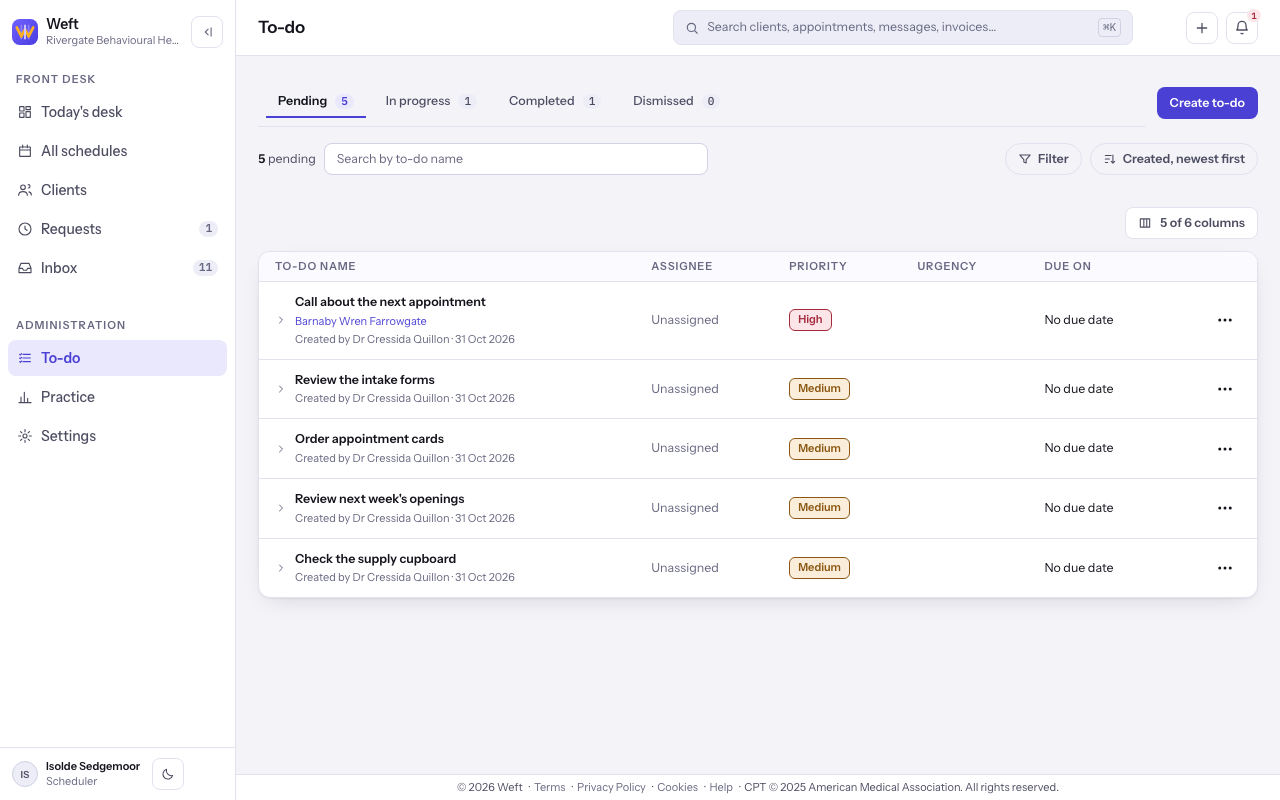
- Open the to-do list. Select Pending, In progress, Completed or Dismissed to read that status.
Create a to-do
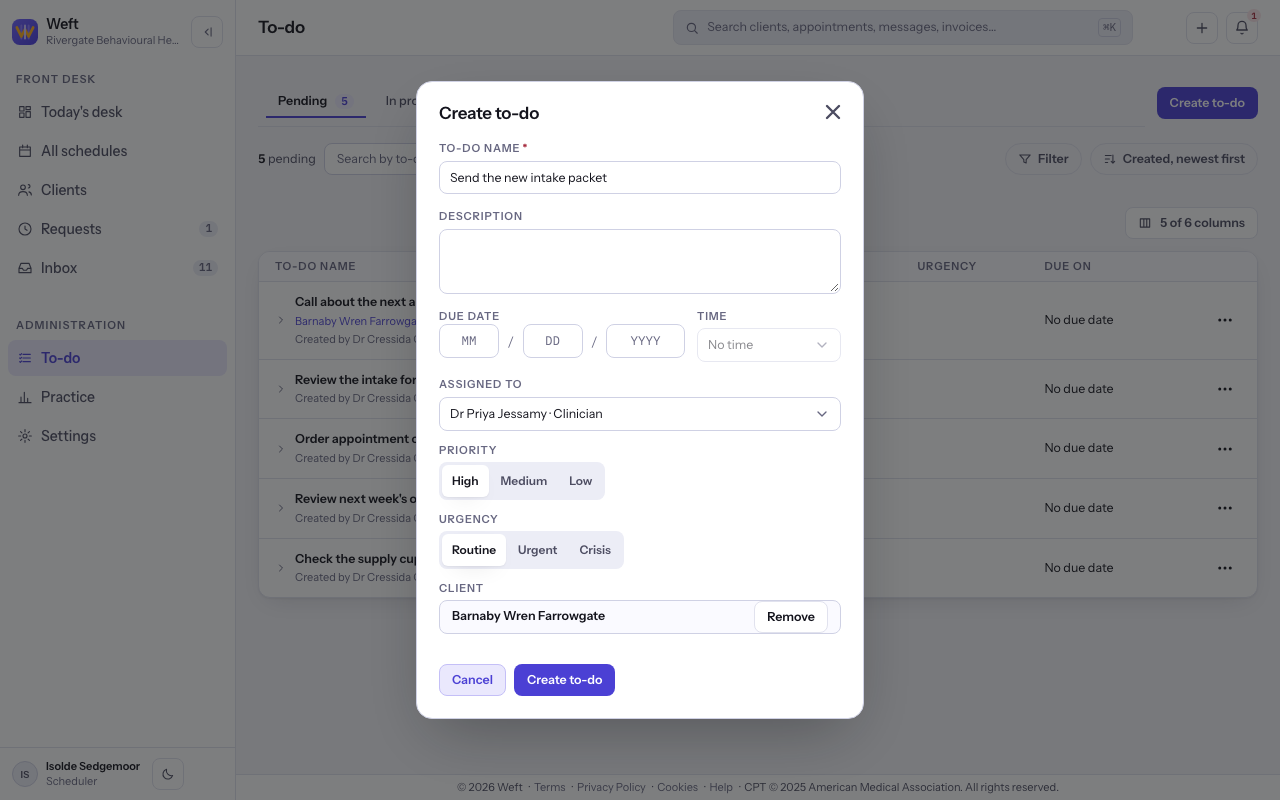
- Select Create to-do. Enter To-do name, choose Assigned to and Priority, and choose Client if the work is about one client.
Note: The Read only role can read to-dos but cannot create or change them.
Assign and move work
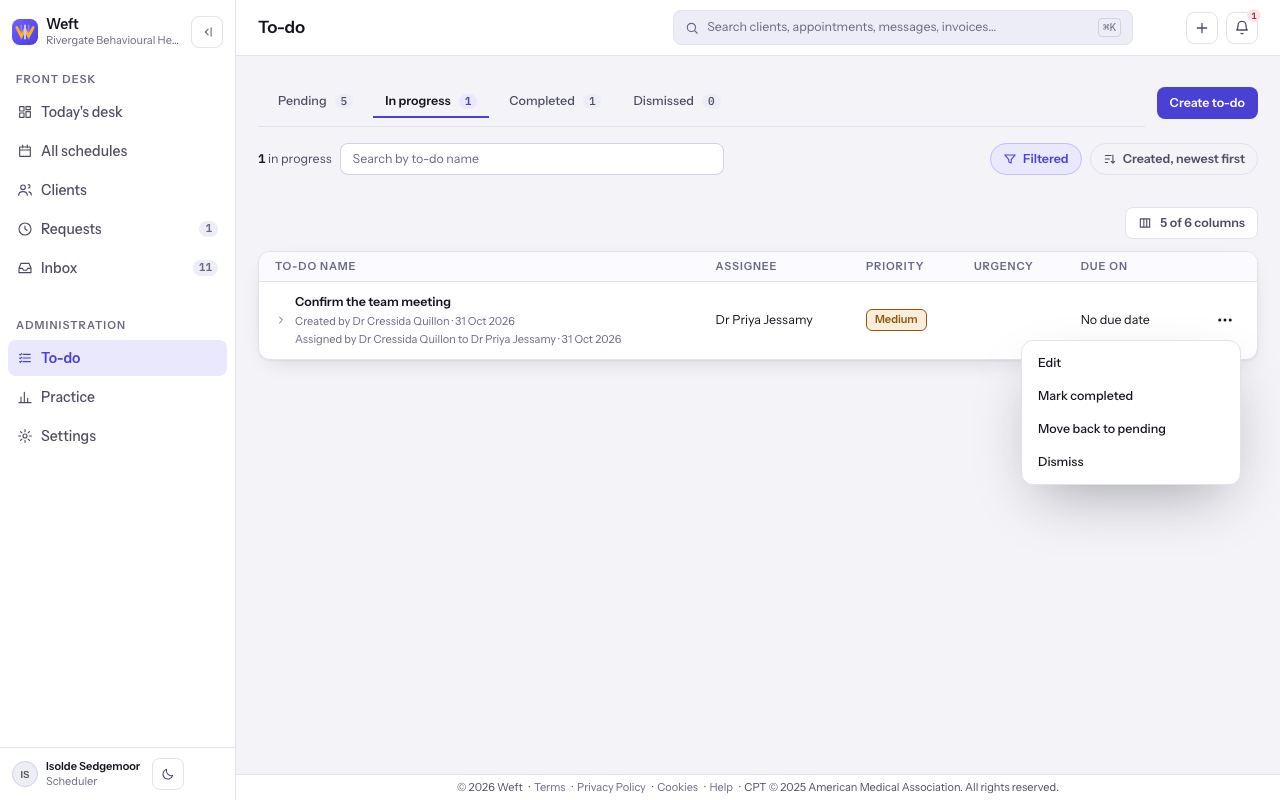
- Filter by a colleague and In progress, then open the menu at the end of the row. Choose Edit, Mark completed, Move back to pending or Dismiss. The choices depend on the current status.
Read a to-do about a client
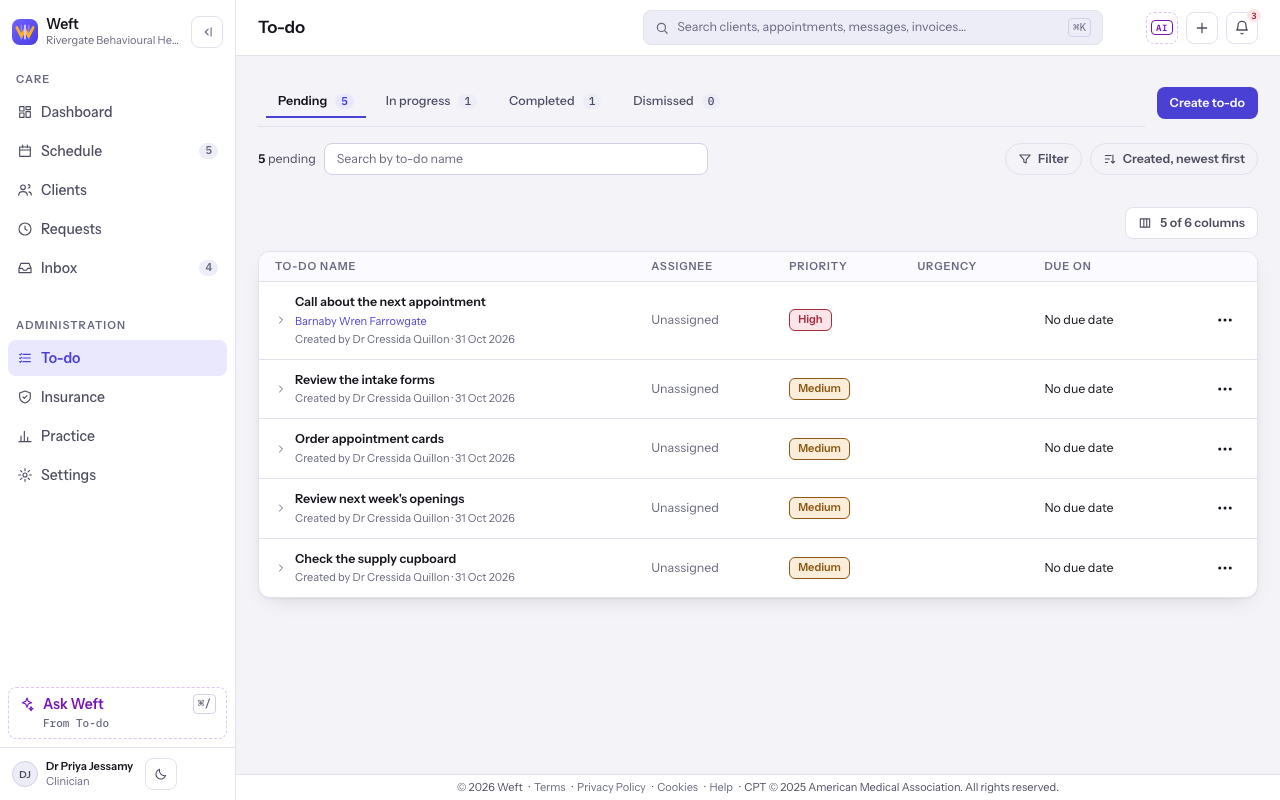
- Read the client named beside a to-do to see whose work it concerns. A to-do naming a client is visible to colleagues with access to all clients, or to colleagues with access to their own clients who are on that client's care team. To-dos without a client are shared with the practice.
Last checked against Weft on 31 Oct 2026. Something on your screen reads differently? Tell us at support@weftary.com.