
Searching and moving around Weft
Use the search in the header to jump to a client, a session, a message, an invoice or a screen.
Who this is for: Everyone at the practice
Search from any screen
- Select the Search field in the header, or press Cmd and K on a Mac, Ctrl and K elsewhere.
- Type part of a name or a record number. Results are grouped: clients, sessions, messages, invoices and screens.
- Move with the arrow keys and press Enter to open one, or select it. Press Esc or click away to close.
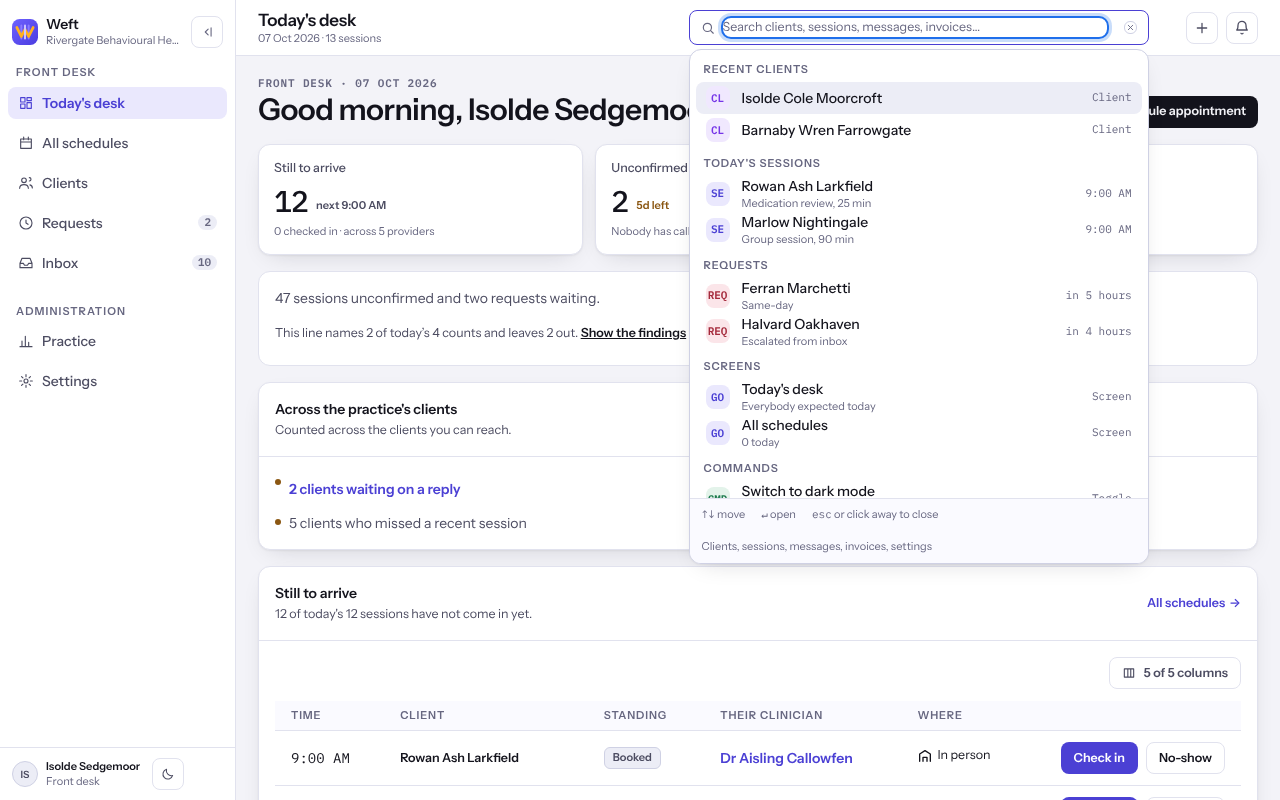
Tip: Before you type, the panel lists what you opened recently, so returning to the client you just left is one selection.
Find your way with the side rail
The rail on the left lists only what your role works with, so two colleagues can see different rails. On a phone the most used four sit along the bottom.
- Select Schedule, Clients, Requests or Inbox for the day's work. A number beside one is what is waiting there.
- Select Settings for the practice and for your own account.
Last checked against Weft on 07 Oct 2026. Something on your screen reads differently? Tell us at support@weftary.com.