
Choosing your notifications
Choose which announcements reach you and how, and, if you run the practice, what is on offer to everybody.
Who this is for: Everyone at the practice
The bell in the header shows how many announcements are unread. Select it to read them and follow one to the record it is about.
Choose your own
- Select Settings, then Your account, then Notifications.
- Under Your notifications, turn each kind on or off On screen, By email and With a sound.
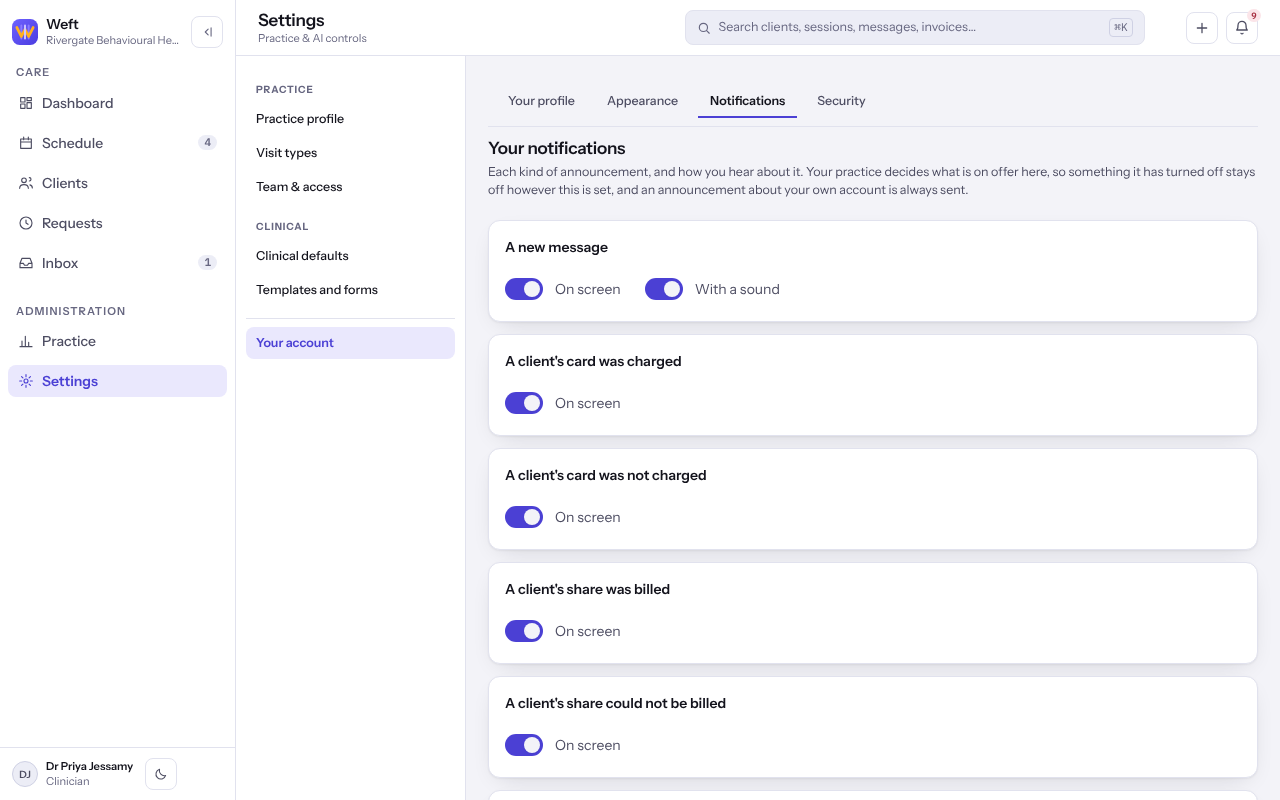
Note: Something your practice has turned off shows Your practice has turned this off. An announcement about your own account is always sent.
Set what the practice offers
Whoever administers the practice also sees Practice notifications on the same tab.
- For each kind and channel, choose On by default, Off by default or Off for everybody here, or follow Weft's default.
Last checked against Weft on 07 Oct 2026. Something on your screen reads differently? Tell us at support@weftary.com.