Giving a client a way into a video visit
Email a link that opens one video visit, or read a code out on the phone, for a client who cannot reach their portal.
Who this is for: Clinician, Associate clinician, Scheduler, Practice manager, Practice administrator
A client with portal access joins from the appointments page of their own portal. For somebody who cannot reach it, make a way in that opens this one visit and nothing else.
Make a way in
- Open the video session on Schedule and select Make a way in. You can also do this from the visit before you join.
- Under How they get in, choose Email them a link and type the Email address, or choose Read a code out to them.
- Select Make a way in.
- For a code, read out the Page to go to and then the Code, a character at a time.
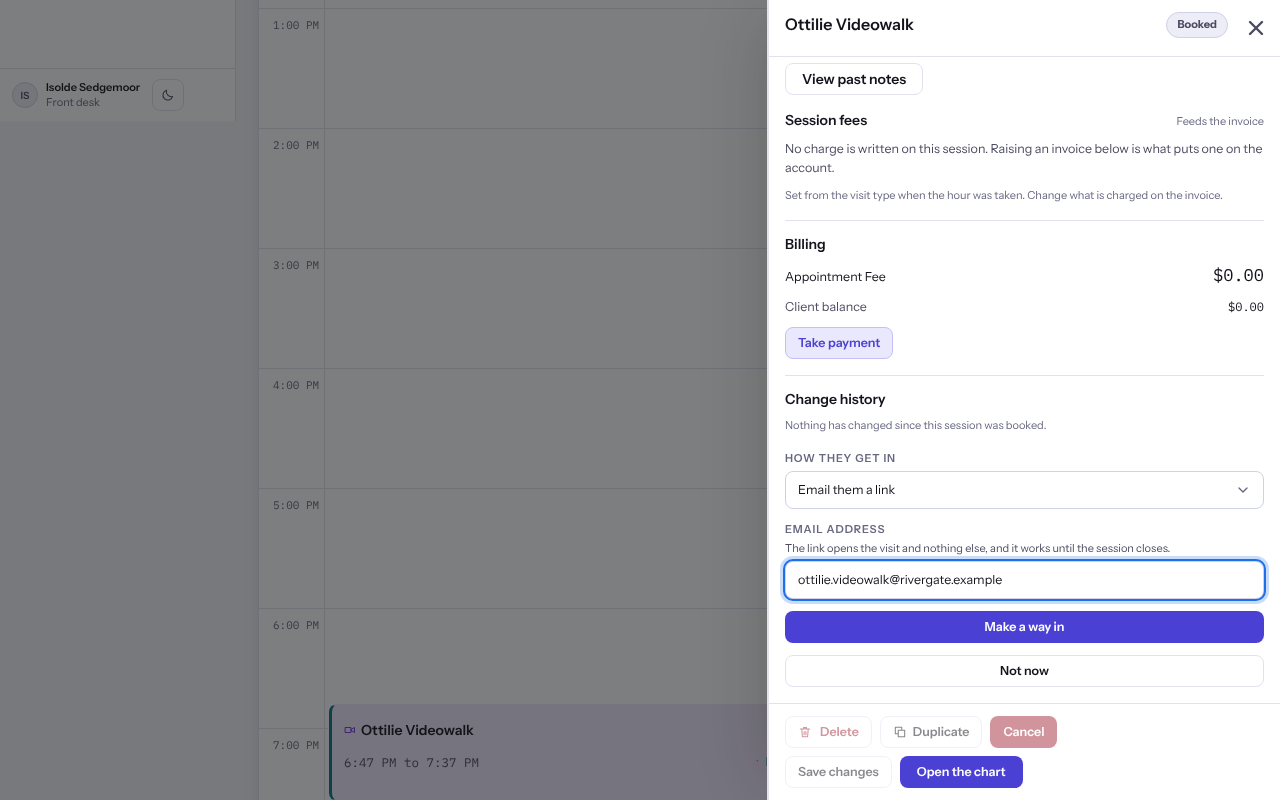
Important: The link and the code are shown once. Copy what you need before you close the panel, or select Make another way in.
Note: The link opens the waiting room and nothing else, and works until the session closes.
Last checked against Weft on 07 Oct 2026. Something on your screen reads differently? Tell us at support@weftary.com.