Reading your payments screen
Read collections, unpaid balances, transactions, refunds and platform charges.
Who this is for: Biller
Open Payments to review money received and what is still owed.
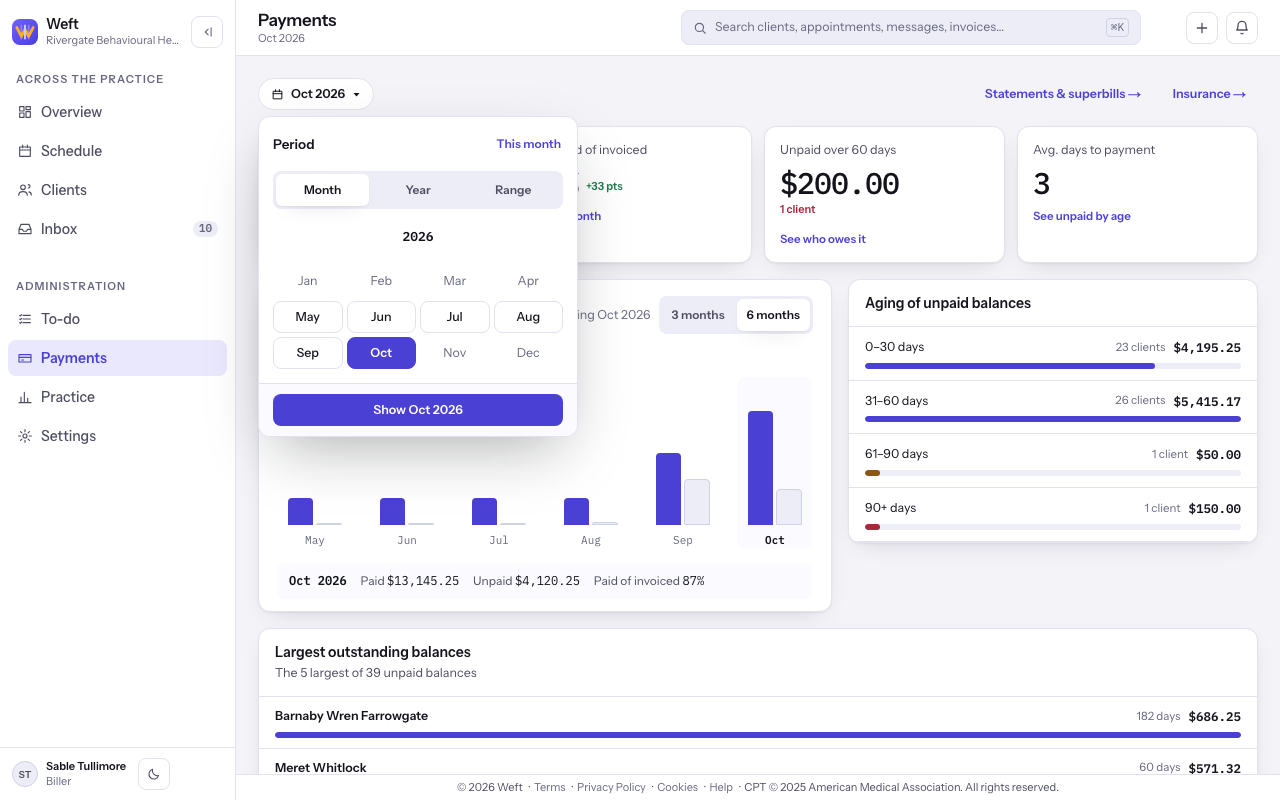
Choose a period
- Open the date button at the top of Payments. Choose Month, Year or Range, then select the button beginning Show to apply your choice.
Read the figures
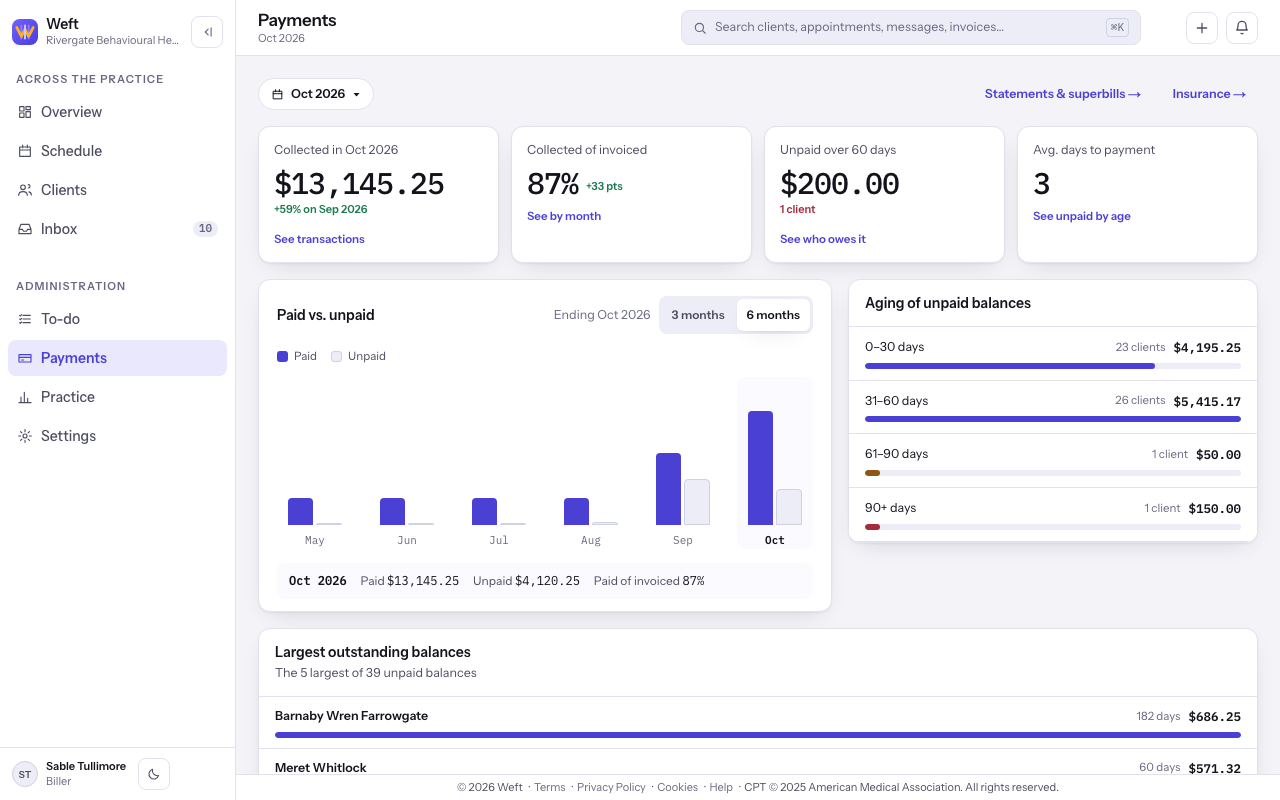
- Read the collected amount, Collected of invoiced, Unpaid over 60 days and Avg. days to payment. Compare the monthly Paid vs. unpaid chart.
Find unpaid balances
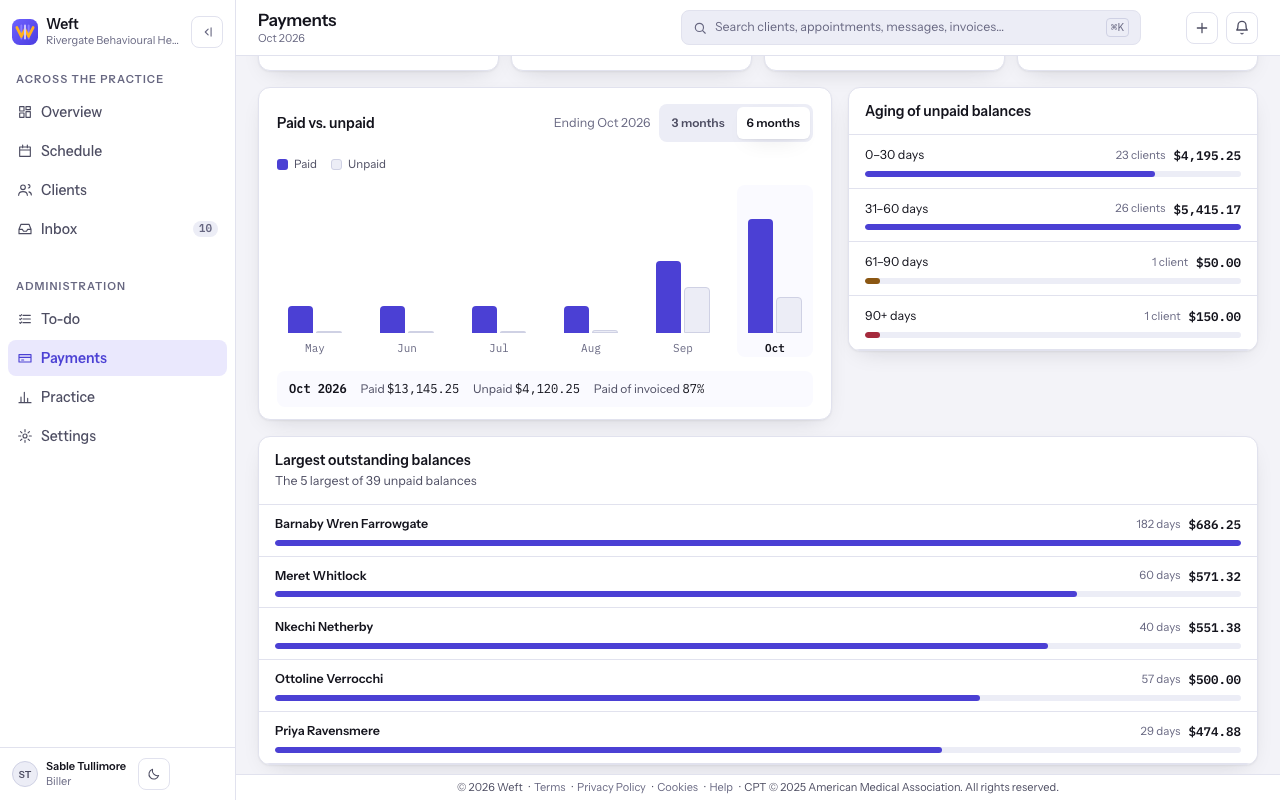
- Read Aging of unpaid balances and Largest outstanding balances. Select an age band to narrow the unpaid list.
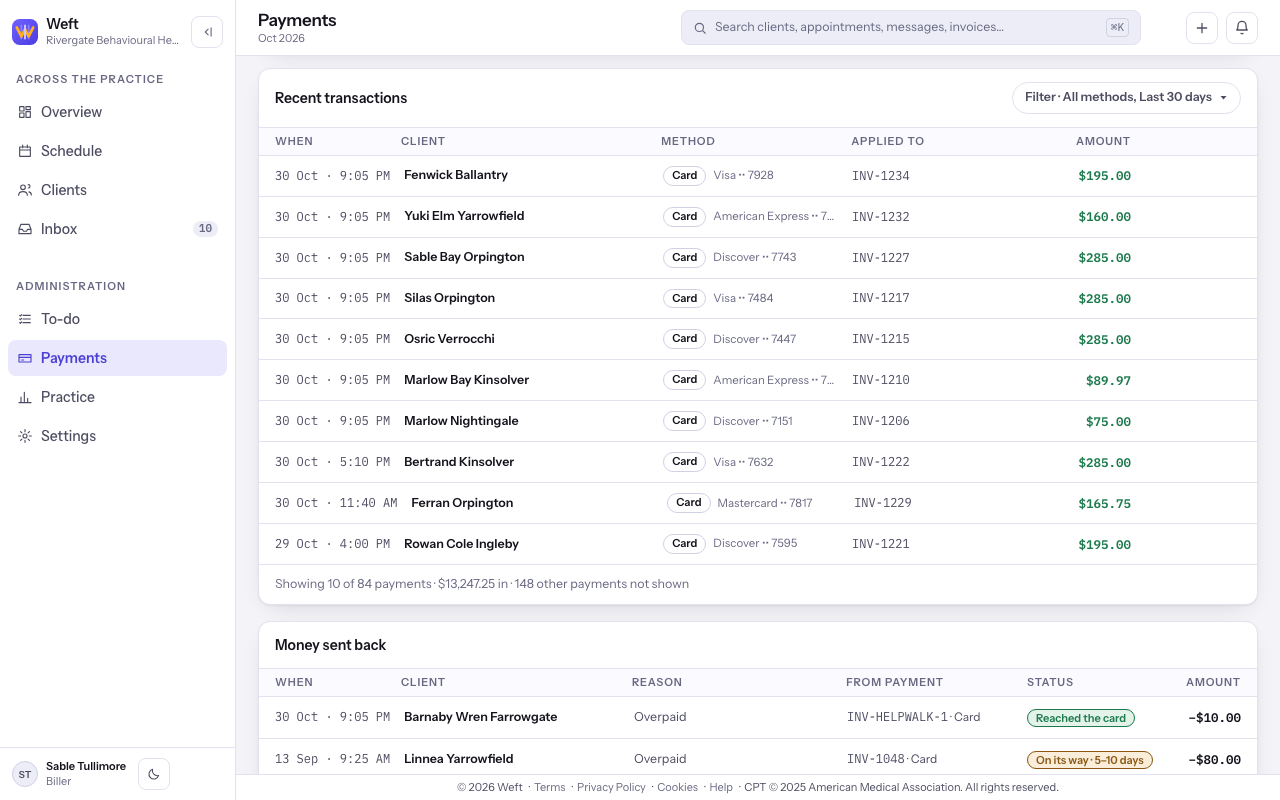
Read recent transactions
- Read Recent transactions and open a receipt to see its payment. See taking a payment to record money received.
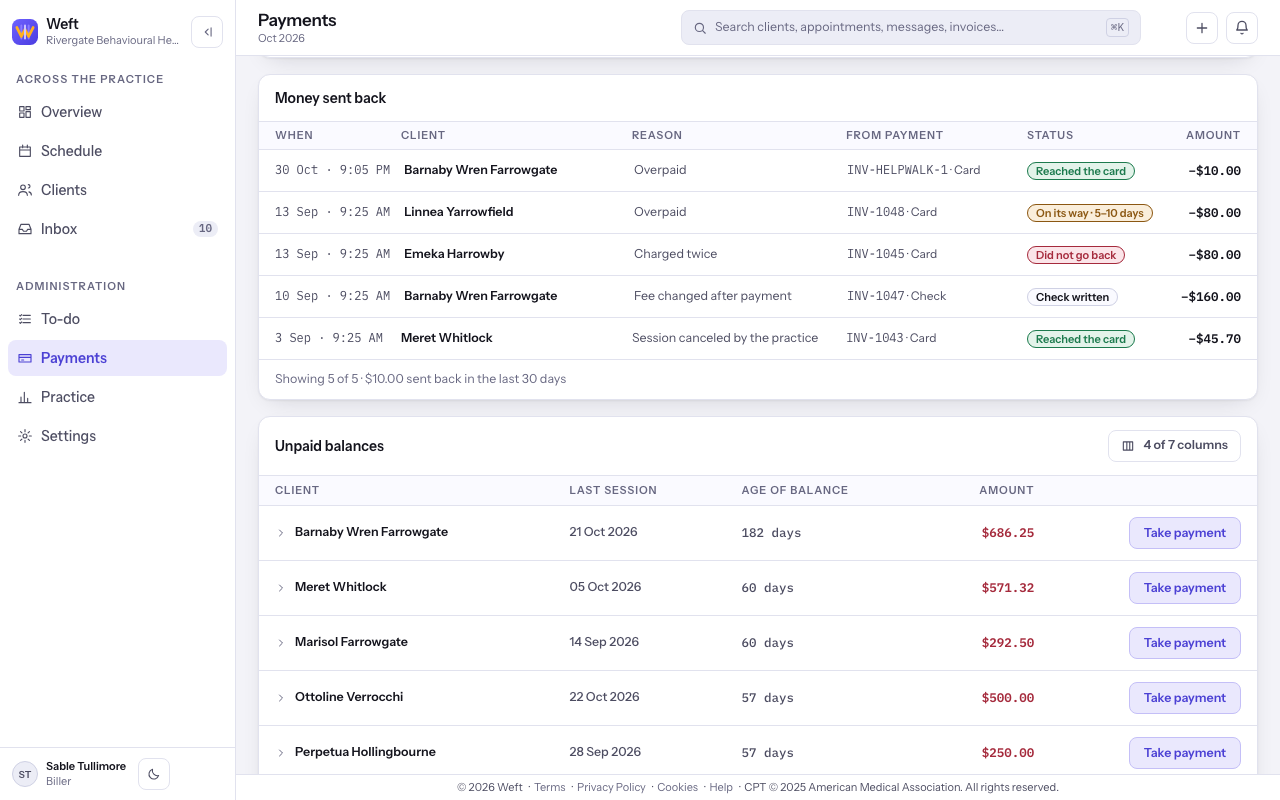
Read refunds
- Read Money sent back for refund amounts and progress. Follow refunding a payment when money needs to go back.
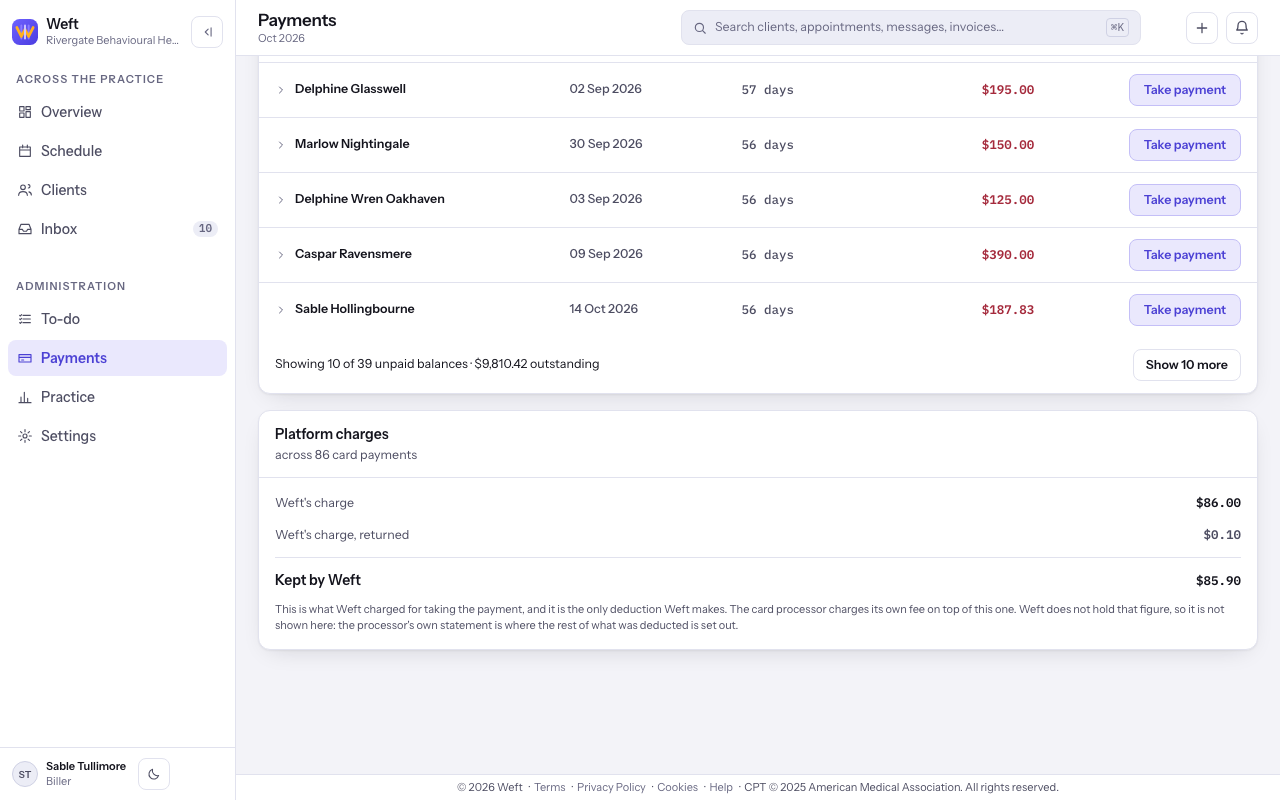
Read platform charges
- Read Platform charges when card payments carry fees. Kept by Weft is the charge total after returned fees.
Last checked against Weft on 31 Oct 2026. Something on your screen reads differently? Tell us at support@weftary.com.