Setting up card payments
Open your practice's account with the payment provider so you can take cards, and see what the provider still needs.
Who this is for: Practice administrator, Practice manager, Biller
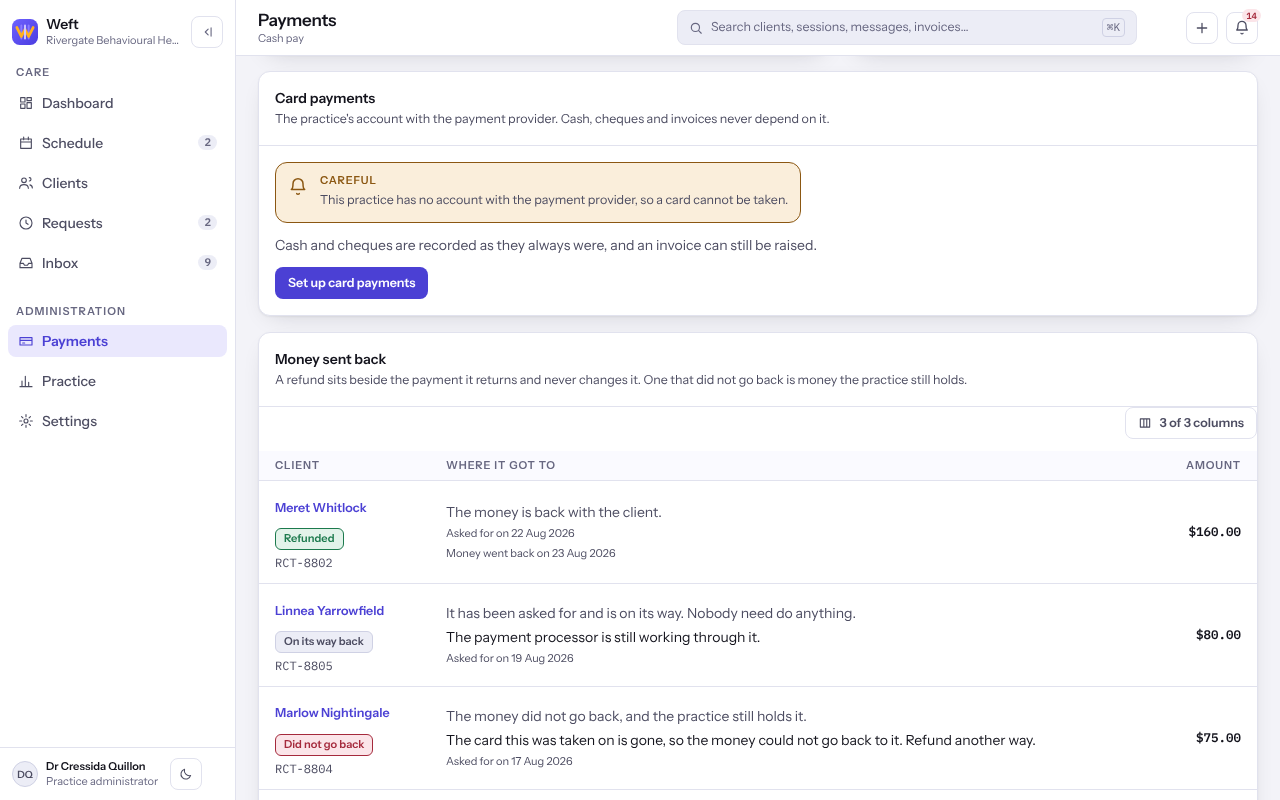
Cash and cheques can be recorded and invoices raised without a card account. Taking a card needs the practice's own account with the payment provider.
Open the account
- Select Payments in the side rail.
- Under Card payments, select Set up card payments.
- Read what the provider will ask for, then select Continue to followed by the provider's name, and confirm it is you.
- Complete the provider's pages: who answers for the practice and the bank account it is paid into.
- You come back to Back from the payment provider, which shows what the provider says about the account. Select Back to payments.
Finish what the provider still needs
- Under Card payments, read What the provider still awaits. A date beside it is when the provider stops the account taking cards if those items are still outstanding.
- Select Finish the provider's setup to go back and complete them.
- When A card can be taken right now shows, you are ready.
Last checked against Weft on 07 Oct 2026. Something on your screen reads differently? Tell us at support@weftary.com.