
Recording a vital sign
Record a blood pressure, heart rate, weight or other reading, with its unit and when it was taken.
Who this is for: Clinician, Associate clinician, Practice administrator
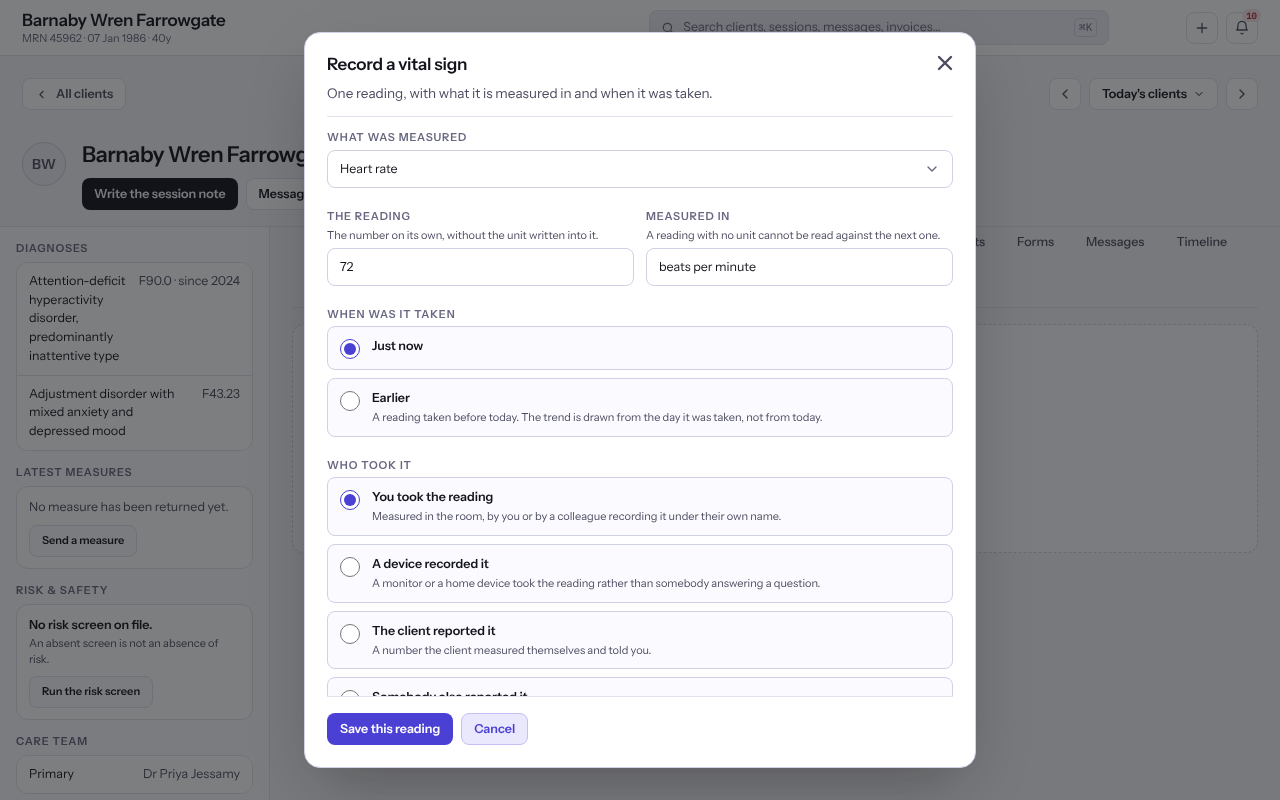
Record the reading
- Open the client and select Measures & vitals in the chart's rail.
- Select Record a vital sign.
- Under What was measured, choose the vital sign, or Something else and describe it.
- Enter The reading as a number on its own and check Measured in.
- Say whether it was taken Just now or Earlier, and who took it, for example You took the reading or The client reported it.
- Select Save this reading.
Note: Systolic and diastolic blood pressure are recorded one at a time, so each keeps its own number and unit.
Last checked against Weft on 07 Oct 2026. Something on your screen reads differently? Tell us at support@weftary.com.