
Recording a measure such as the PHQ-9
Give a client an instrument in the room or record one they filled in on paper, and read their scores over time.
Who this is for: Clinician, Associate clinician, Practice administrator
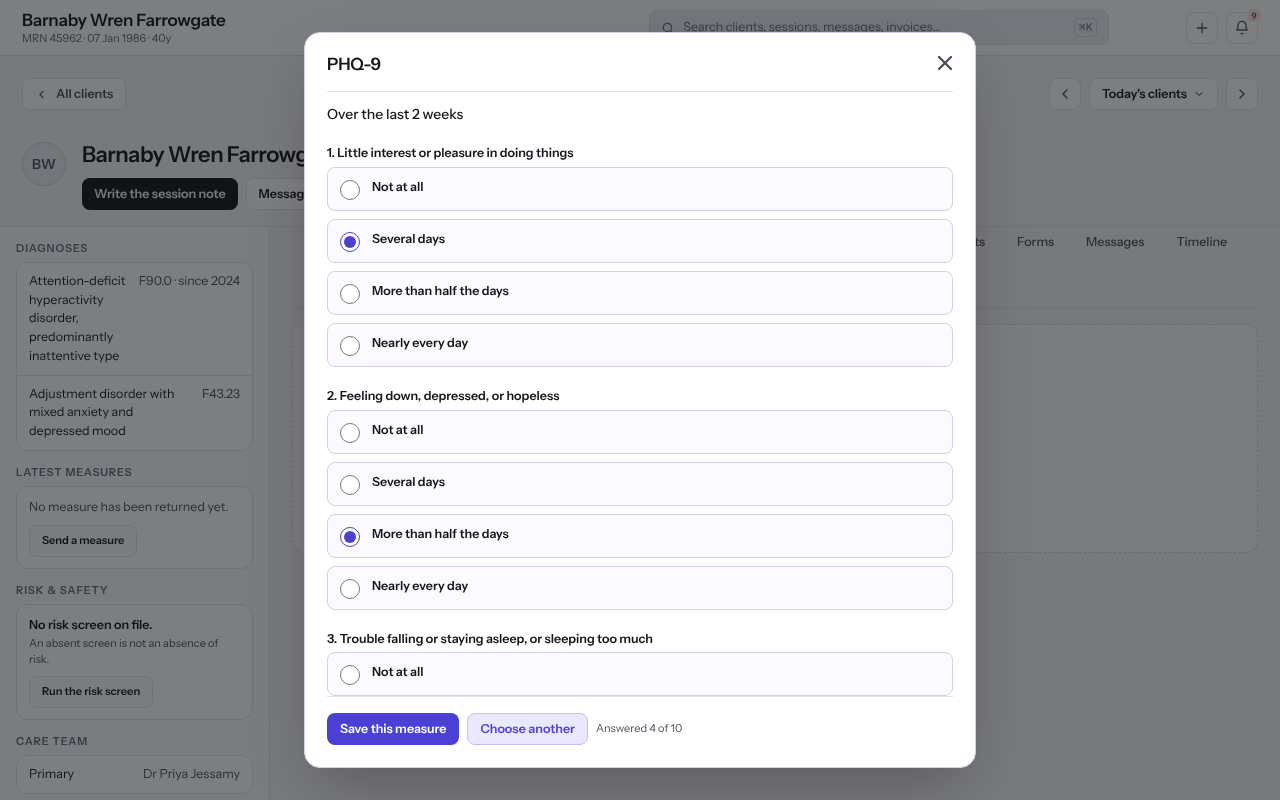
Record a measure
- Open the client and select Measures & vitals in the chart's rail.
- Select Record a measure and choose the instrument.
- Choose an answer for each question.
- Under When was this filled in, choose Just now, or Earlier and give the Day it was filled in and Roughly what time.
- Under Who answered, choose The client answered it themselves, You asked the questions and recorded the answers, or Somebody else answered about the client.
- Select Save this measure. The total and its interpretation are worked out when it is saved.
Tip: To have the client answer from home, select Ask the client. See Sending a client a form or a measure.
Note: An instrument that asks a kind of question this screen cannot show is listed under Not fillable here yet rather than offered.
Read the scores
- Each measure shows its total with its interpretation, every item answer, and the version it was scored under.
- Select About this measure to read the instrument's bands and where they came from.
Last checked against Weft on 07 Oct 2026. Something on your screen reads differently? Tell us at support@weftary.com.