
Correcting a signed note or adding an addendum
Add an addendum to a signed note, or correct it with a new version you sign, leaving the signed version readable.
Who this is for: Clinician, Associate clinician, Practice administrator
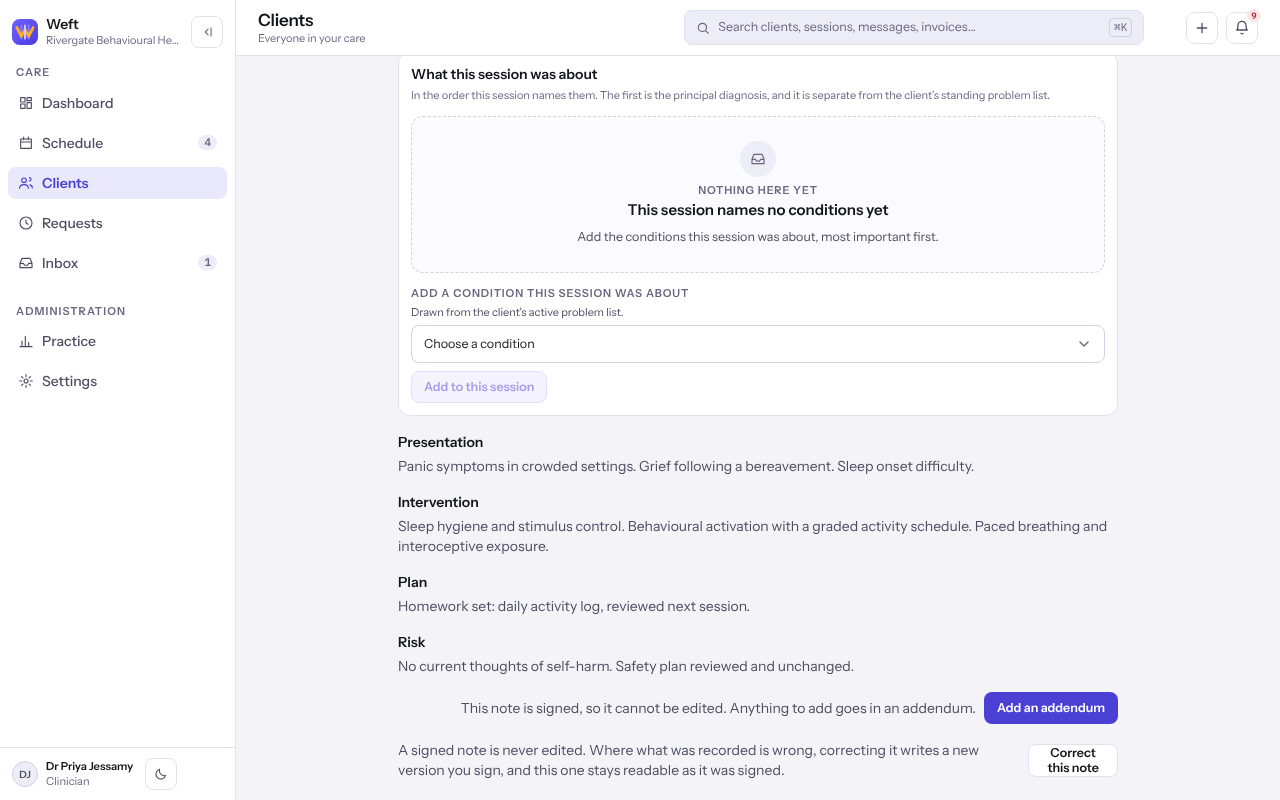
A signed note is never edited. Your practice chooses whether a signed note is put right with an addendum, with a correction, or either, so you may see one control or both.
Add an addendum
Use an addendum to add something learned afterwards. The signed note stays the version a reader reaches first.
- Open the signed note and select Add an addendum.
- Read Add an addendum to this note? and select Add an addendum.
- Write the addendum under the same headings and sign it as you would any note.
Note: A note carries one addendum. Anything after that goes on the addendum.
Correct the note
Use a correction where what was recorded is wrong.
- Open the signed note and select Correct this note.
- Under What you are correcting, say briefly what was wrong. Whoever reads the note next sees it.
- Select Start the correction. A new draft opens with the signed words copied in.
- Put it right and sign it. The new version links to the one it replaces, which stays readable exactly as it was signed.
Last checked against Weft on 07 Oct 2026. Something on your screen reads differently? Tell us at support@weftary.com.