
Writing and signing a session note
Start a note against a session, write it under your template's headings, name what the session was about, and sign it.
Who this is for: Clinician, Associate clinician, Practice administrator
A note is written against a session already on the calendar. It saves as you go, and signing makes it a read-only record.
Start the note
- Open the client and select Session note in the chart's rail.
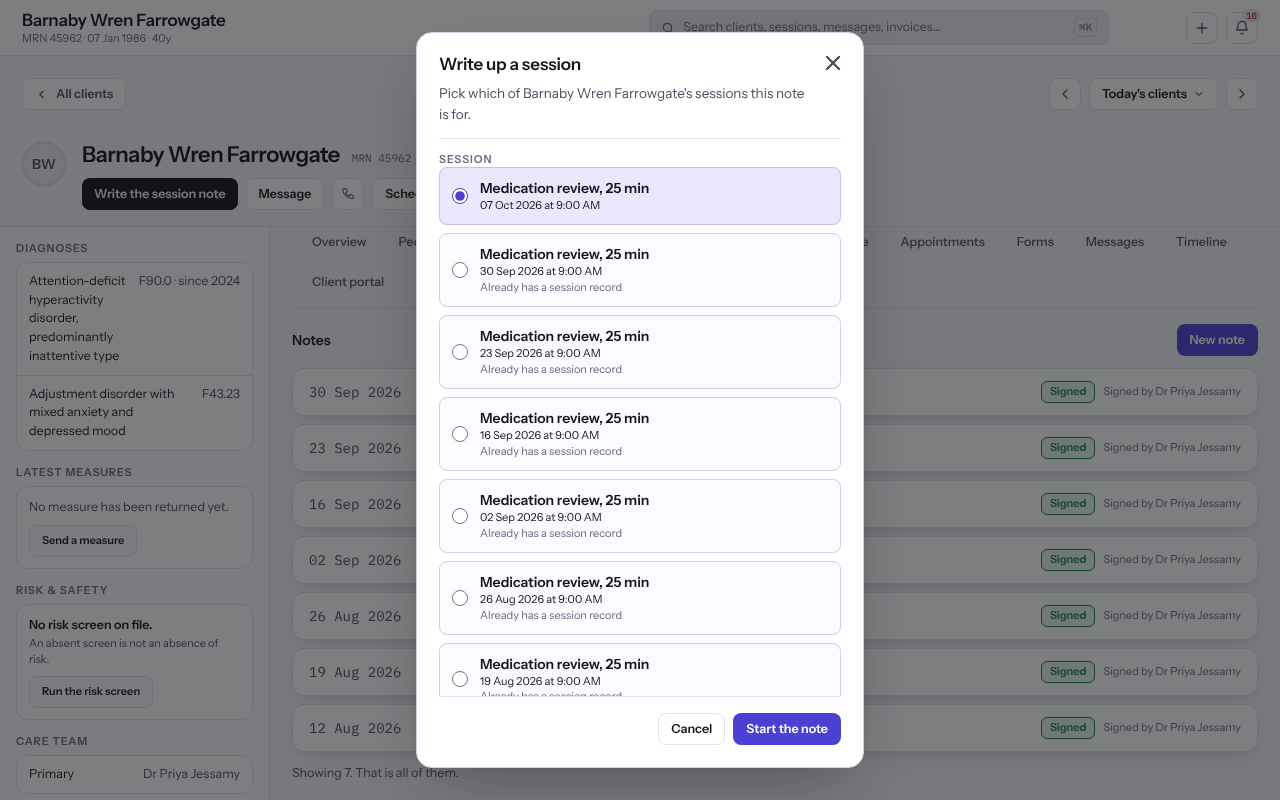
- Select New note. Under Write up a session, pick the session this note is for.
- Choose the Note type and the Template. The template set for the visit type is chosen for you, and One plain box, no template is always on offer.
- Select Start the note.
Tip: You can also start the note from the session itself on the schedule with Add note, or from the Notes tab during a video visit.
Write it
- Write under each heading. The template's guidance sits beside the section it belongs to, and Saved shows once what you wrote is kept.
- Under What this session was about, choose a condition from Add a condition this session was about and select Add to this session. Put the principal one first with Move up and Move down.
- To lay the note out under different headings, change Template, read the confirmation and select Move the note. Nothing you wrote is removed.
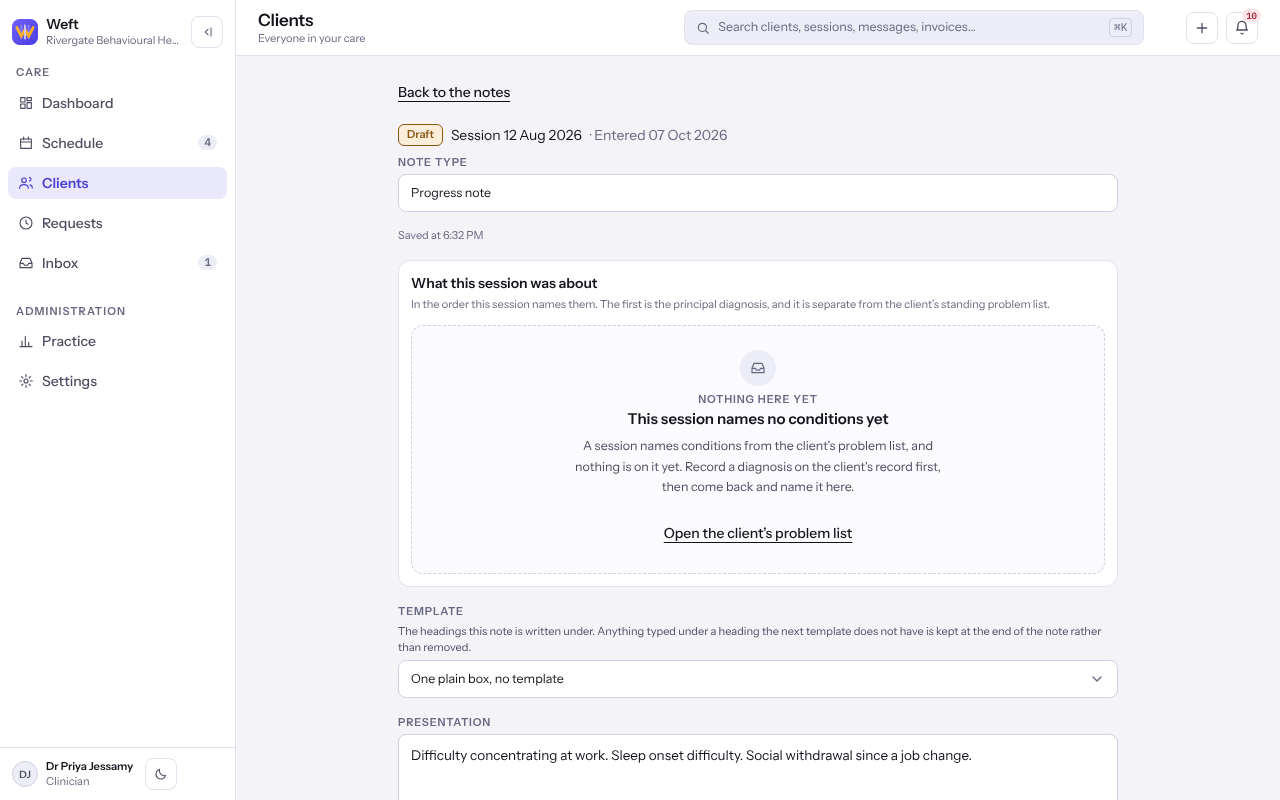
Note: Only conditions on the client's active problem list can be named on a session. Record one first if the list is empty. See Recording a diagnosis.
Sign it
- Select Sign the note.
- Read Sign this note? and select Sign the note again. To carry on writing, select Keep editing.
Important: A signed note cannot be edited. To put something right afterwards, see Correcting a signed note.
Note: An associate clinician signs first and the note then waits for their supervisor's countersignature. Your Dashboard says so under Notes to sign.
Last checked against Weft on 07 Oct 2026. Something on your screen reads differently? Tell us at support@weftary.com.
Common questions
Where do I see the notes I still have to sign?
On your Dashboard, under Notes to sign.
Can Weft AI draft the note for me?
Where your practice has it switched on, Draft the note appears on the note. See Drafting a note with Weft AI.