
Using the waitlist
Put somebody on the waitlist with the times that suit them, book them when a time comes free, or take them off.
Who this is for: Scheduler, Clinician, Associate clinician, Practice manager, Practice administrator
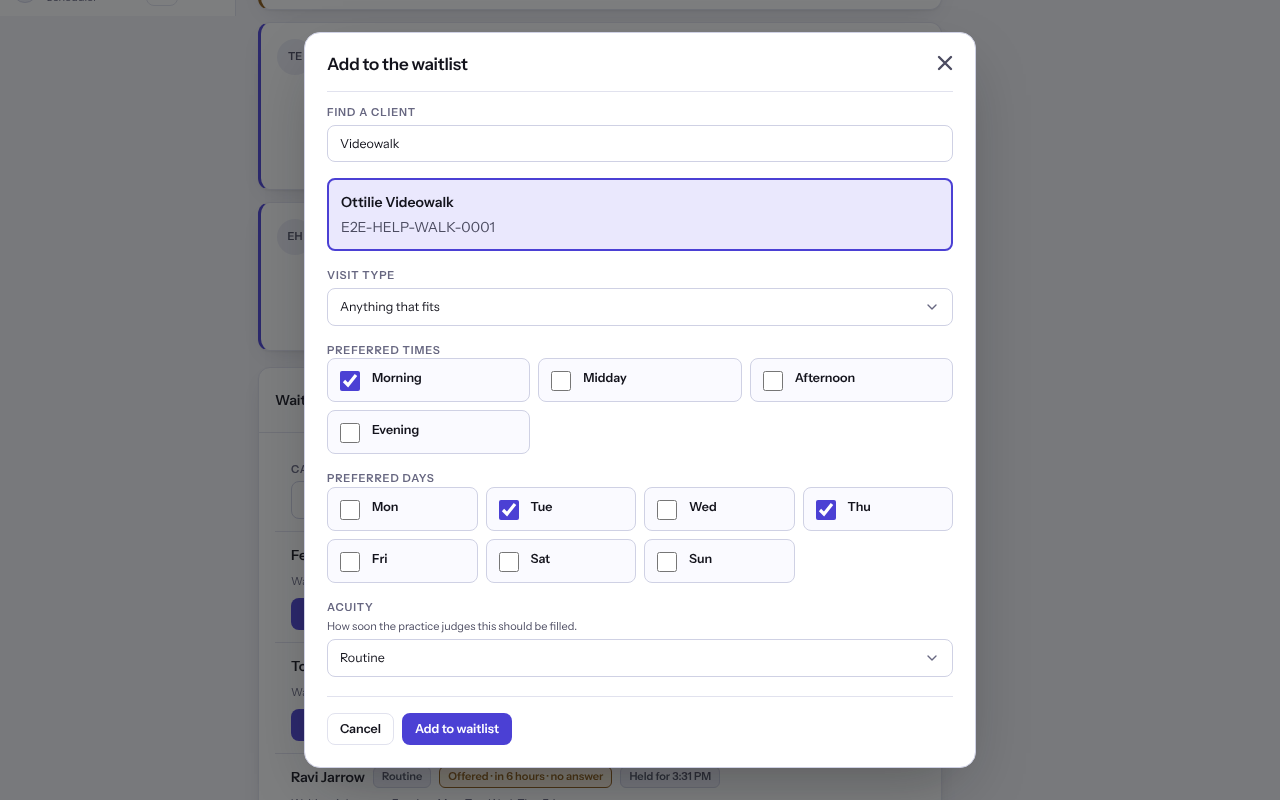
Add somebody to the waitlist
- Select Requests, then Add to waitlist on the Waitlist card.
- Under Find a client, search by name, date of birth or record number and choose them.
- Choose a Visit type, or Anything that fits, then the Preferred times and Preferred days.
- Under Acuity, choose Routine, Elevated or High, add a Note if useful, and select Add to waitlist.
Book somebody who is waiting
- The waitlist lists the longest wait first within each acuity. Narrow it with Can come and On, and select Show everyone to clear that.
- Select Book on an entry to open the booking sheet for them.
- To take somebody off, select Remove, then Take off the waitlist.
Last checked against Weft on 07 Oct 2026. Something on your screen reads differently? Tell us at support@weftary.com.