
Moving or cancelling a session
Move a session to another free time, or record that the client cancelled, cancelled late, or that the practice called it off.
Who this is for: Clinician, Associate clinician, Scheduler, Practice manager, Practice administrator
Move a session
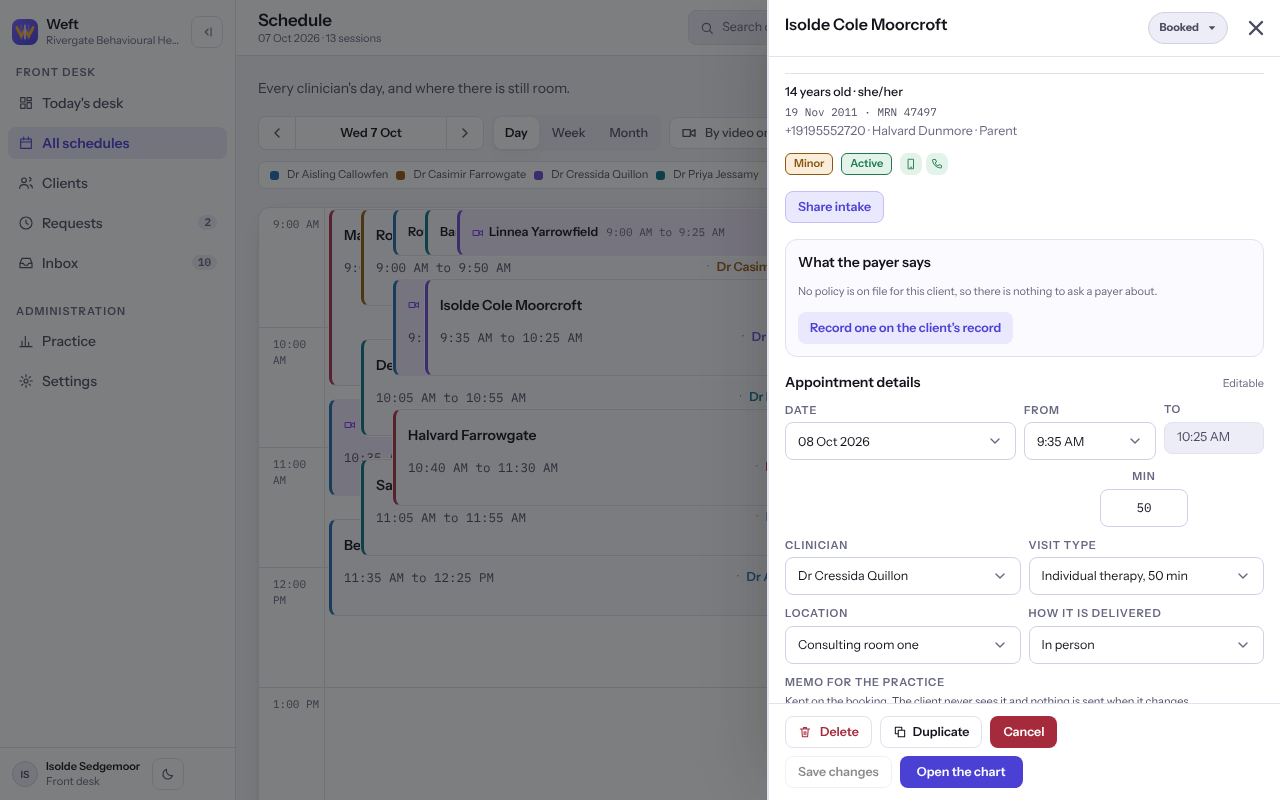
- On Schedule, select the session to open it.
- Under Appointment details, choose a new Date, then a time under From.
- Select Save changes. The hour the session leaves is free for anybody to book.
Tip: On a wide screen you can also drag a session to a new time on the calendar and select Move it.
Cancel a session
- Open the session and select Cancel at its foot.
- Under What happened, choose The client cancelled, The client cancelled late, The practice cancelled or It was booked in error. What each one records is shown under it.
- Optionally say Why, in a few words.
- Select the button, which names what you chose, for example Cancel the session or Record the late cancellation. To keep it after all, select Keep the session.
Important: When the practice cancels, Weft does not tell the client. Tell them yourself, and use Cancel and find another time to book them somewhere else straight away.
Note: A late cancellation raises no fee by itself. If your practice charges one, raise it from the client's Payments area. See Raising an invoice.
Last checked against Weft on 07 Oct 2026. Something on your screen reads differently? Tell us at support@weftary.com.