
Checking a client in and recording what happened
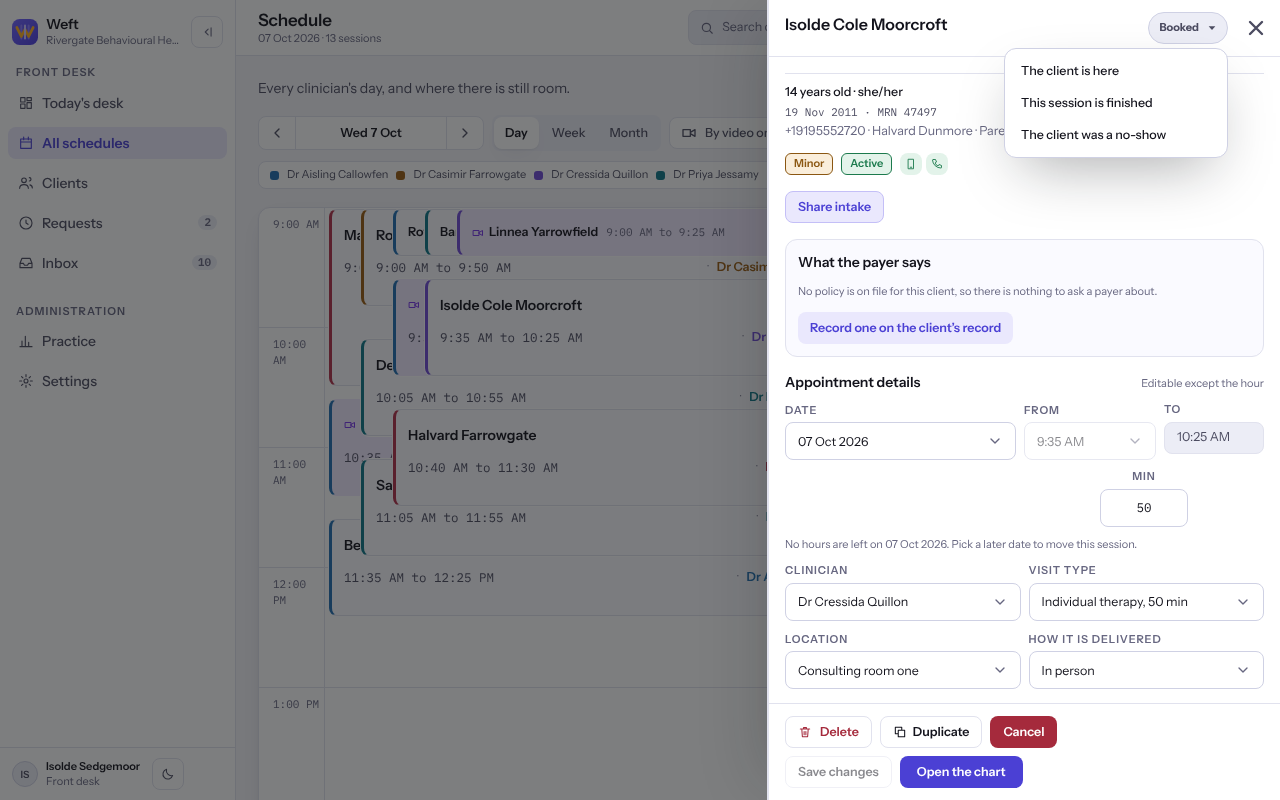
Record that the client is here, that the session is finished, or that the client was a no-show.
Who this is for: Scheduler, Clinician, Associate clinician, Practice manager, Practice administrator
Change the status
- On Schedule, select the session to open it.
- Select the status badge at the top of the session, for example Booked.
- Choose The client is here, This session is finished or The client was a no-show.
- For a video session, answer Where is the client? with At home, At one of our places or Somewhere else, or Do not record where they are.
Note: Your practice may require some things before a check-in, such as a consent to treatment or a card on file. If one is missing, Weft says which and the client is not checked in.
Note: Changing a session that is already settled asks you to confirm before it is changed.
Last checked against Weft on 07 Oct 2026. Something on your screen reads differently? Tell us at support@weftary.com.