
Answering appointment requests
Work the requests queue: book what a client asked for, offer another time, or decline with a note.
Who this is for: Scheduler, Clinician, Associate clinician, Practice manager, Practice administrator
Requests from the client portal, including first appointments asked for by somebody new to the practice, land on Requests. The number beside Requests in the rail is how many are waiting.
Answer a request
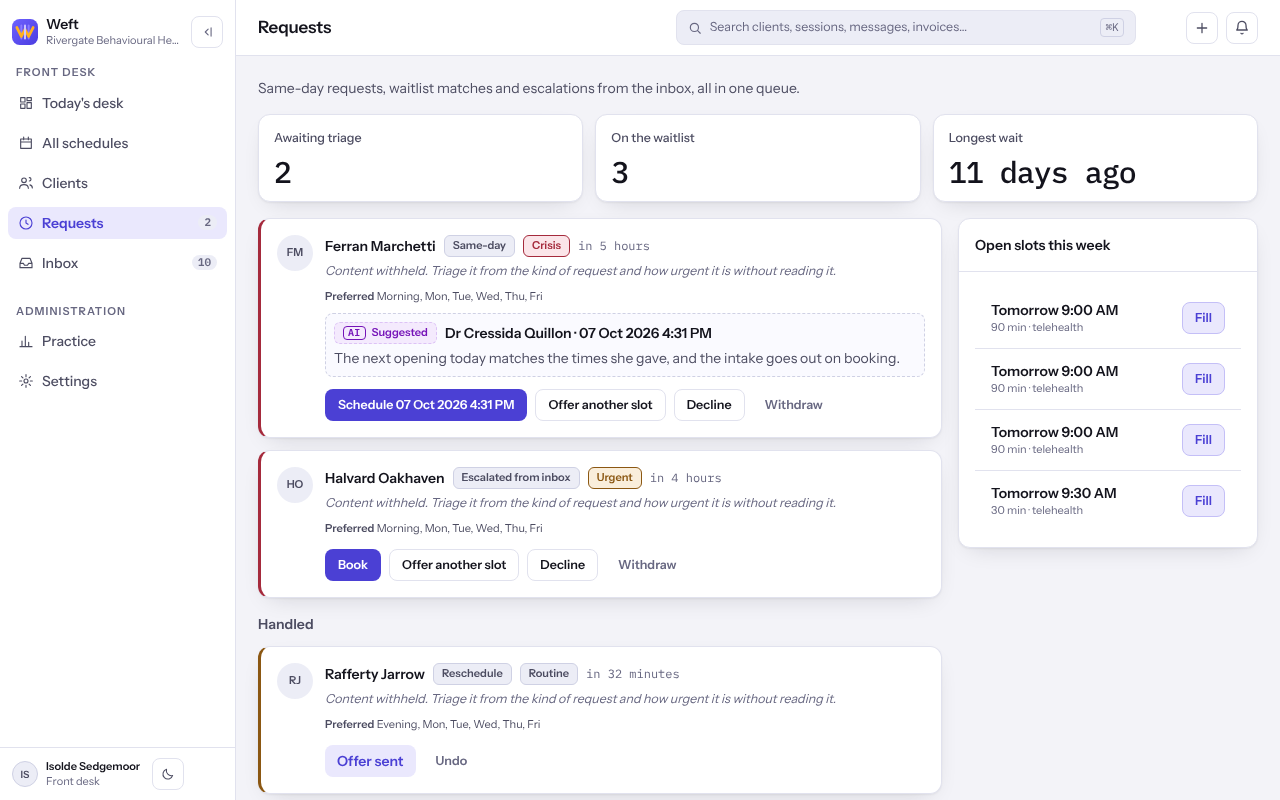
- Select Requests. Each card under Awaiting triage shows who asked, what for, how urgent it is, and the times and days that suit them.
- To book it, select Book, or the suggested time if one is shown. The booking sheet opens with what was asked already filled in.
- To suggest a different time, select Offer another slot, add a Note for the record and select Send the offer.
- To turn it down, select Decline, add a note and select Decline again.
Note: Booking or declining a first appointment from somebody new also decides their chart: booking takes them on as a client and, where they asked for themselves, opens their portal login. Declining turns the chart away.
Undo or withdraw
- Under Handled, select Undo on a request that was answered by mistake. It goes back to the queue.
- Select Withdraw on a request that no longer needs an answer.
Last checked against Weft on 07 Oct 2026. Something on your screen reads differently? Tell us at support@weftary.com.