
Writing an encounter note
Write down a phone call, a result you reviewed or any other note with no appointment, and change it afterwards.
Who this is for: Clinician, Associate clinician, Practice administrator
An encounter note records care that has no appointment behind it. It is not signed and is not locked, so the clinician who wrote it can change it afterwards. It is not billed.
Write it
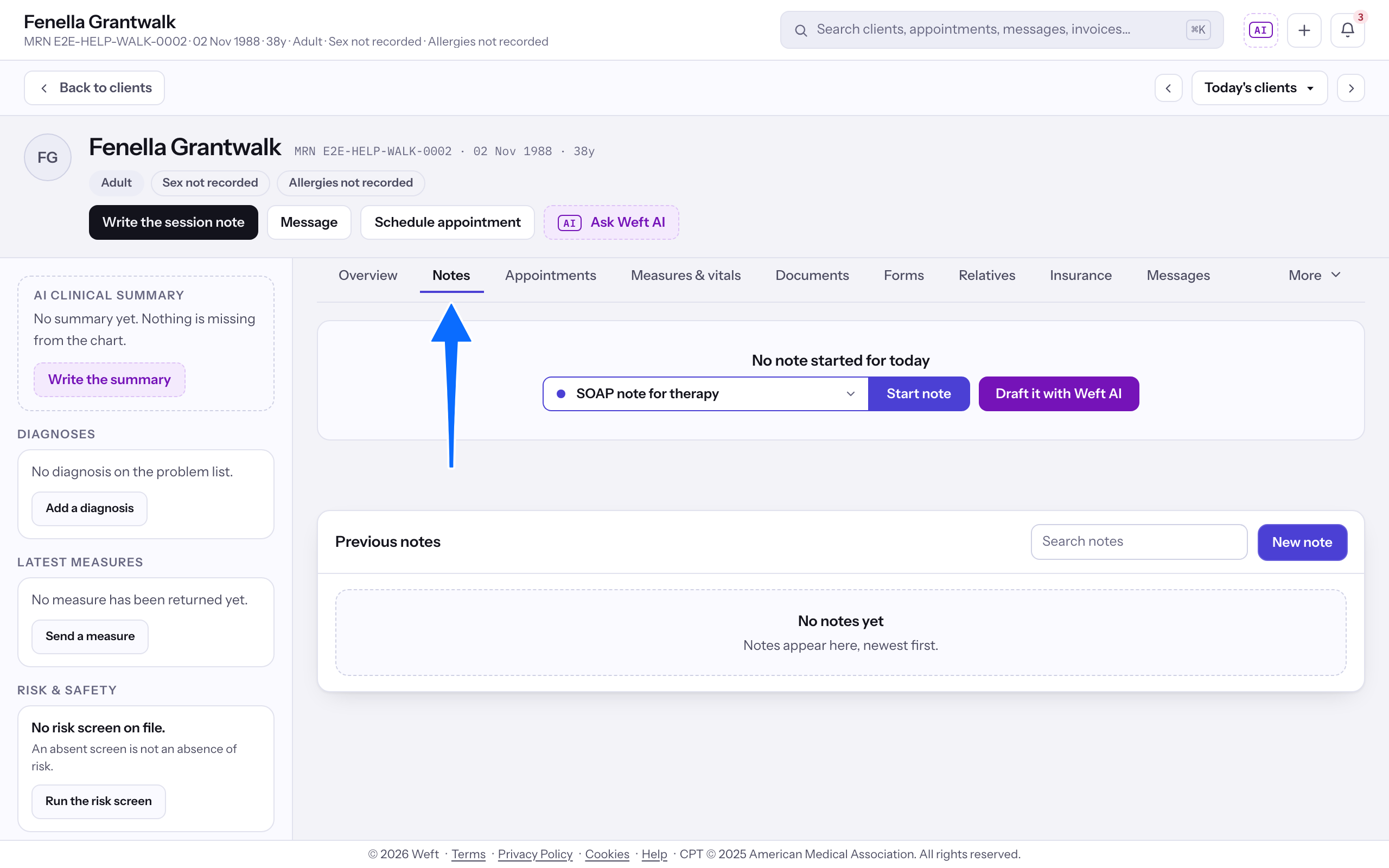
- Open the client and select Notes in the chart's rail.
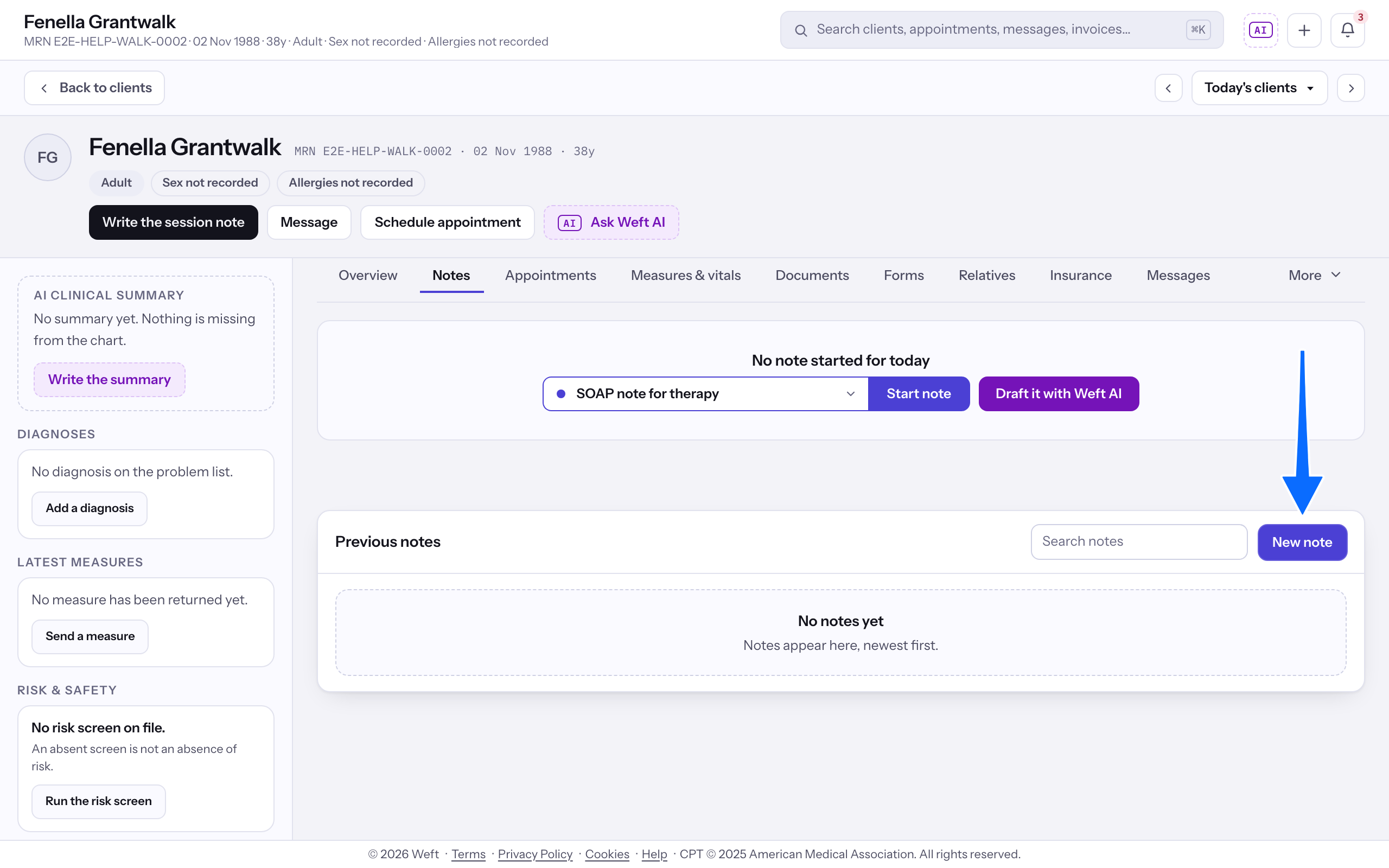
- In Previous notes, select New note.
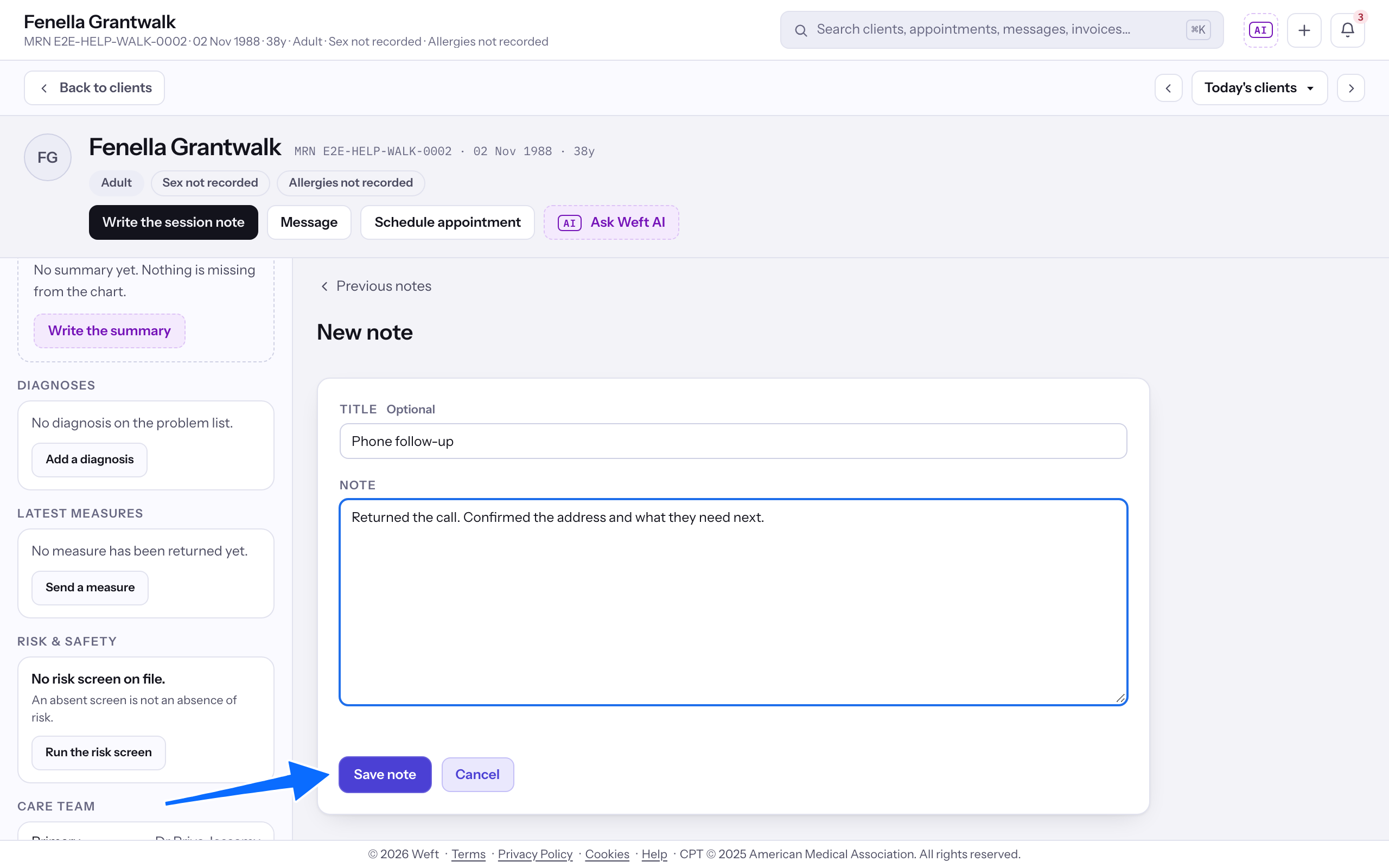
- Add a Title if you want one, write the Note, and select Save note. The date and time are added for you. Press Ctrl+Enter (Cmd+Enter on a Mac) to save from the note box, or Escape to cancel.
Note: The note appears in Previous notes with the signed notes, tagged Encounter note when you gave it a Title. With no title, its name in the list is Encounter note.
Change it
- In Previous notes, select the encounter note.
- Select Edit, change the Title or the Note, and select Update note.
Important: Only the clinician who wrote an encounter note sees Edit. The note then reads Last edited by and your name.
Last checked against Weft on 01 Nov 2026. Something on your screen reads differently? Tell us at support@weftary.com.
Common questions
Is an encounter note part of the client's record?
Yes. It is read with the clinical notes and is marked the way your practice marks its other clinical records.