
Recording an agreement a client signed on paper
Record that a client signed one of your practice's agreements on paper or agreed to it aloud, and see every agreement they have accepted.
Who this is for: Scheduler, Clinician, Practice manager, Practice administrator
Agreements your practice publishes, such as an informed consent to treatment, can be accepted by the client in their portal. When they agree away from a keyboard, record it here.
Record the agreement
- Open the client. On Overview, find Agreements.
- Select Record an agreement.
- Under Which document, choose the agreement and version.
- Under The day they agreed, enter the day the client agreed, not today's date if that differs.
- Under How it was given, choose Signed on paper or Agreed aloud, then select Record it.
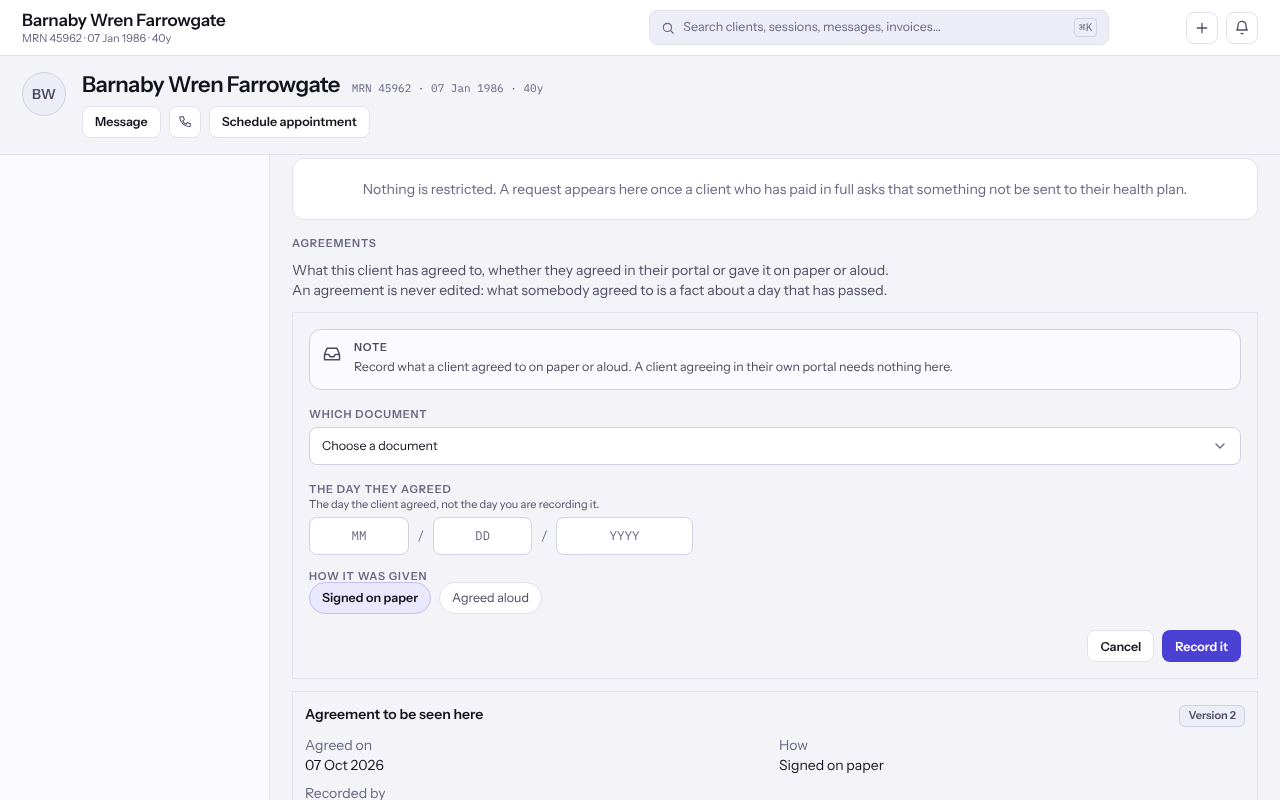
Note: The list shows every agreement in one place, and each row says whether it was Agreed in the portal or recorded by a colleague.
Last checked against Weft on 07 Oct 2026. Something on your screen reads differently? Tell us at support@weftary.com.