
Setting an out of office
Set an out of office and choose what happens to appointments in its way.
Who this is for: Clinician
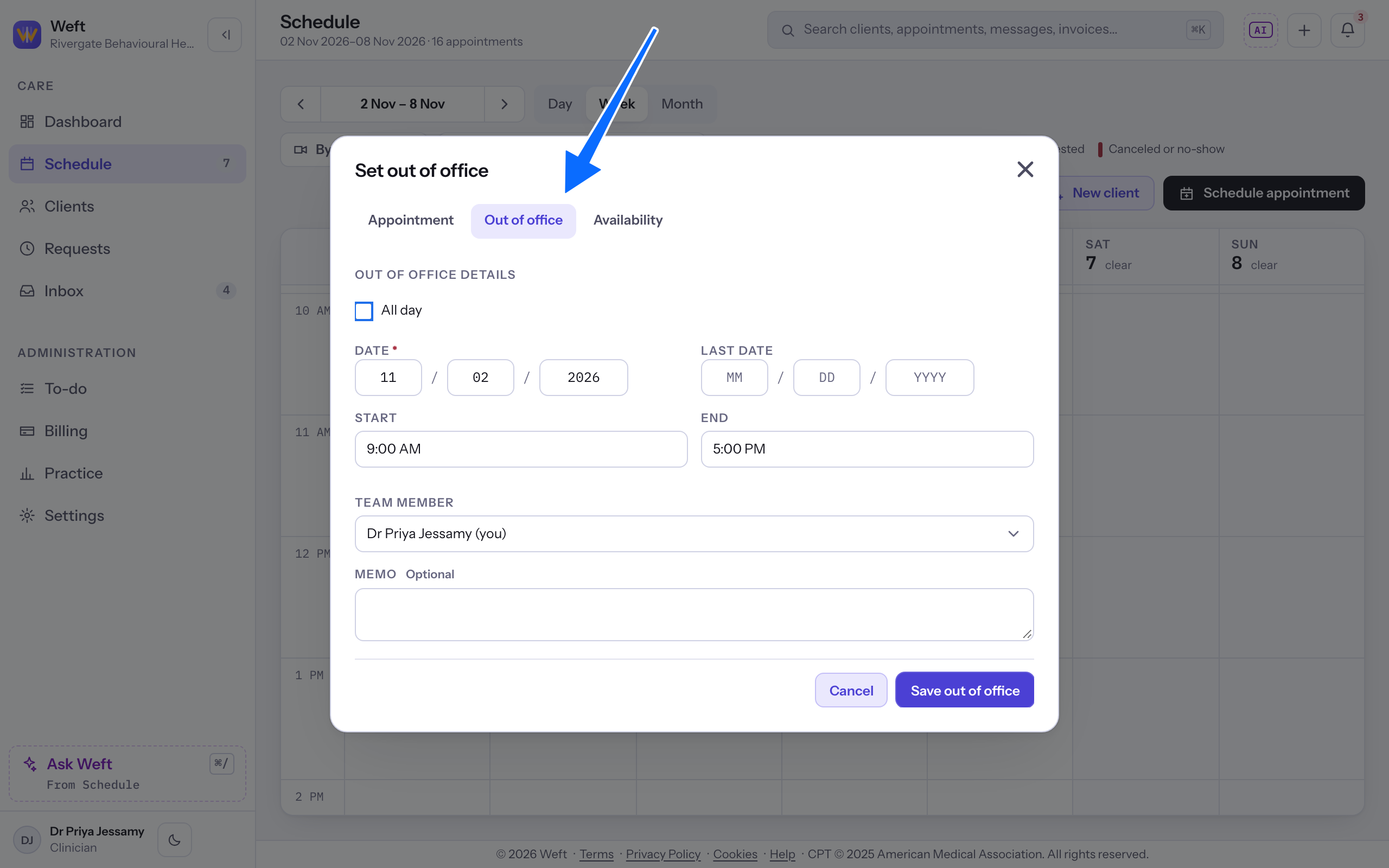
Set the out of office
- Open the create menu, select Add availability, then select the Out of office tab. The sheet is titled Set out of office.
- Choose Date and, for more than one day, Last date. All day starts clear, and Start and End start at 9:00 AM and 5:00 PM. Select All day to block whole days, or leave it clear and set Start and End.
- Check Team member and add a Memo if needed.
- Select Save out of office.
Choose what happens to appointments
- If an appointment falls in the out of office, the sheet lists it with Reschedule and Cancel. With one appointment both act at once: Reschedule saves the out of office and opens rescheduling, and Cancel saves it and cancels the appointment straight away, with no further confirmation. With several, choose an outcome for every one, then select Set out of office; Cancel all cancels all of them. Select Change the out of office to go back to the form.
- The saved result says Out of office set. Where you chose to reschedule several appointments, it lists them under Still to reschedule. Cancellations appear under Canceled by the practice. Phone anyone listed under Not notified, who has no portal access. Finish moving each appointment using Moving or canceling a session.
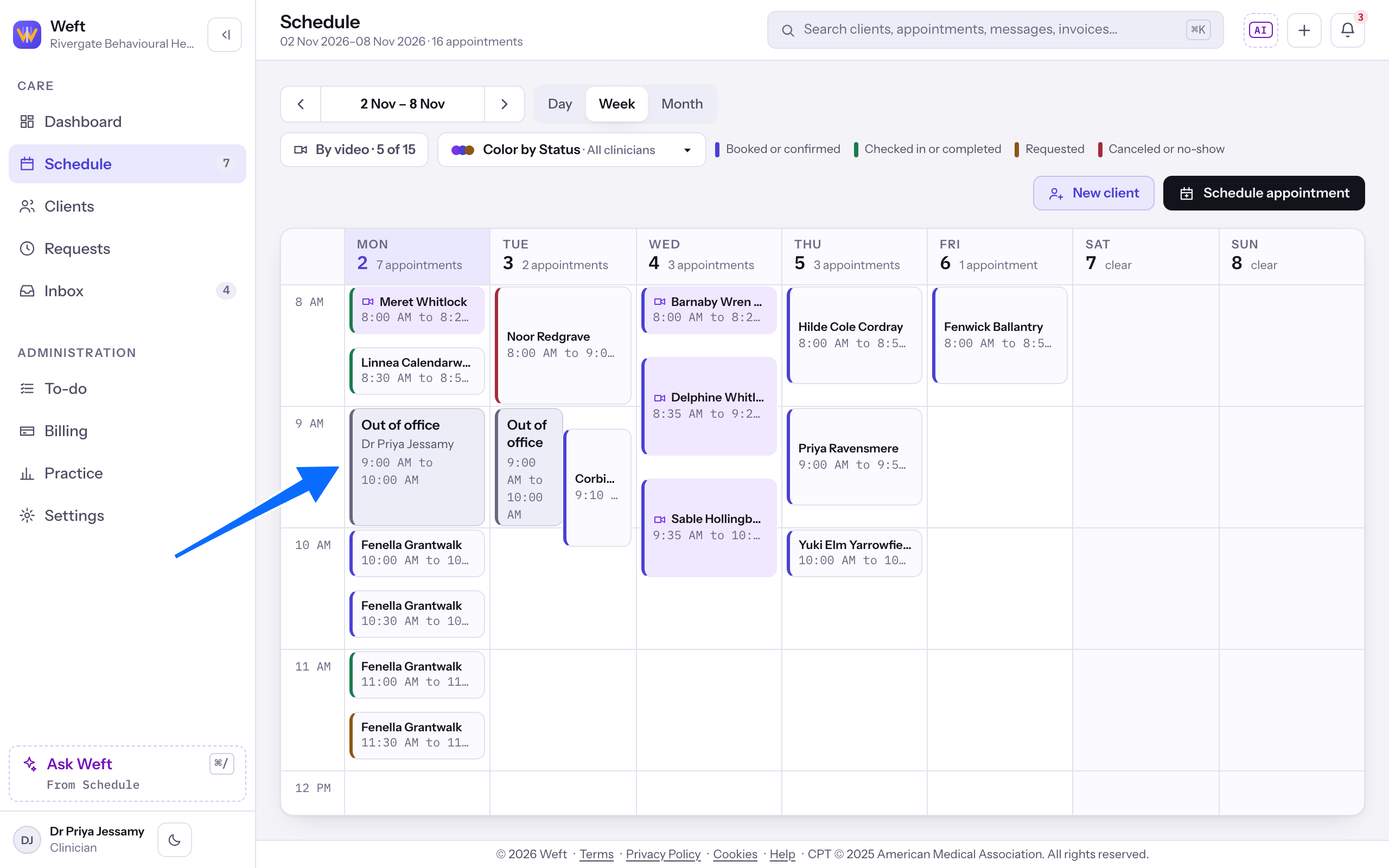
Read the block on the calendar
- Return to the calendar and find Out of office across the days or hours you blocked.
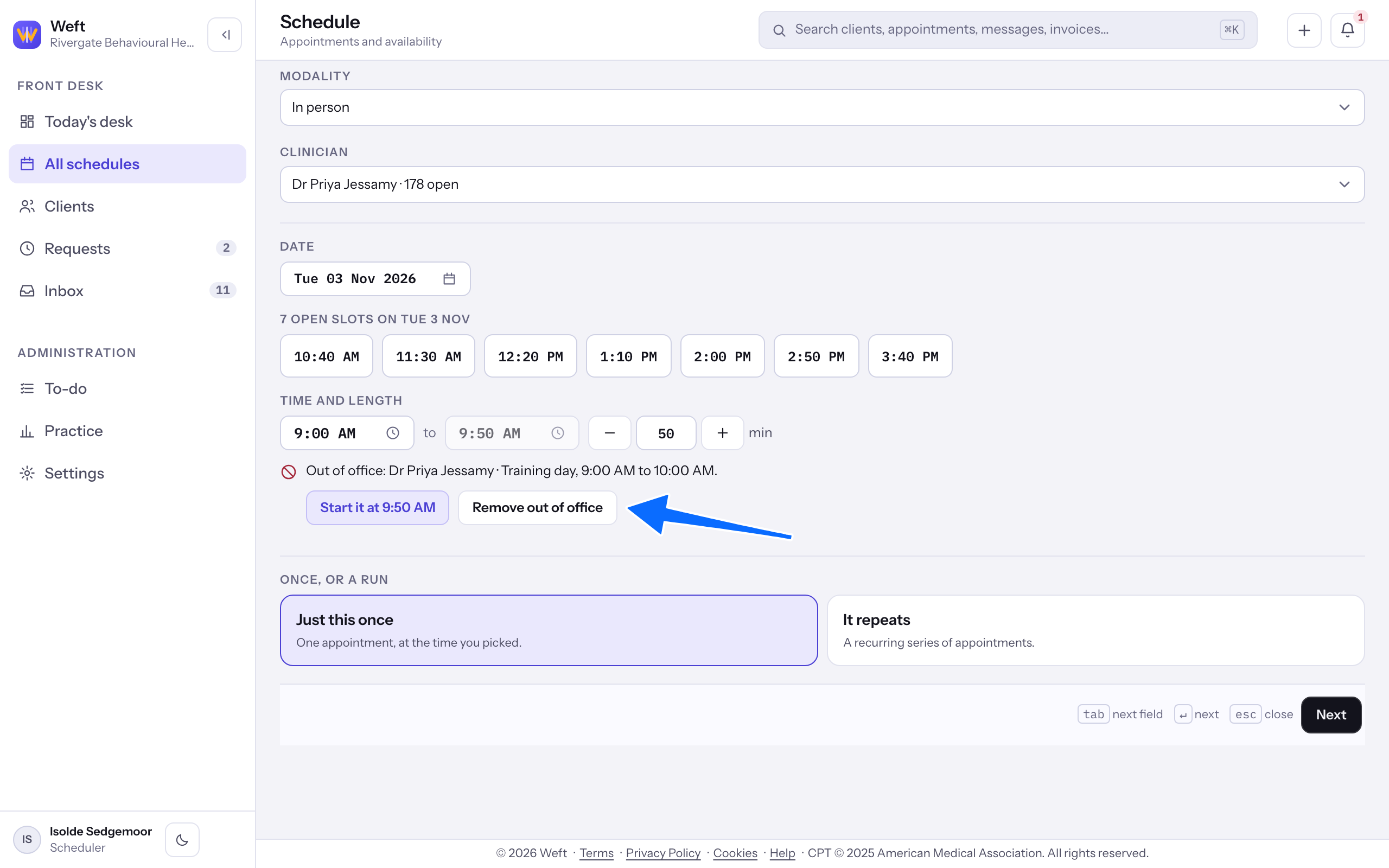
Choose a time outside the block
- When a booking start falls inside an out of office, a notice under the time fields begins Out of office and names the block. Its buttons cut the block back so the time is free, such as "Start it at 9:50 AM", or you can select Remove out of office if the time should be available. Or choose another start.
Last checked against Weft on 31 Oct 2026. Something on your screen reads differently? Tell us at support@weftary.com.