
Reading an appointment and what is owed on it
Read an appointment’s fees, billing and change history.
Who this is for: Scheduler
Open the appointment and read its fee
- On Schedule, select an appointment to open it.
- Read Appointment fees: each service on the appointment, with its units and its fee.
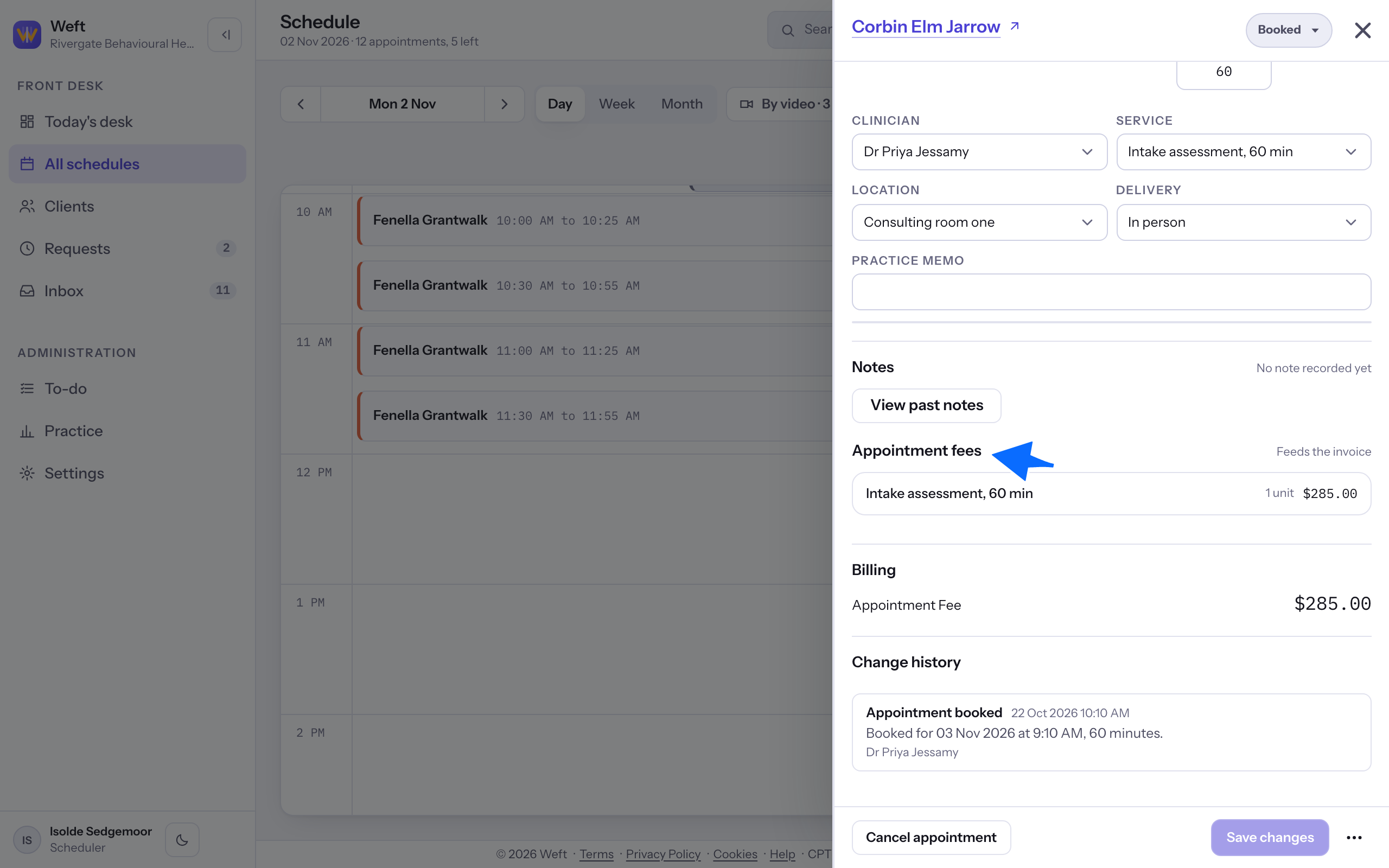
Note: A copay appears only to roles with permission to see insurance, when one is available for the appointment. A standard Scheduler cannot see it.
Read what is owed
- If your role can see billing, read Billing and Client balance. With linked invoices, the balance here is the total still owed on those invoices. Select Open invoice to read one.
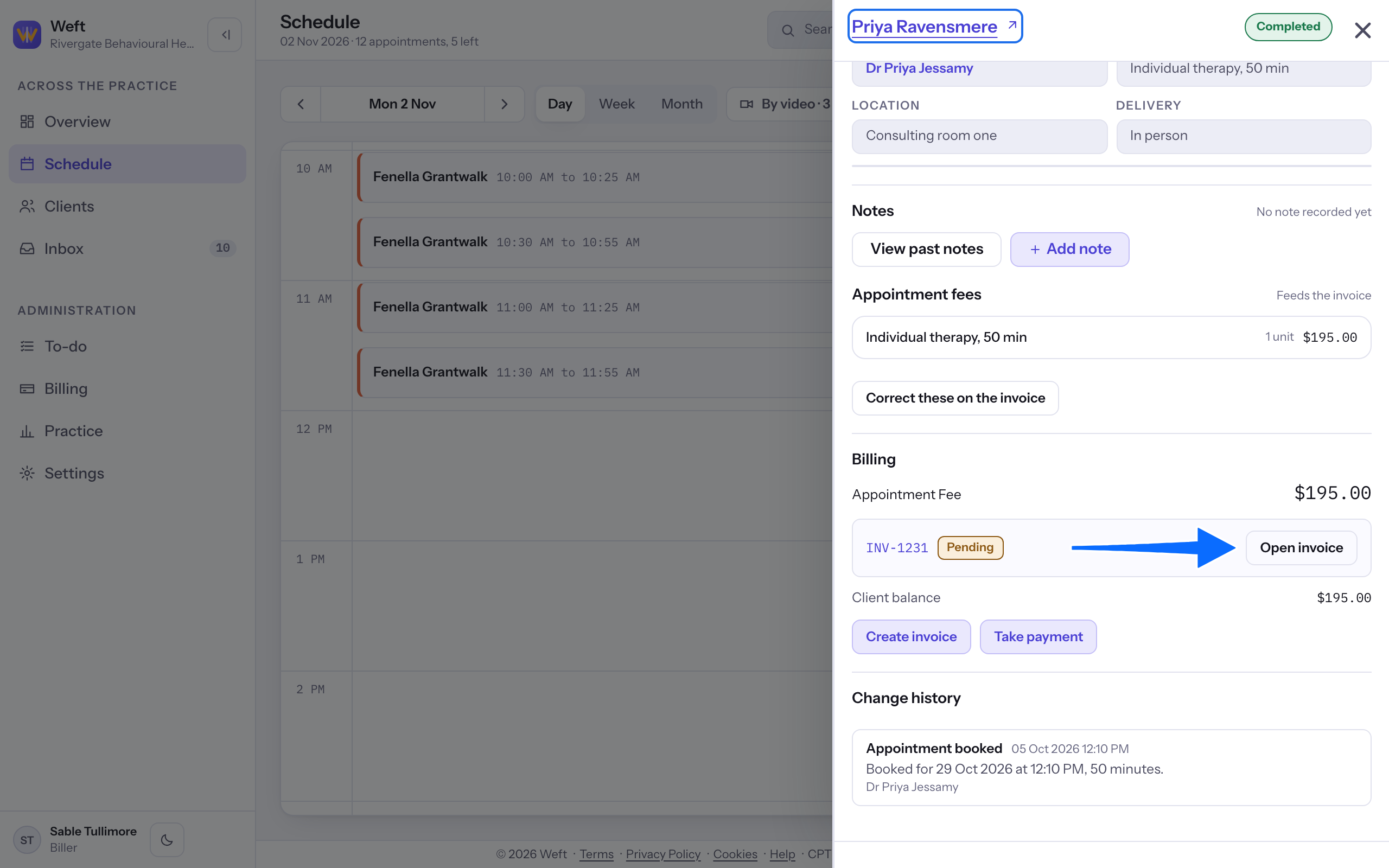
Note: The owner, practice manager and biller can open invoices. See Raising an invoice and Taking a payment for those tasks.
Read the change history
- Scroll down to Change history in the open appointment. Read what changed, when and who made the change. This is an inline section.
Last checked against Weft on 31 Oct 2026. Something on your screen reads differently? Tell us at support@weftary.com.