
Reading a client's payments and balance
Read the client balance, invoices, payments and refunds.
Who this is for: Biller
Read the account
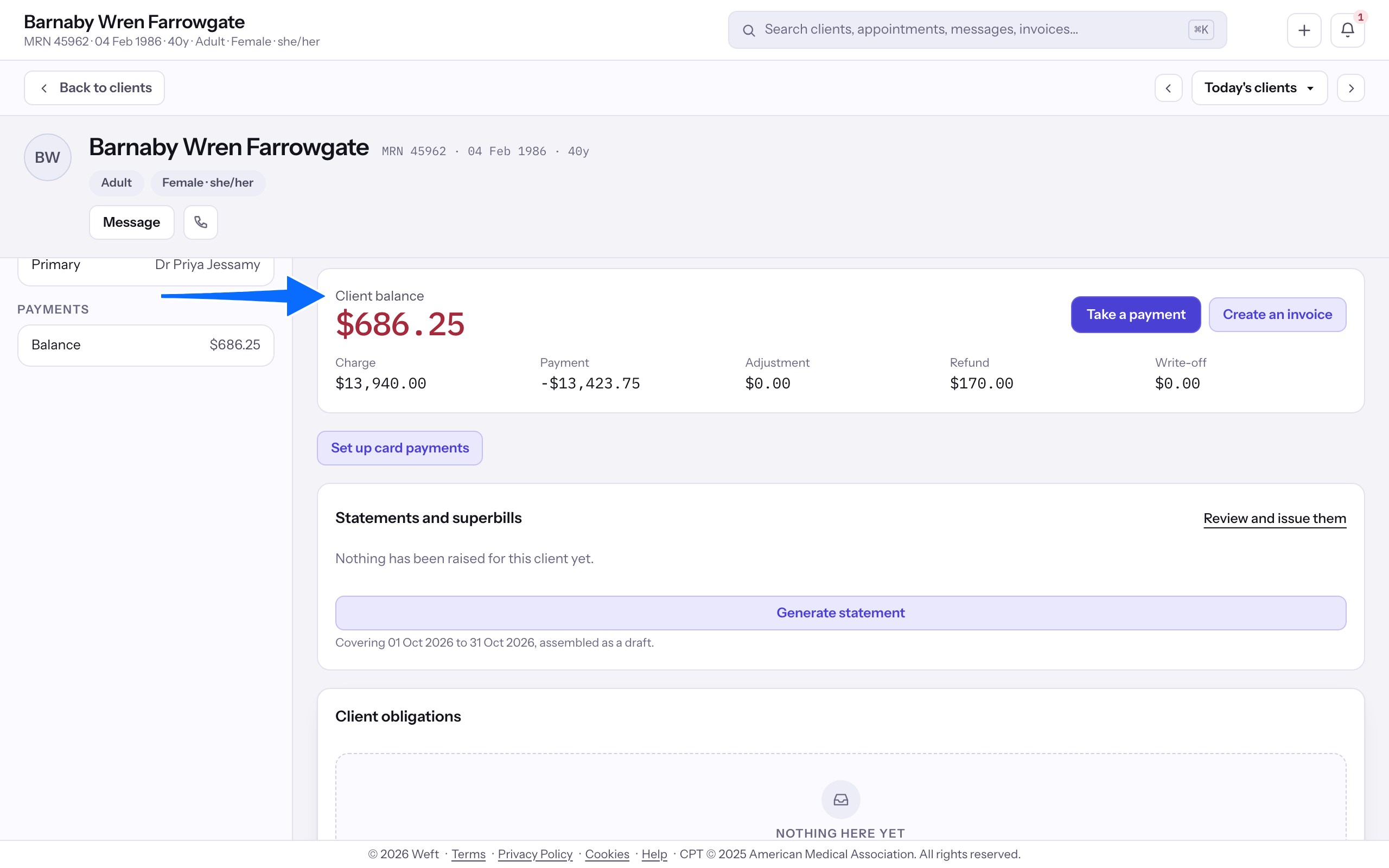
- Open Payments and read Client balance with the charge, payment, adjustment and refund components.
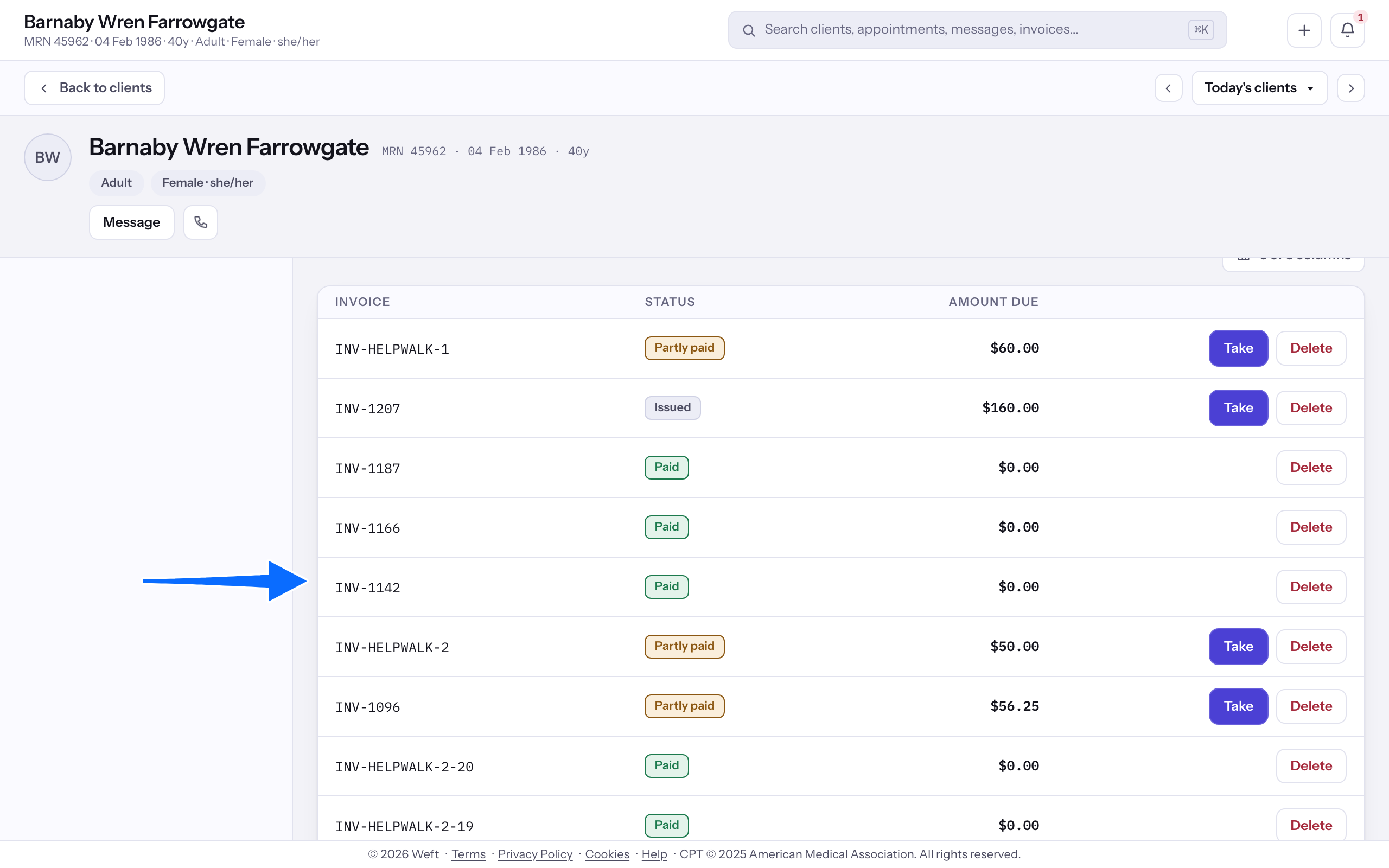
- Under Invoices, read each invoice's standing and amount due. Open its link for the invoice details.
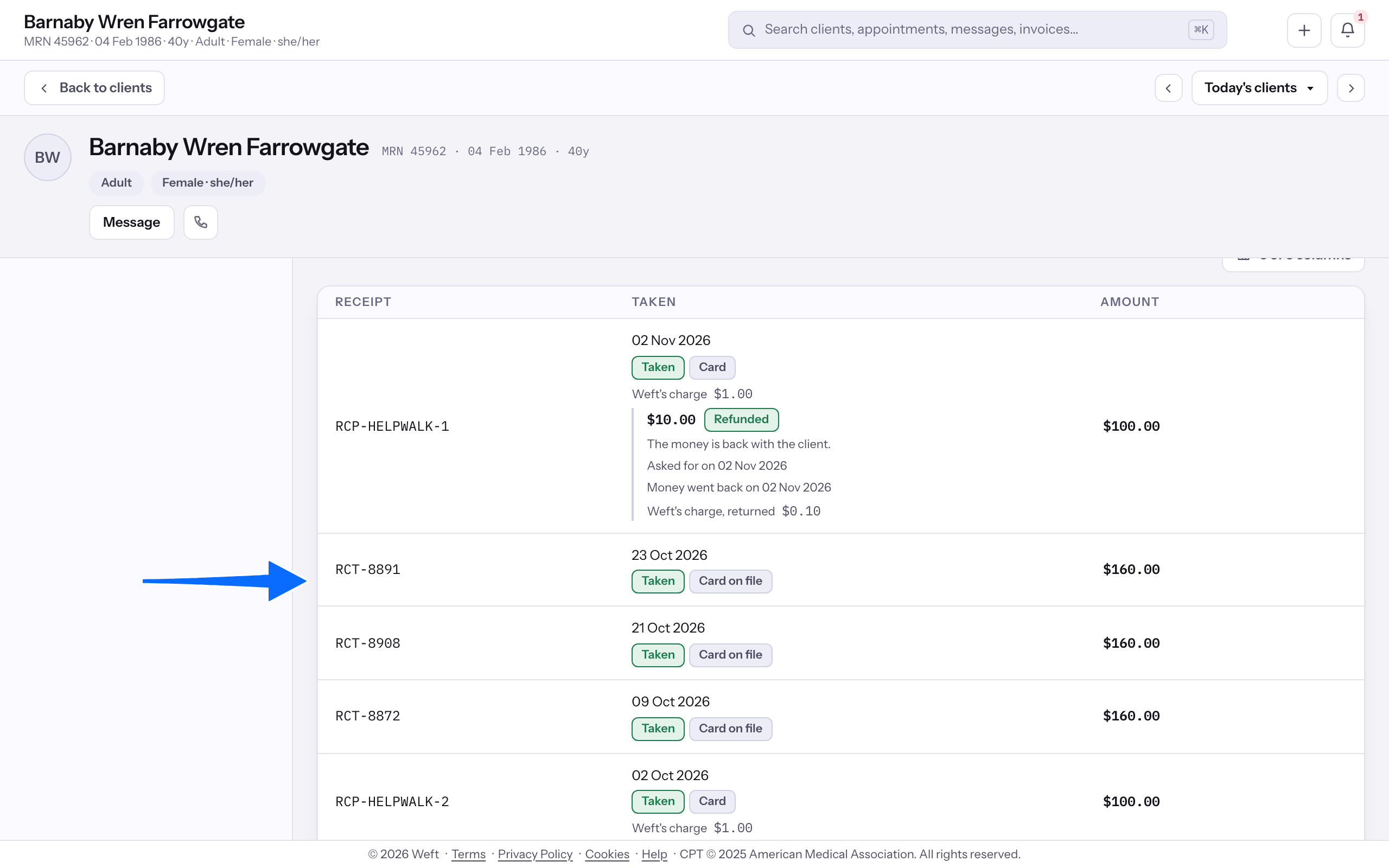
- Under Payments, read each payment's method, standing and amount. Refunds appear beside the payment they came from. Each refund shows its amount, status, request date and, once settled, the date the money went back.
- For the refund procedure, see Refunding a payment.
Read saved cards
- Read the saved cards when the practice takes card payments.
Note: Saved cards show only once the practice takes card payments. See Starting to take card payments.
Last checked against Weft on 31 Oct 2026. Something on your screen reads differently? Tell us at support@weftary.com.