
Pausing, discharging or readmitting a client
Change a client's standing and return them to active care.
Who this is for: Clinician
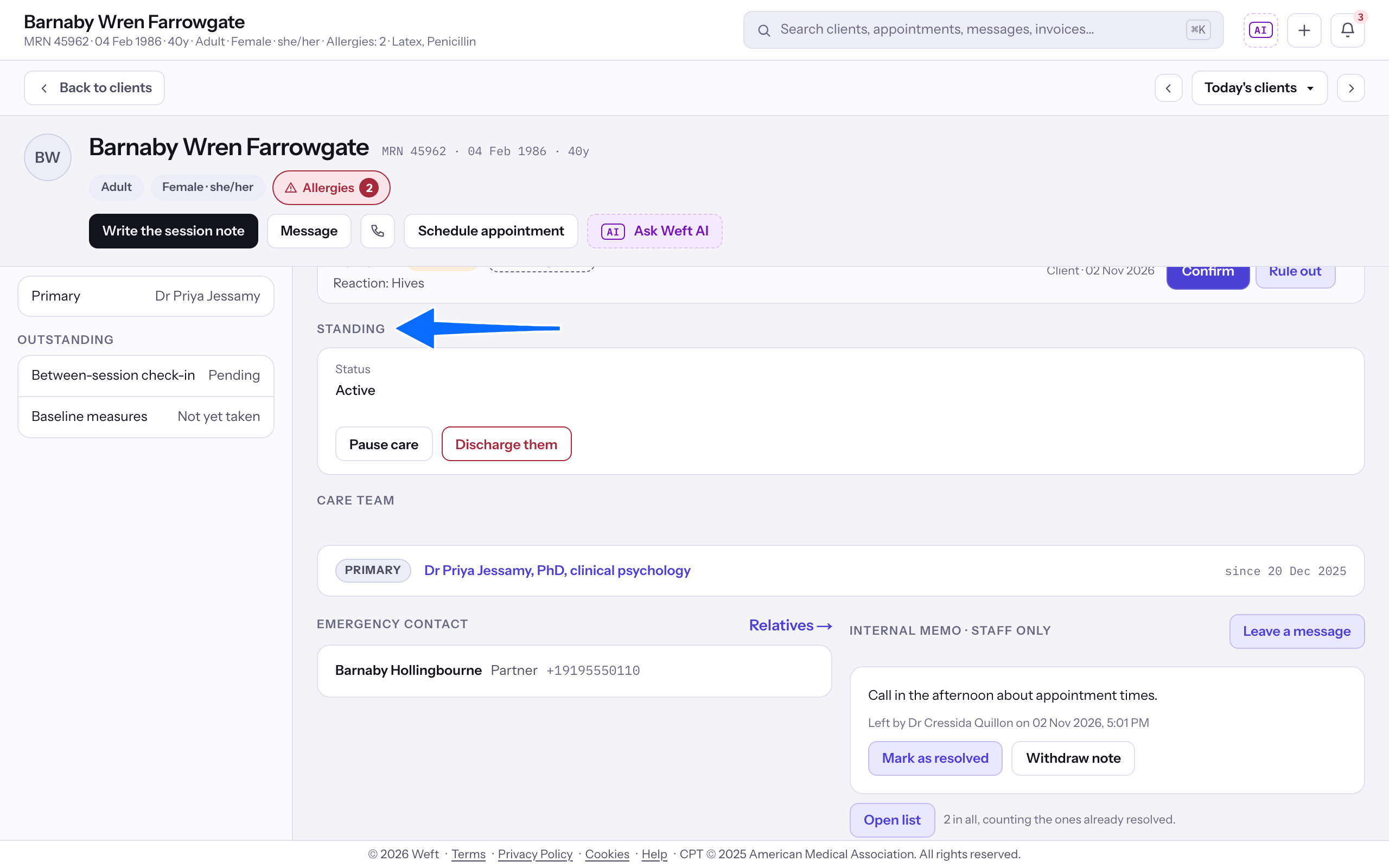
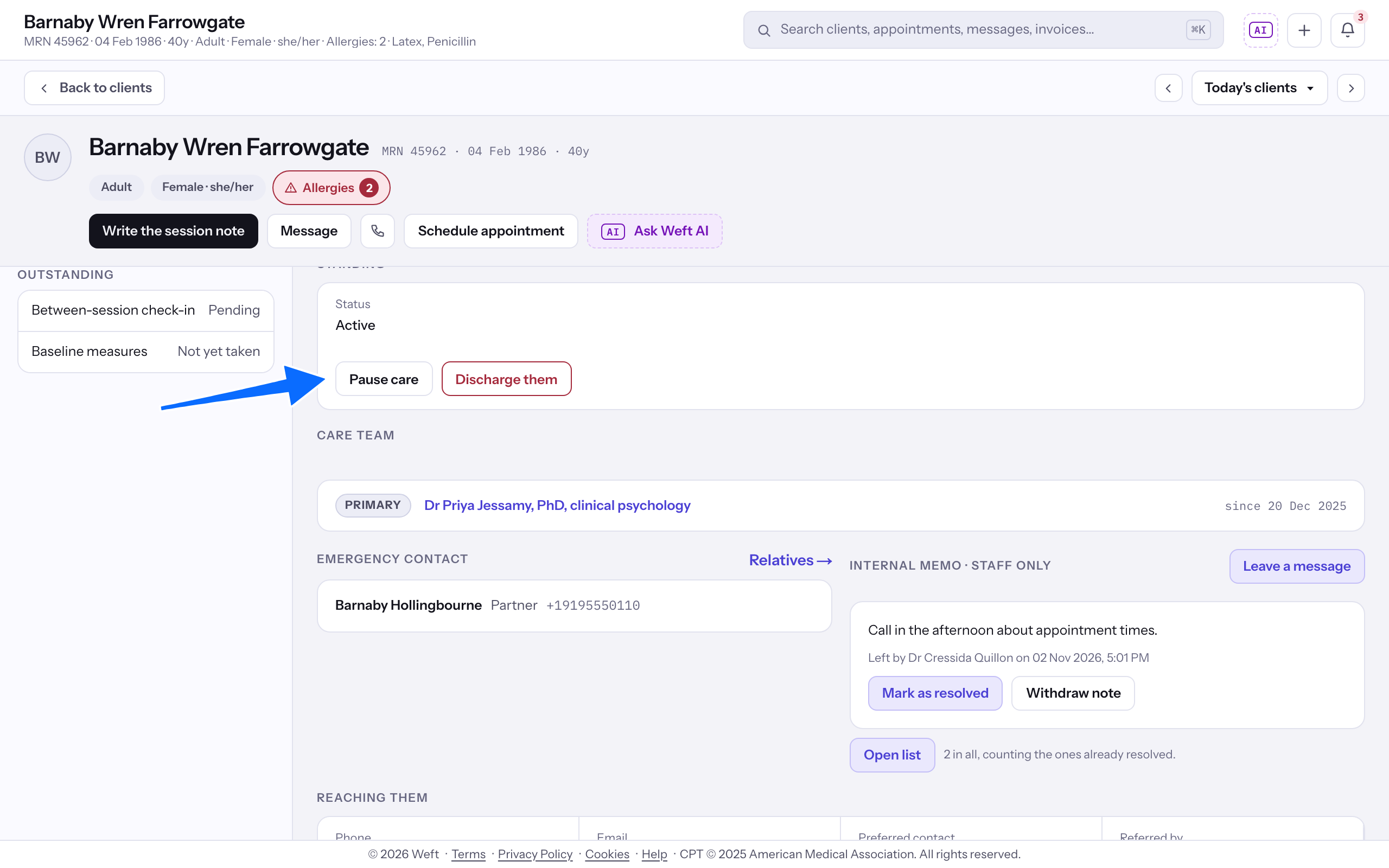
Pause care
- On Overview, find Standing.
- Select Pause care and confirm to make the client inactive. Paused clients appear in the inactive client list. Changing standing does not cancel existing appointments.
- To resume paused care, select Resume care and confirm.
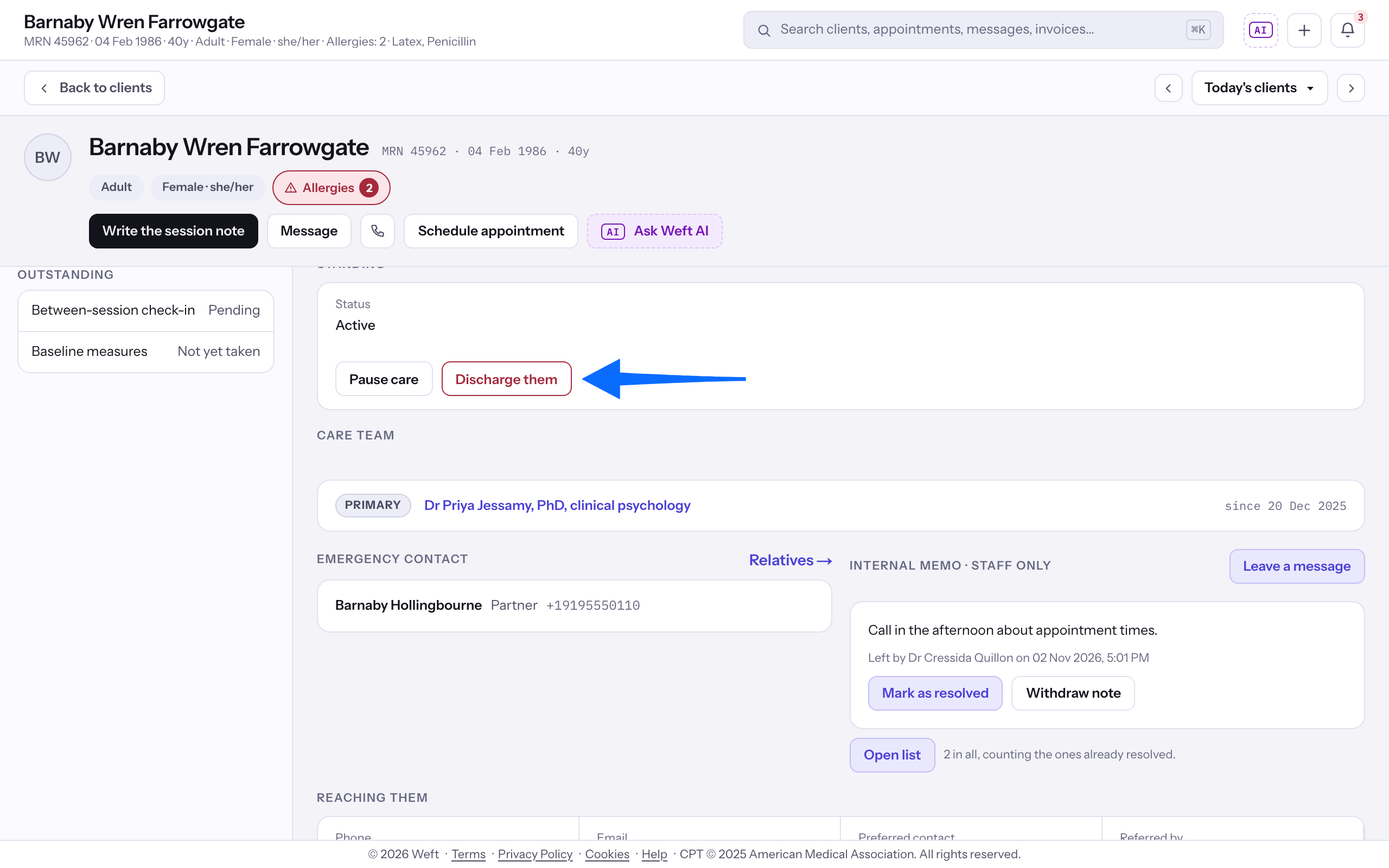
Discharge a client
- Select Discharge them.
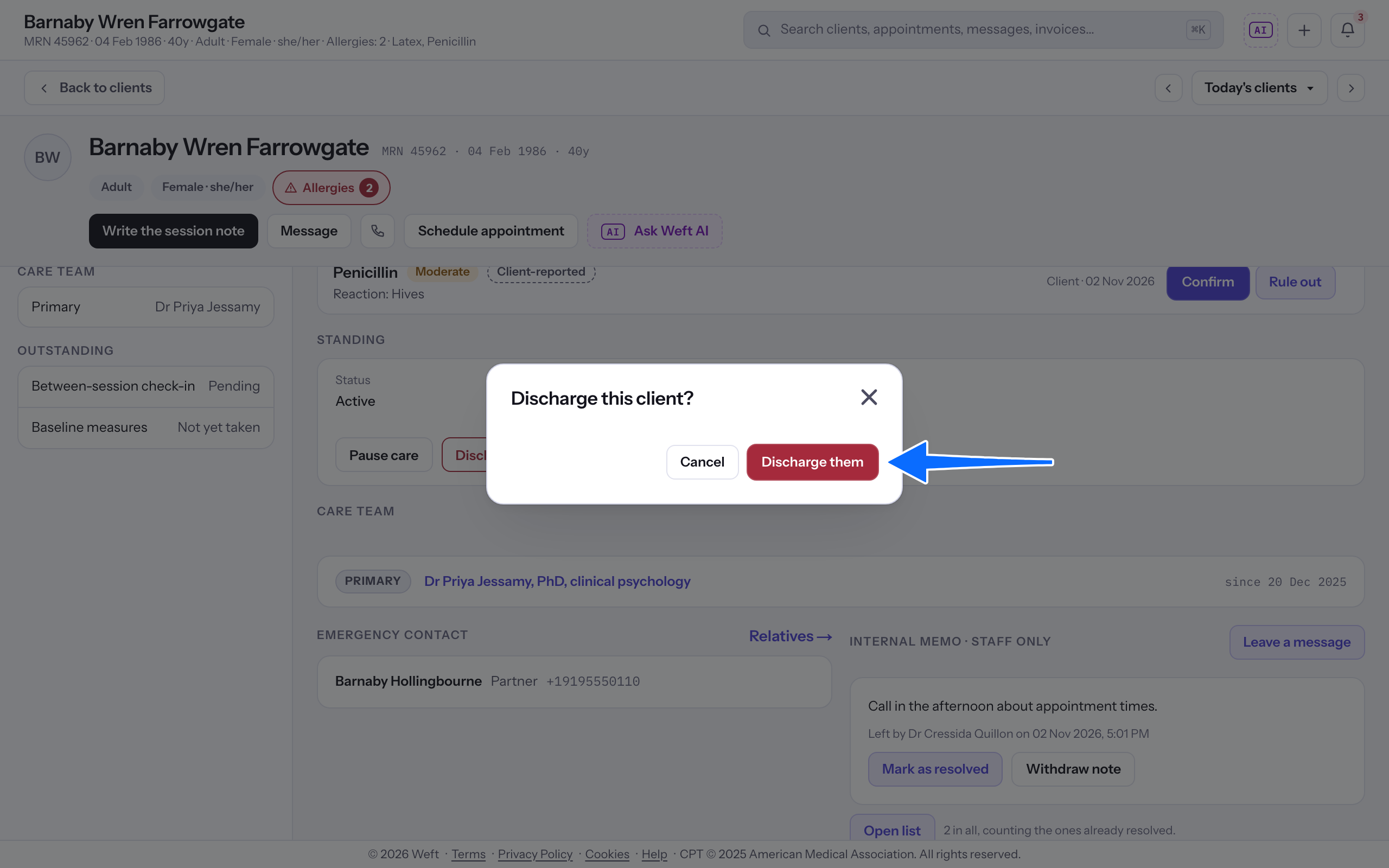
- Read Discharge this client? and select Discharge them to confirm. Discharged clients appear in the inactive client list.
Readmit a client
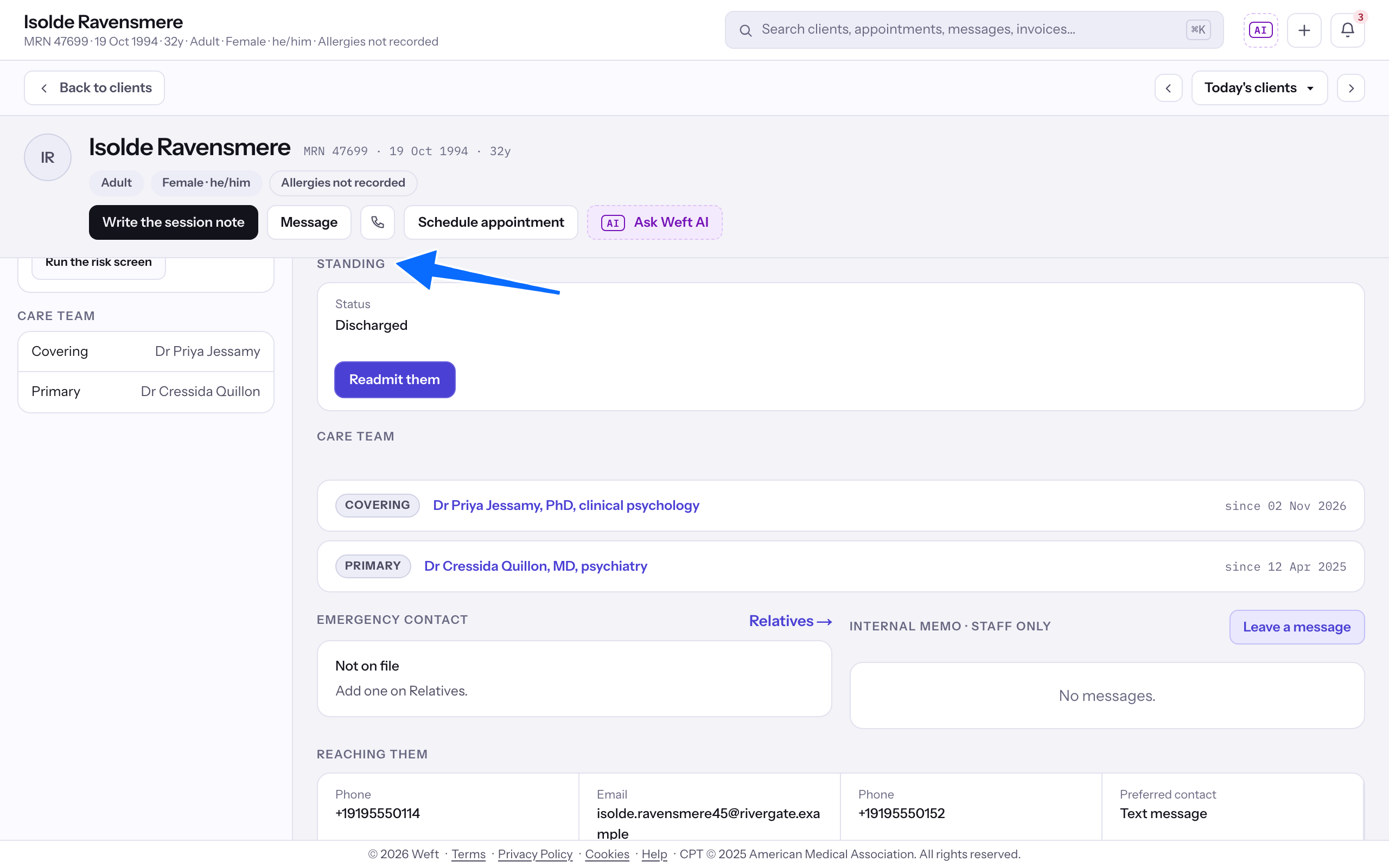
- Open the discharged client and find Standing.
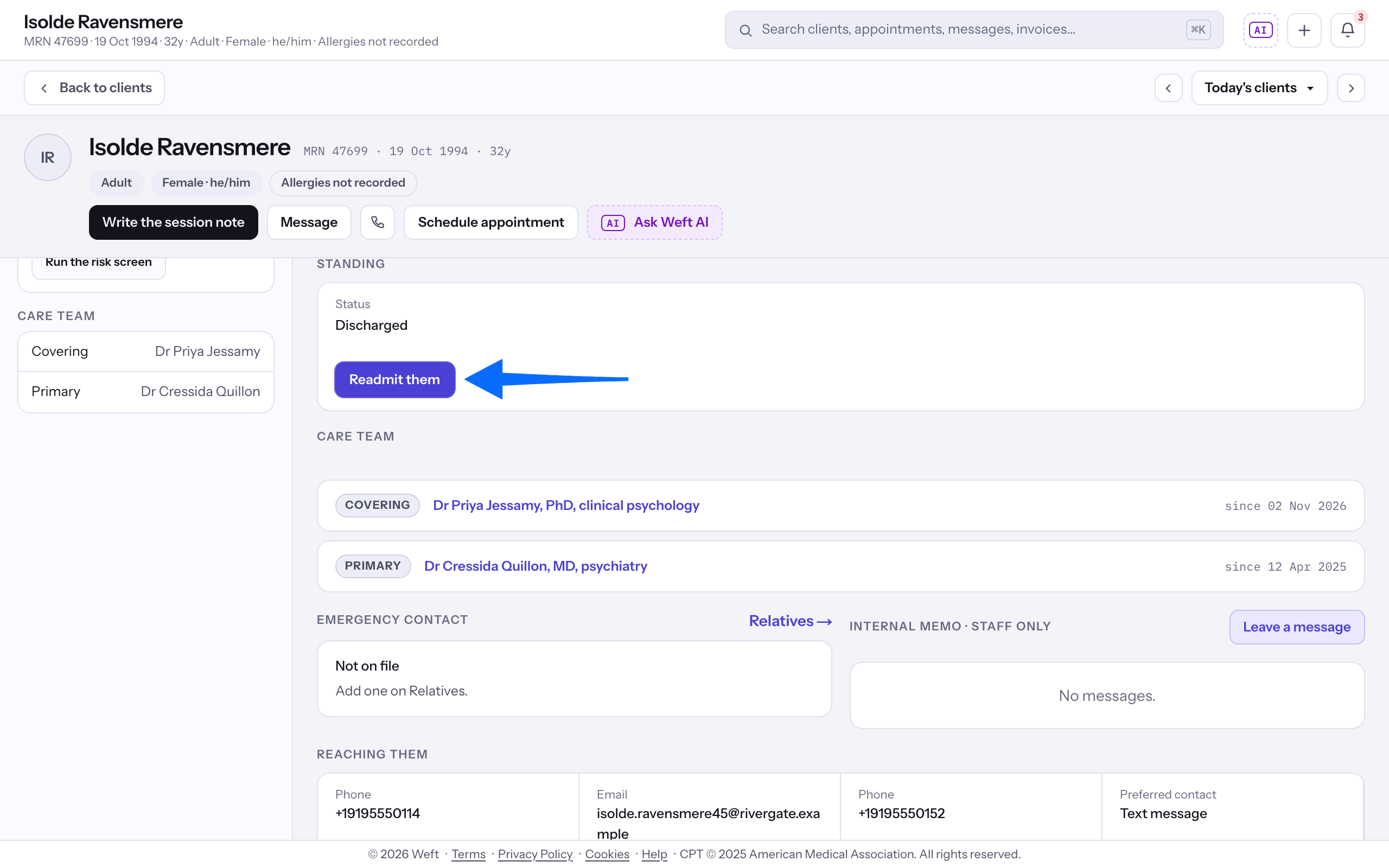
- Select Readmit them and confirm to return the client to active standing and the active client list.
Last checked against Weft on 31 Oct 2026. Something on your screen reads differently? Tell us at support@weftary.com.