
Keeping an administrative note about a client
Leave an administrative memo, read earlier messages or withdraw a note.
Who this is for: Scheduler
Leave a memo
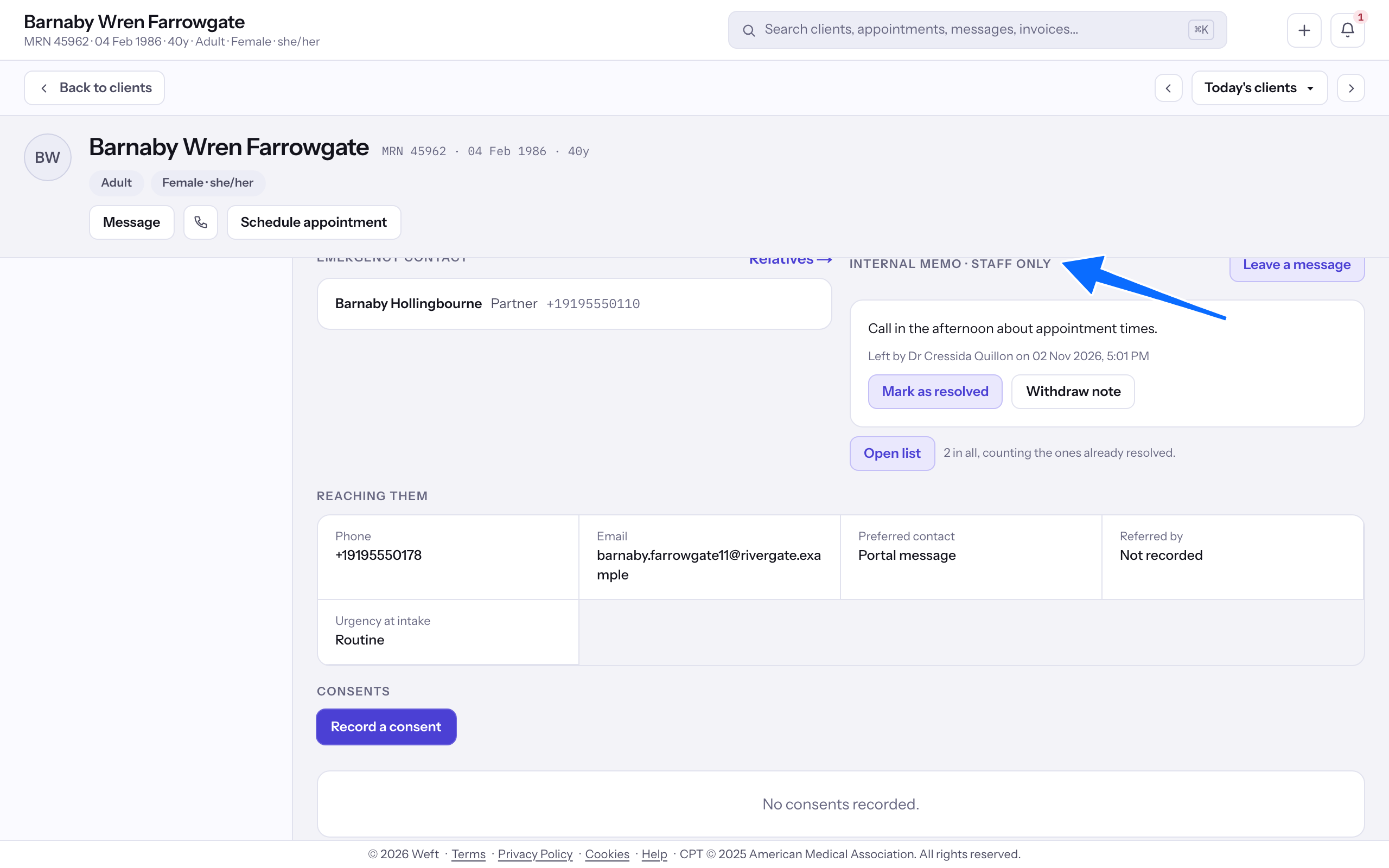
- On Overview, find Internal memo · staff only.
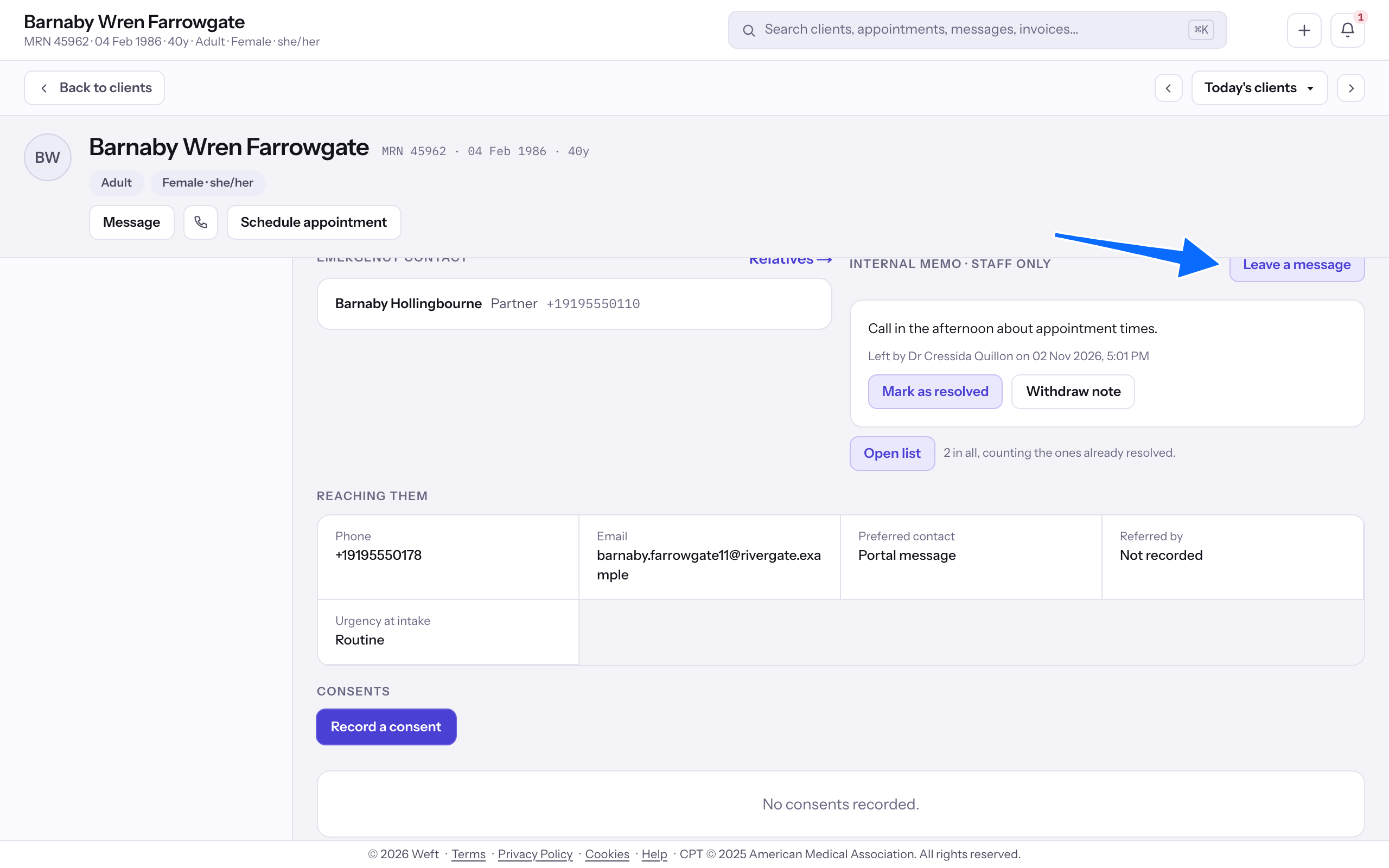
- Select Leave a message.
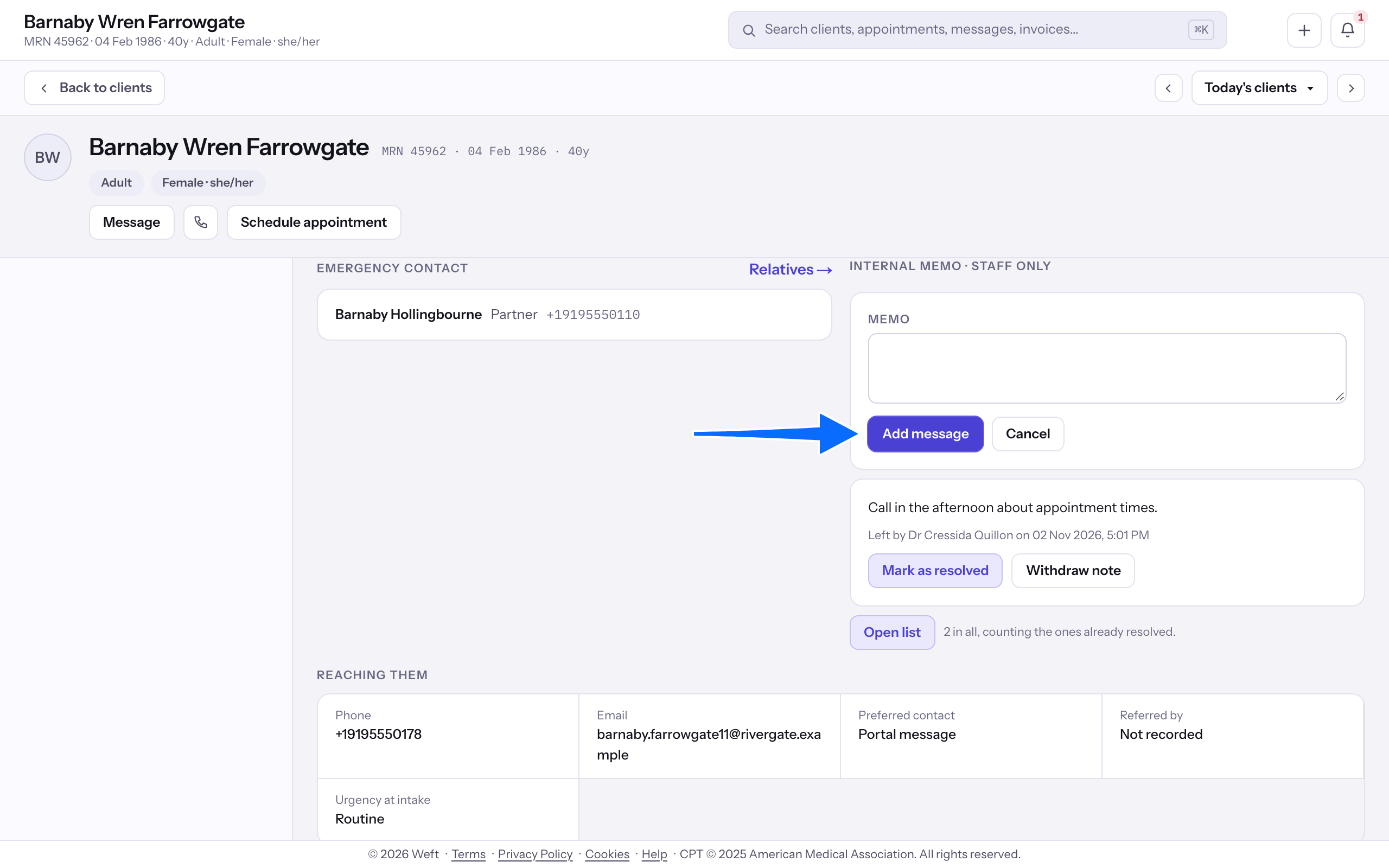
- Enter the administrative note in Memo and select Add message.
Read every message
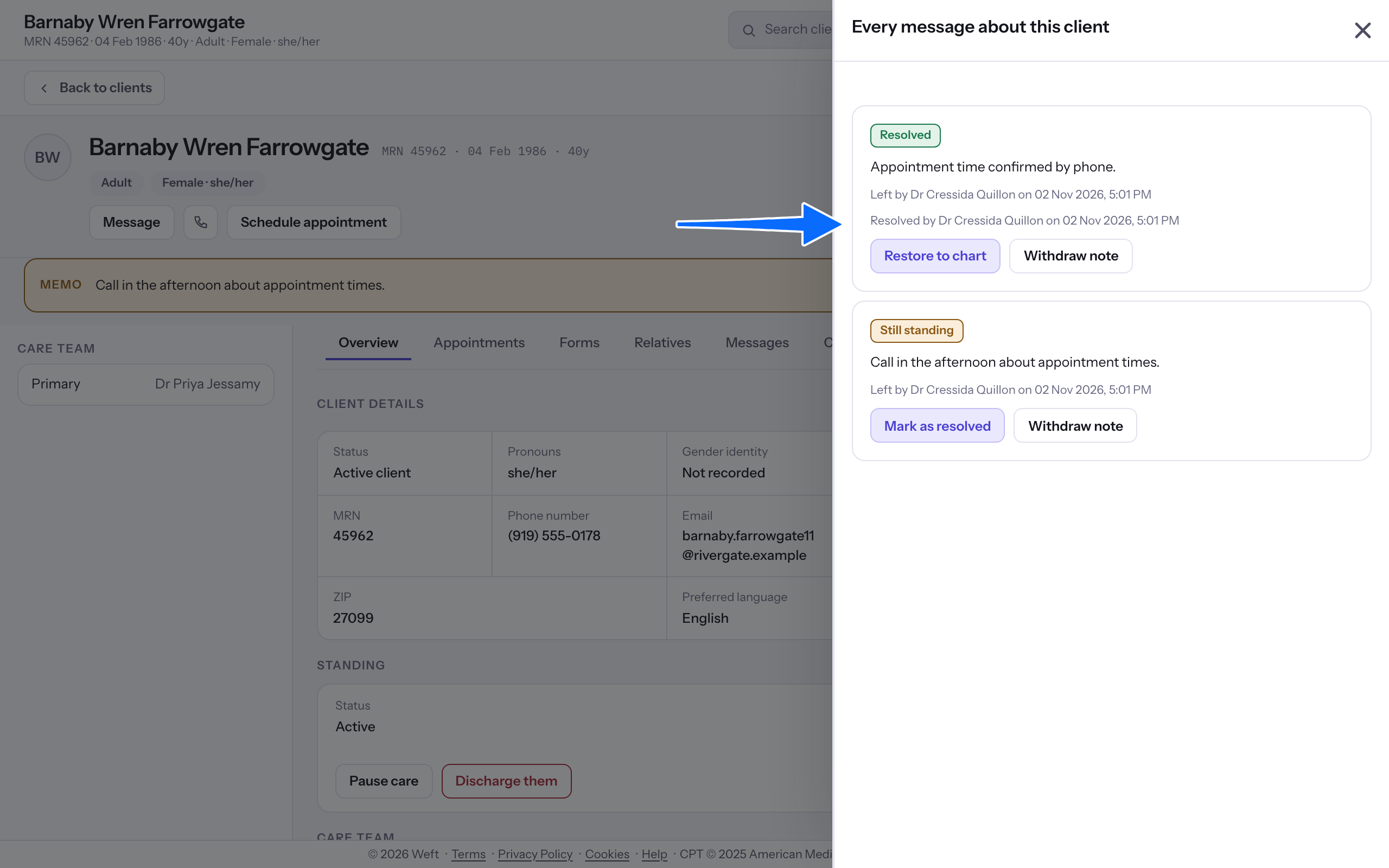
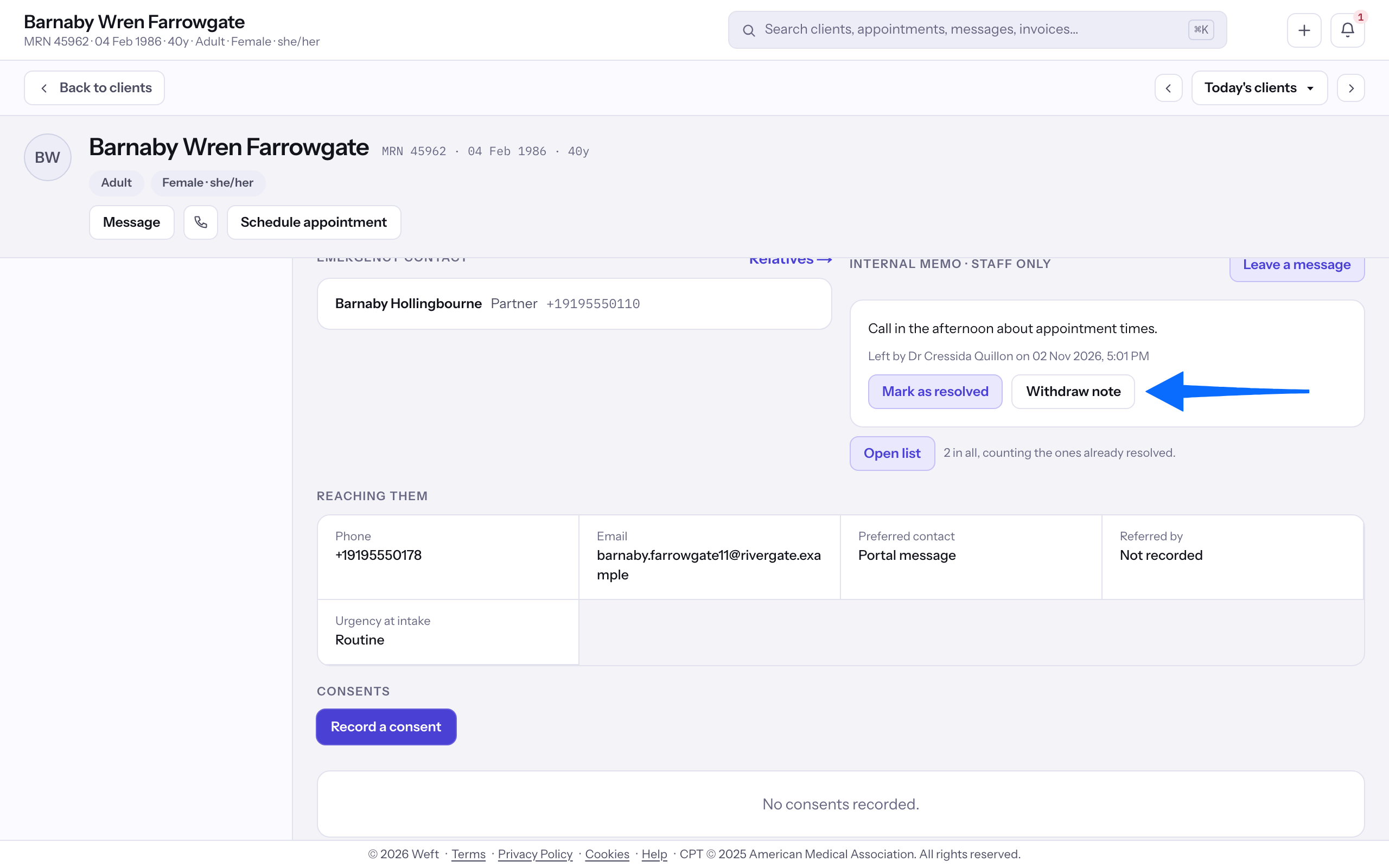
- Select Open list to open Every message about this client and read earlier or resolved messages.
Withdraw a note
- Select Withdraw note beside the note.
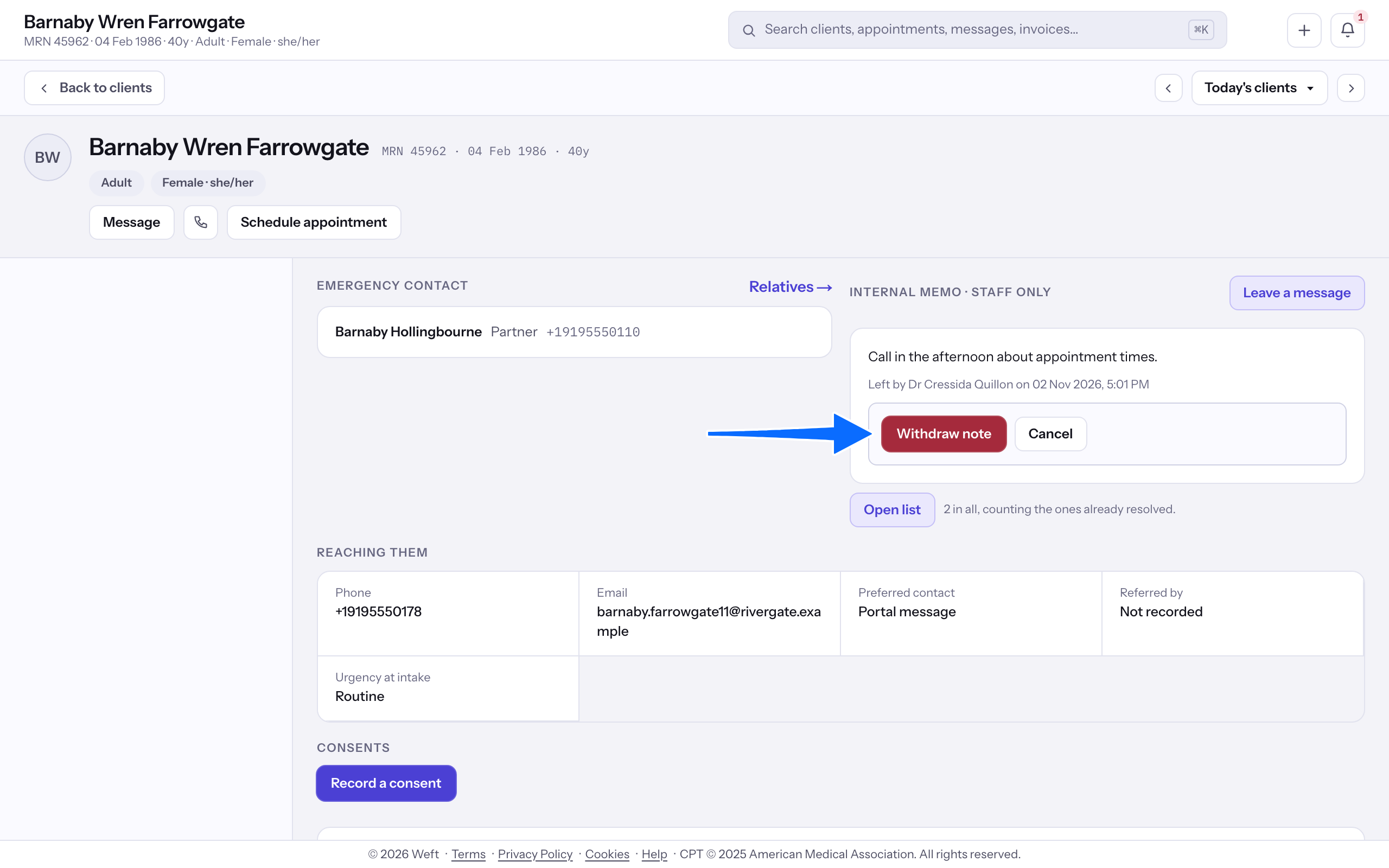
- Select Withdraw note again to withdraw the note, or Cancel to keep it.
Last checked against Weft on 01 Nov 2026. Something on your screen reads differently? Tell us at support@weftary.com.