Giving a client a sign-in code and reading their portal activity
Read out a sign-in code and review portal activity and agreed wording.
Who this is for: Scheduler
Generate a sign-in code
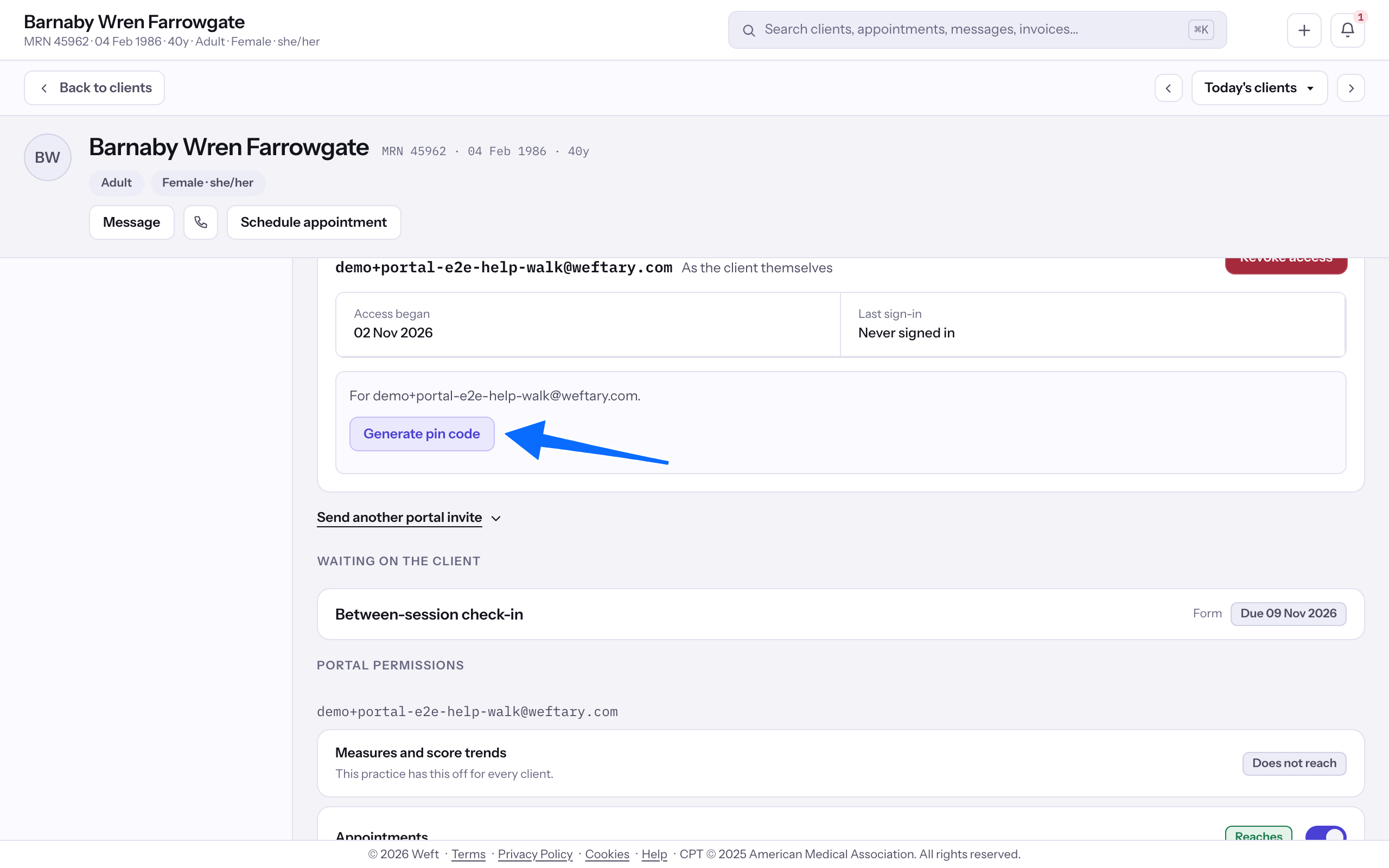
- Open Client portal on the client's chart. For a client with portal access, select Generate pin code.
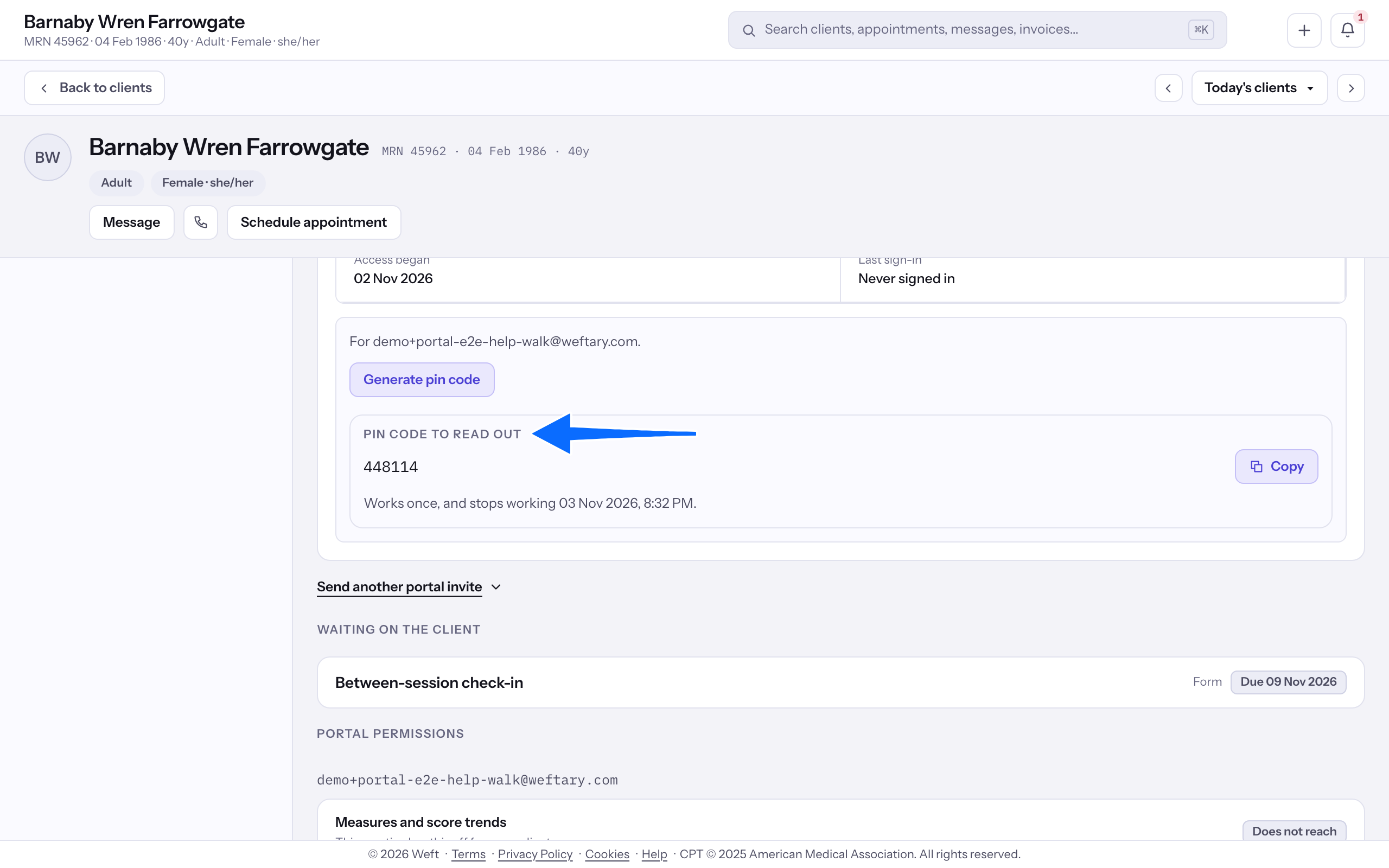
- Read the code under Pin code to read out to the client, following the expiry shown.
Read portal activity
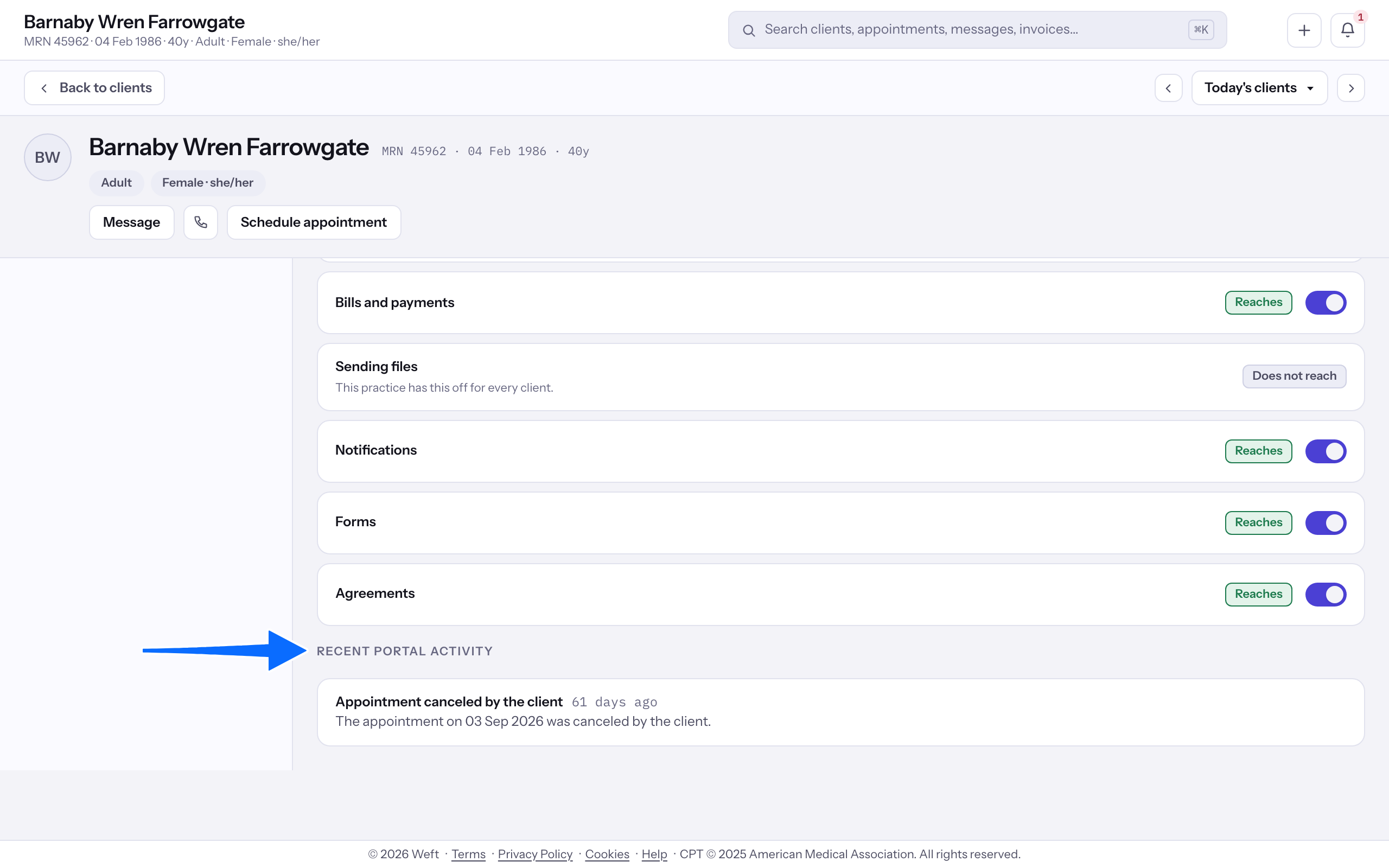
- Find Recent portal activity to read the client's recent portal actions and when they occurred.
Read the agreed wording
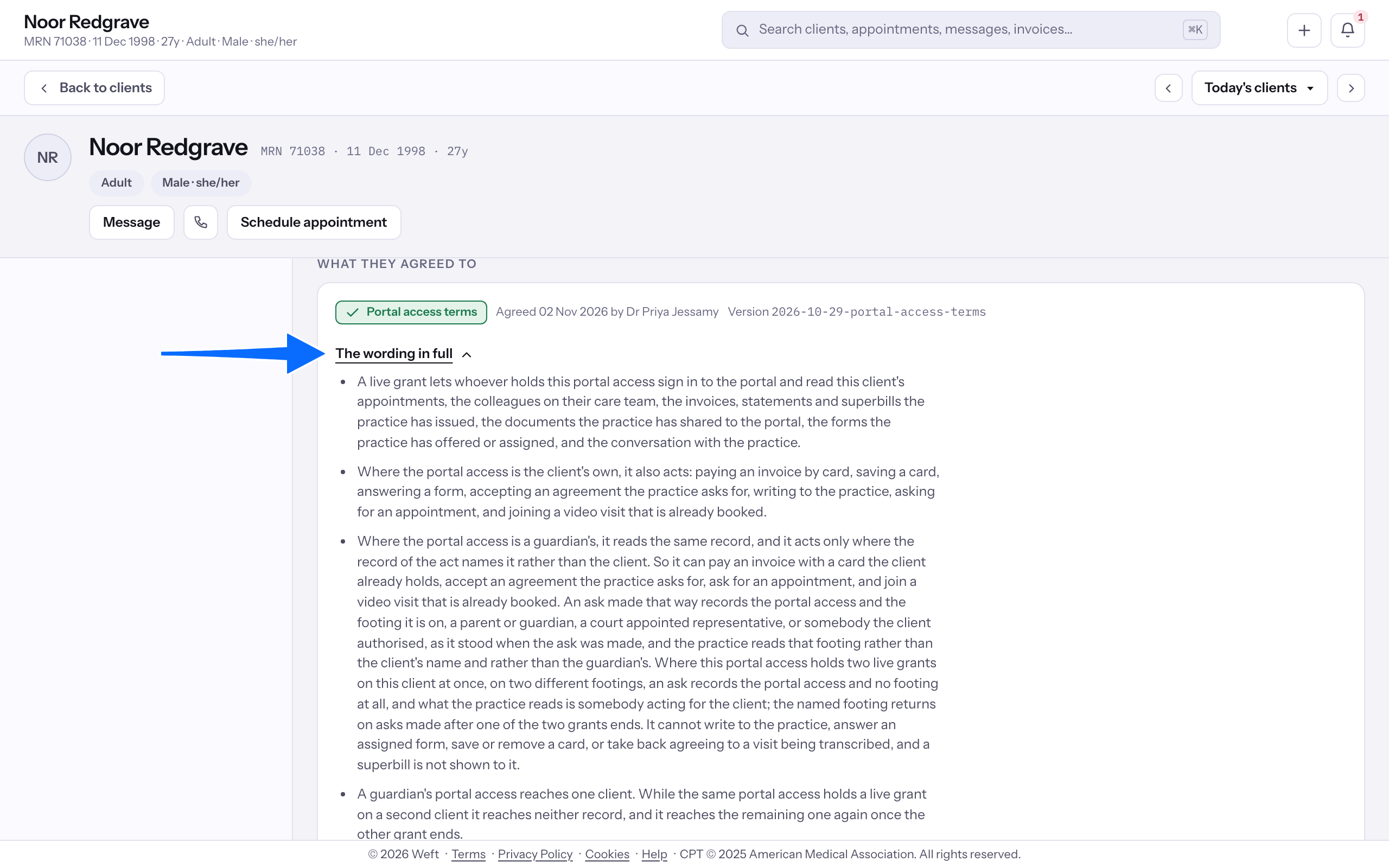
- Find What they agreed to and open The wording in full.
- Read the wording here. To change the practice's own portal settings, see Setting up the client portal.
Last checked against Weft on 31 Oct 2026. Something on your screen reads differently? Tell us at support@weftary.com.