
Adding relatives, a guardian or an emergency contact
Record the people around a client and who to call in an emergency.
Who this is for: Scheduler
Record a relative or guardian
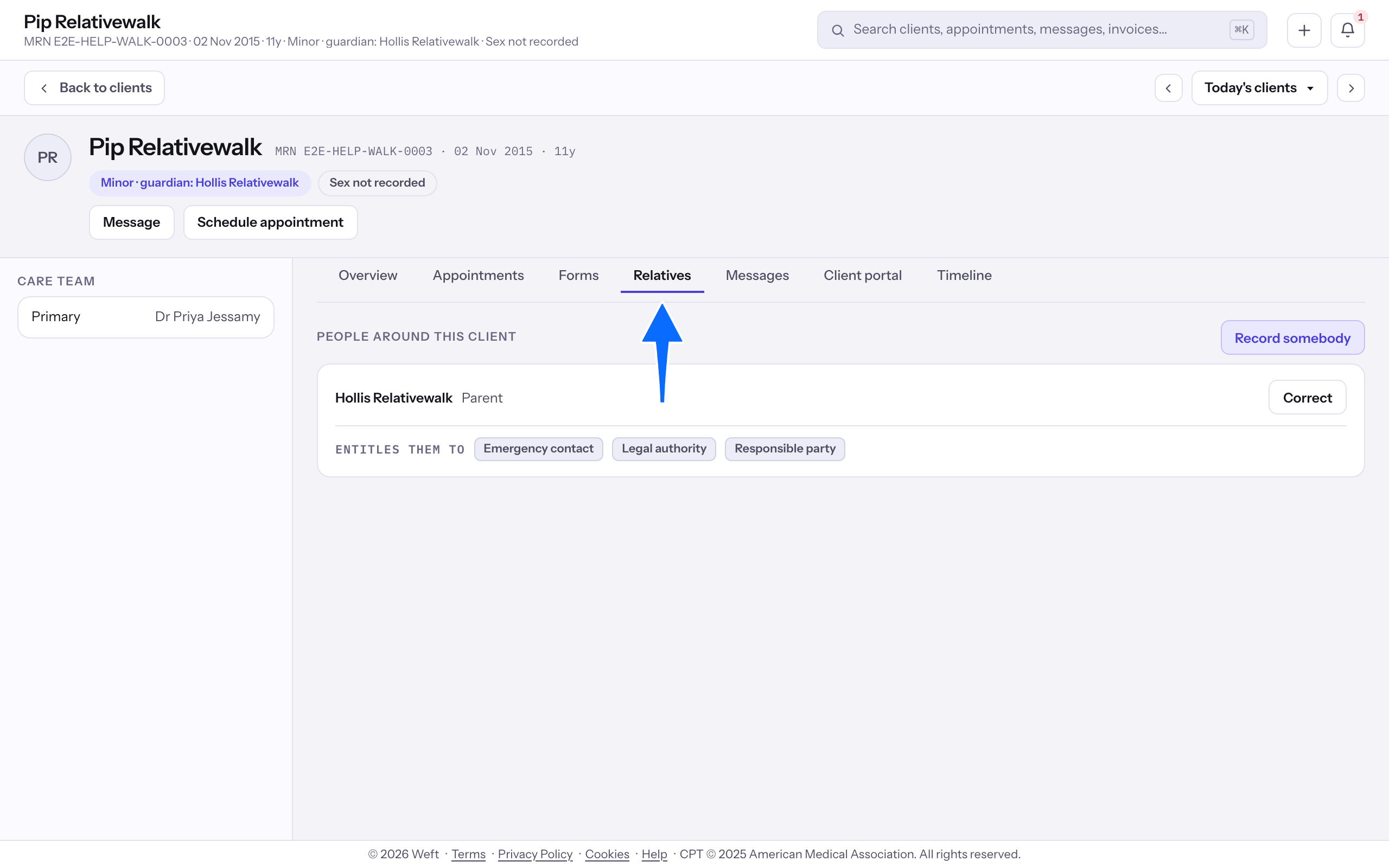
- Open the client and select Relatives to read the people already listed.
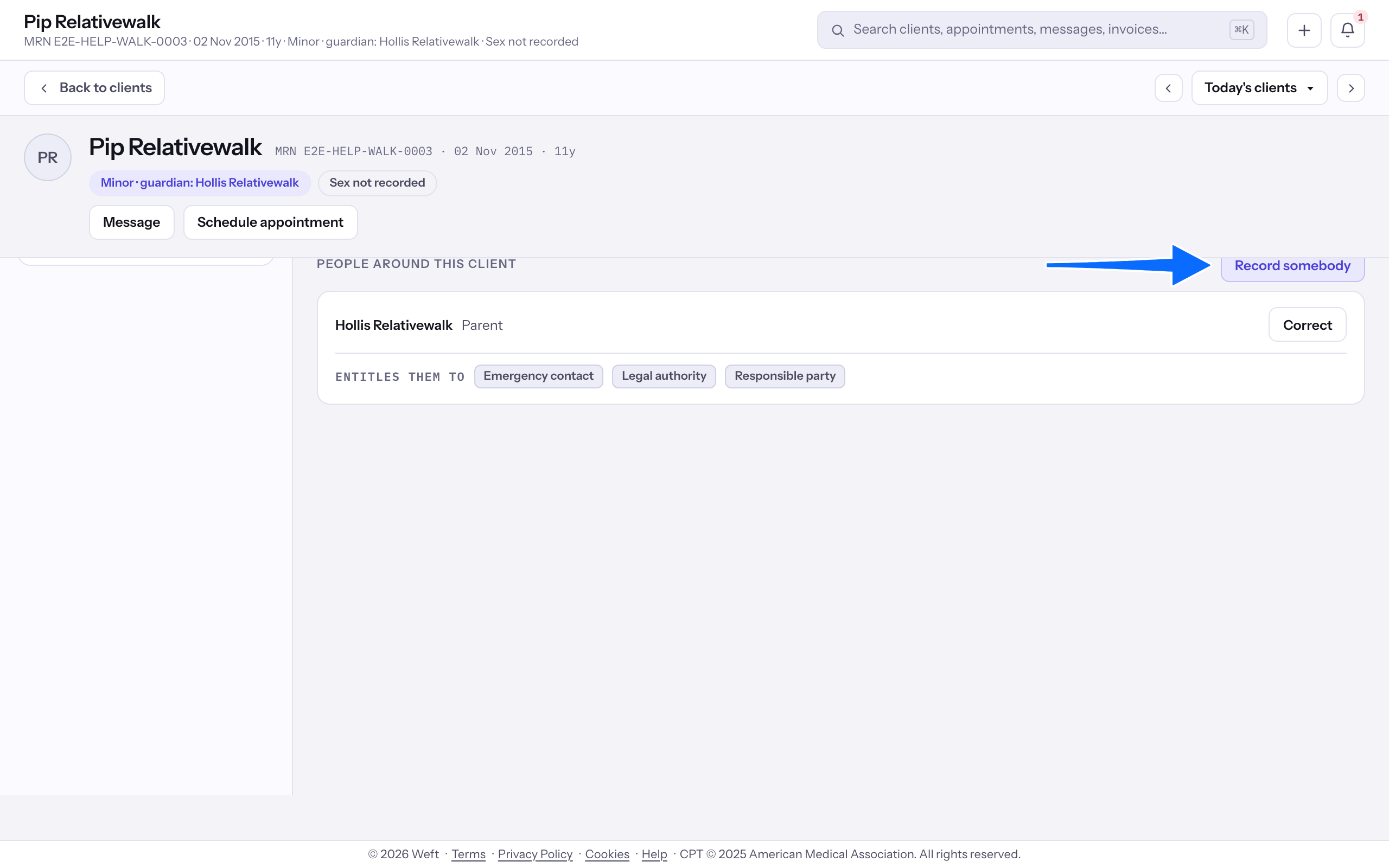
- Select Record somebody. If a minor has no guardian recorded, choose Record a guardian to record one.
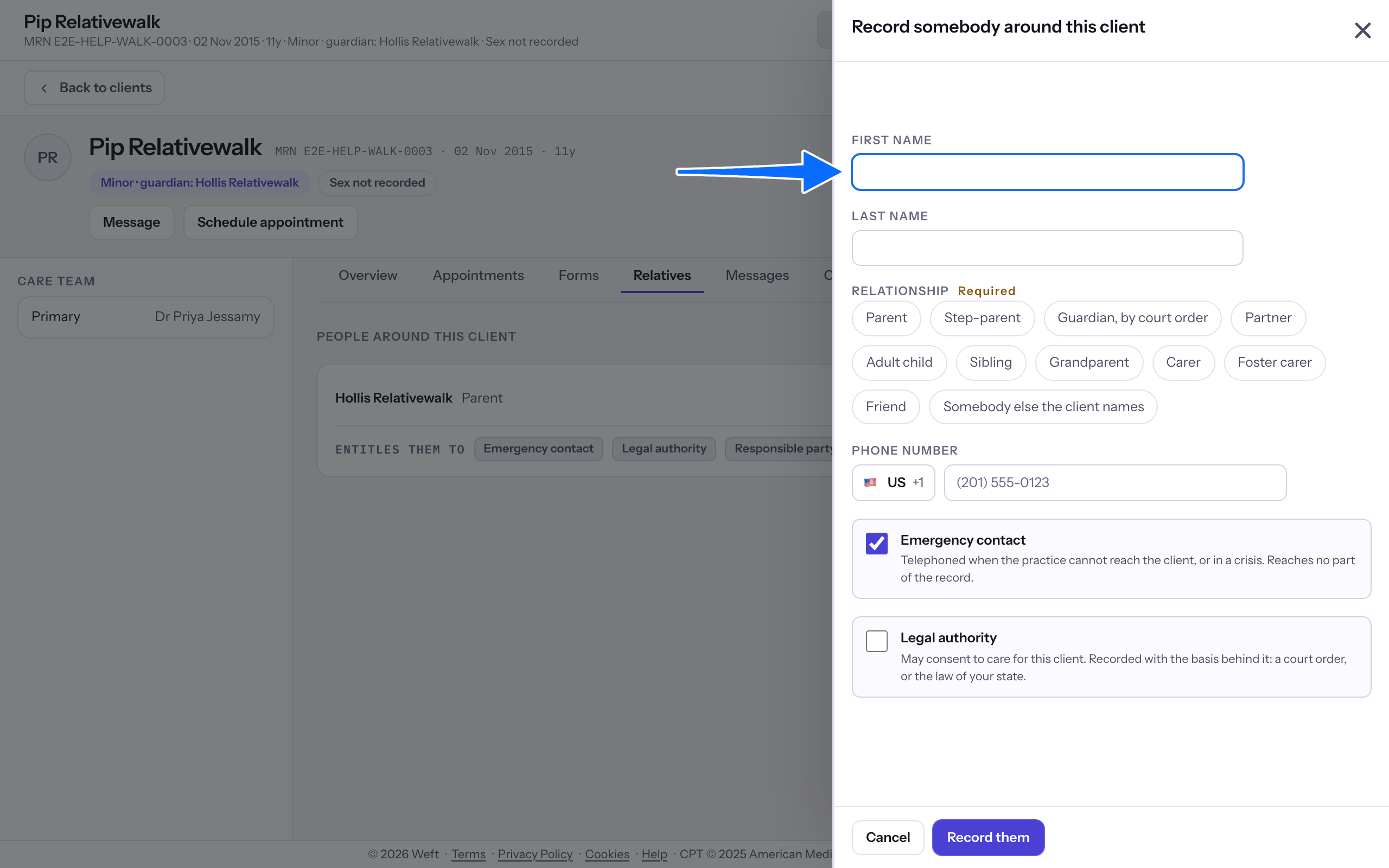
- Enter First name and Last name.
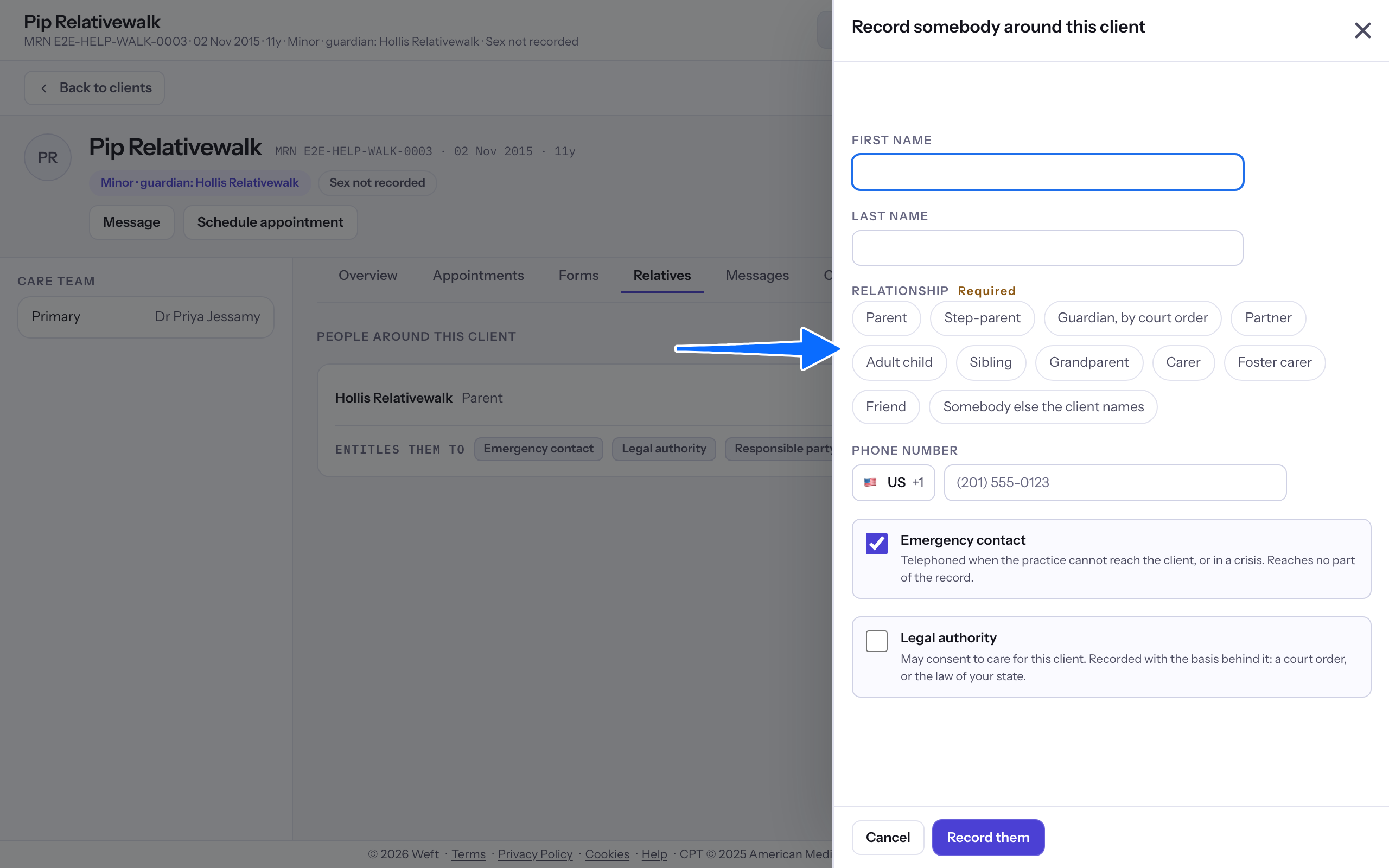
- Choose Relationship and enter Phone number.
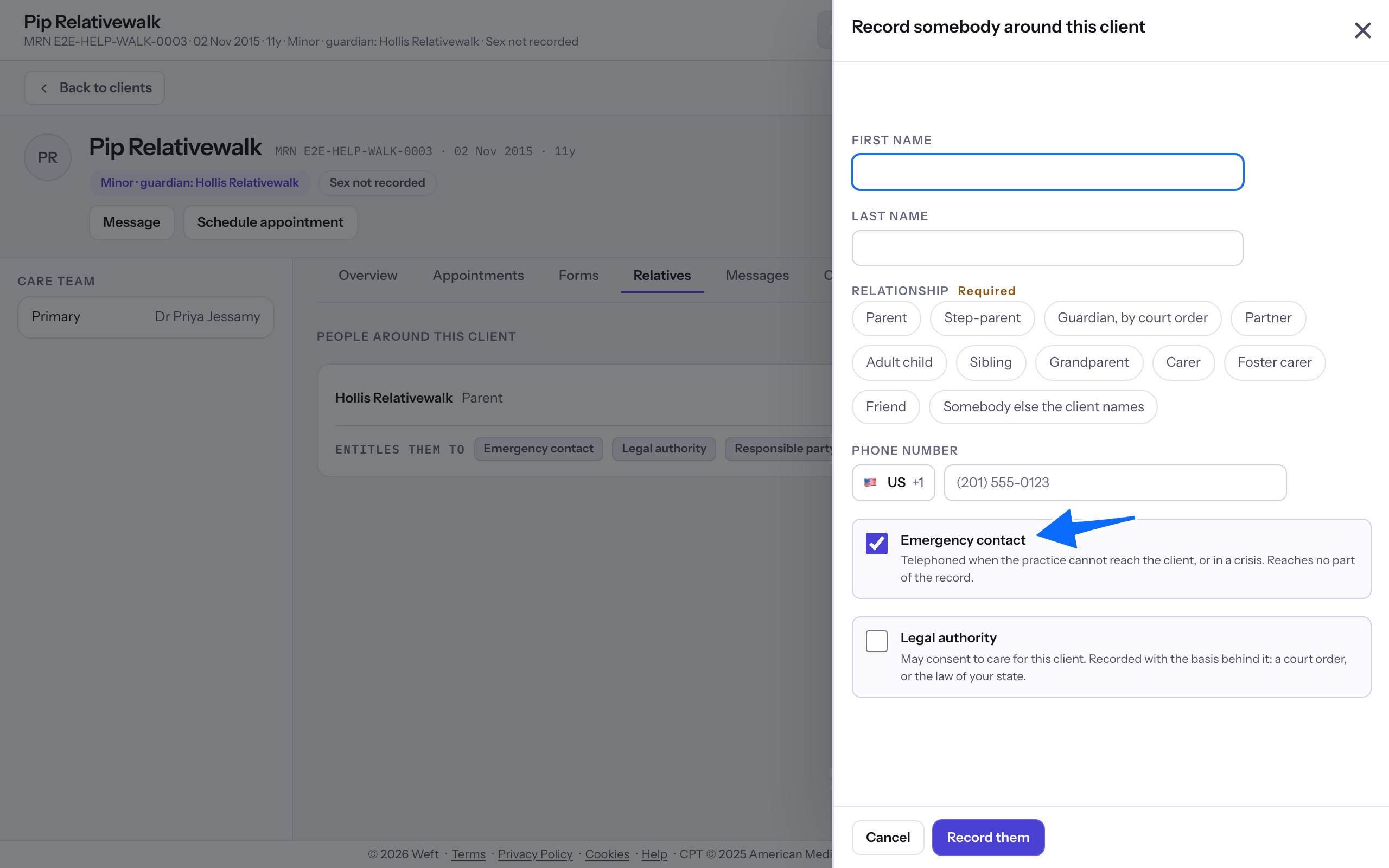
- Choose Emergency contact if this is who colleagues should call in an emergency.
- For a guardian, complete Legal authority.
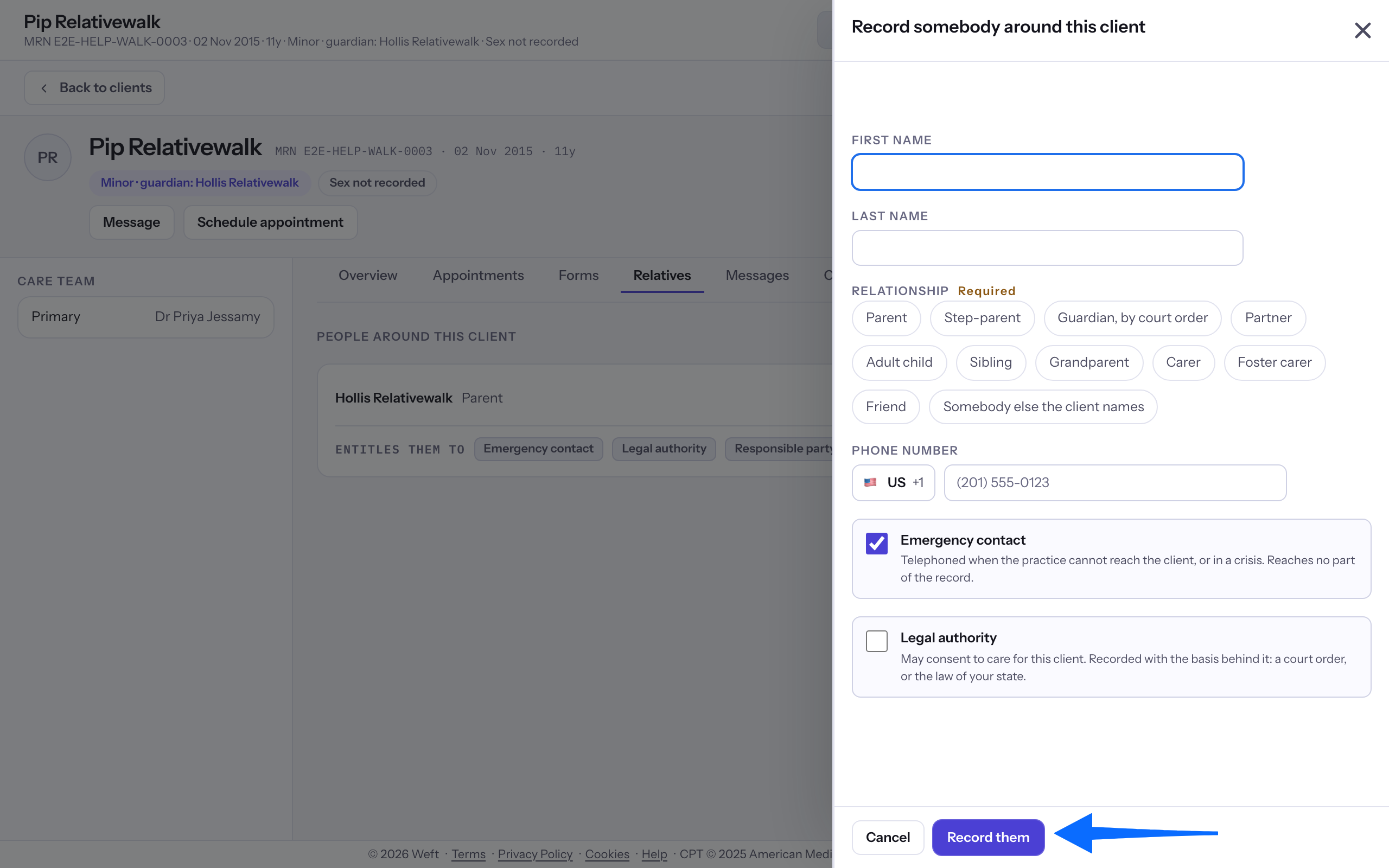
- Select Record them.
Read the emergency contact
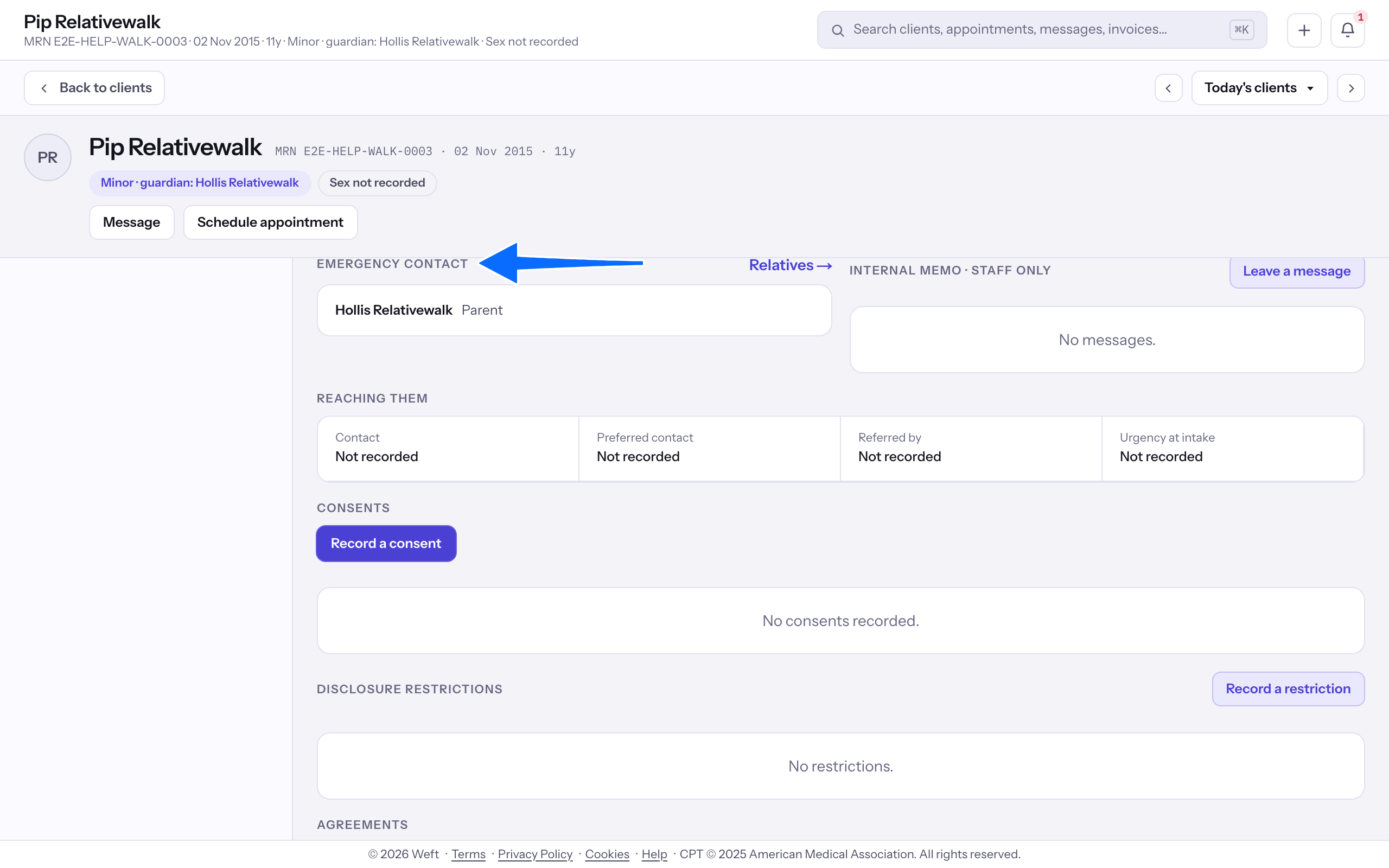
- Return to Overview and find Emergency contact.
Last checked against Weft on 31 Oct 2026. Something on your screen reads differently? Tell us at support@weftary.com.