
Exporting your practice's records
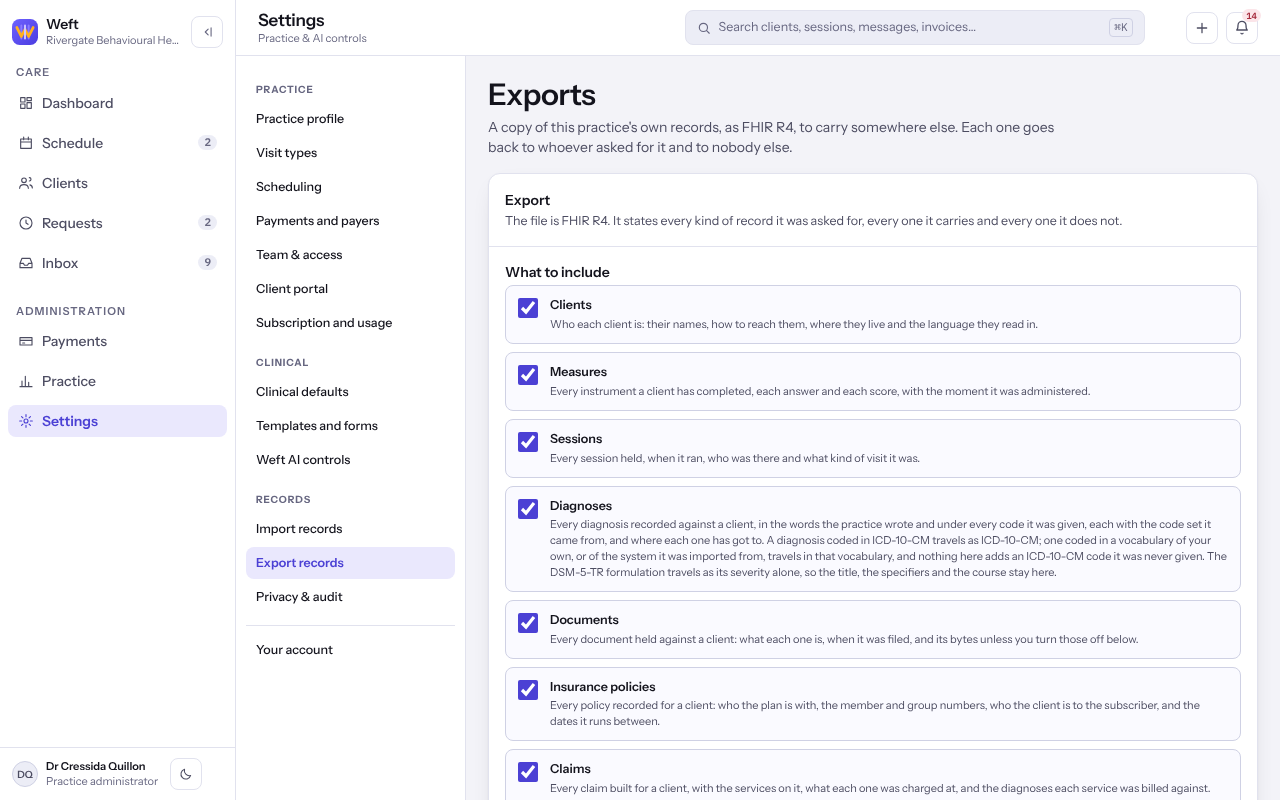
Take a copy of your practice's records out of Weft as a FHIR R4 file, choosing which kinds of record go in it.
Who this is for: Practice administrator, Practice manager
Ask for an export
- Select Settings, then Export records.
- Under What to include, tick each kind of record to take.
- Choose whether to Include the document files themselves. Turned off, every document is still listed.
- Select Ask for an export. It appears under What you have asked for.
Download it
- Open the export. When it is ready, select Download the file.
- Read what it carries and what it left out, and why, before you rely on it. A digest beside the size lets you check the copy you keep.
Tip: Documents are the bulk of what a practice holds. Leave the document files out when you do not need them and the export is far smaller.
Note: An export goes back to whoever asked for it and nobody else.
Last checked against Weft on 07 Oct 2026. Something on your screen reads differently? Tell us at support@weftary.com.