
Choosing invoice defaults and AutoPay
Set default invoice lines, their order, automatic invoices and AutoPay.
Who this is for: Practice administrator
These practice-wide defaults are under Payments and payers in Settings.
Set default invoice lines
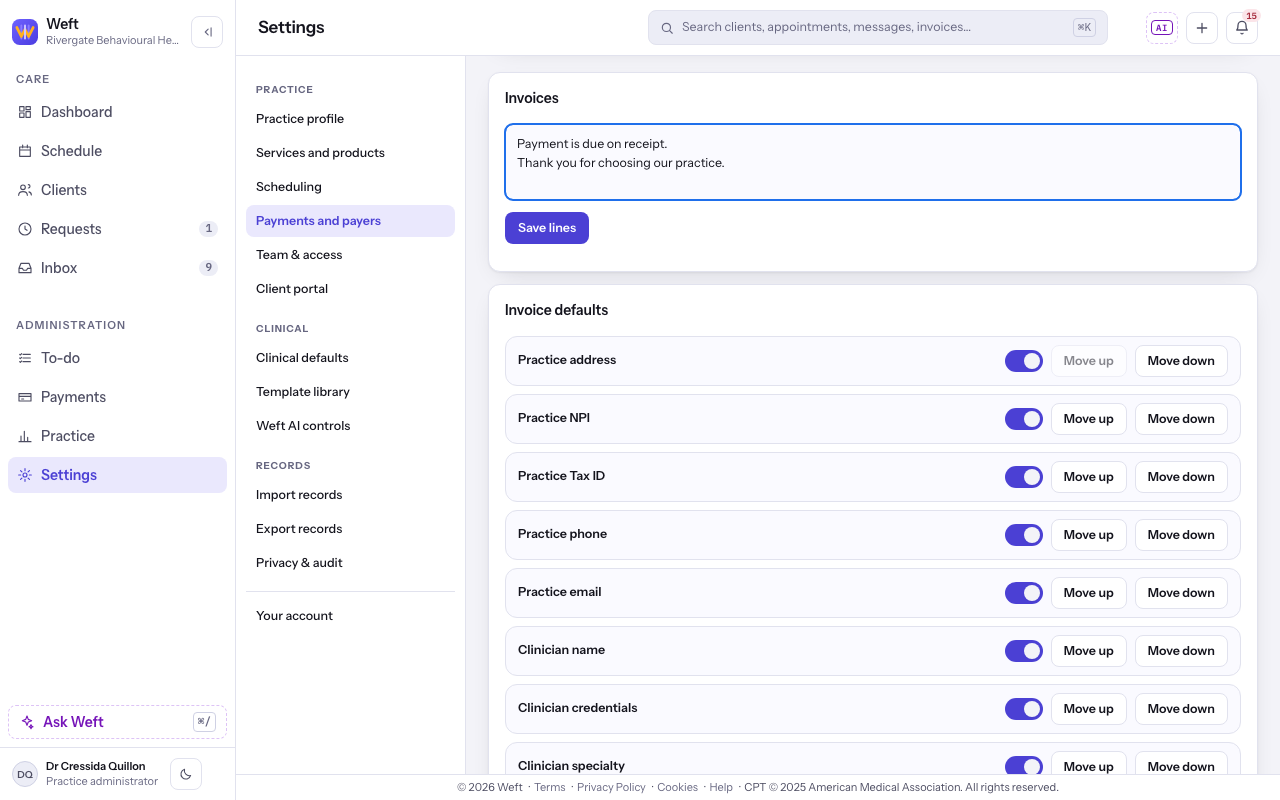
- Open Settings, then Payments and payers. Under Invoices, enter the lines every invoice should carry in the box, then select Save lines.
Choose invoice details and their order
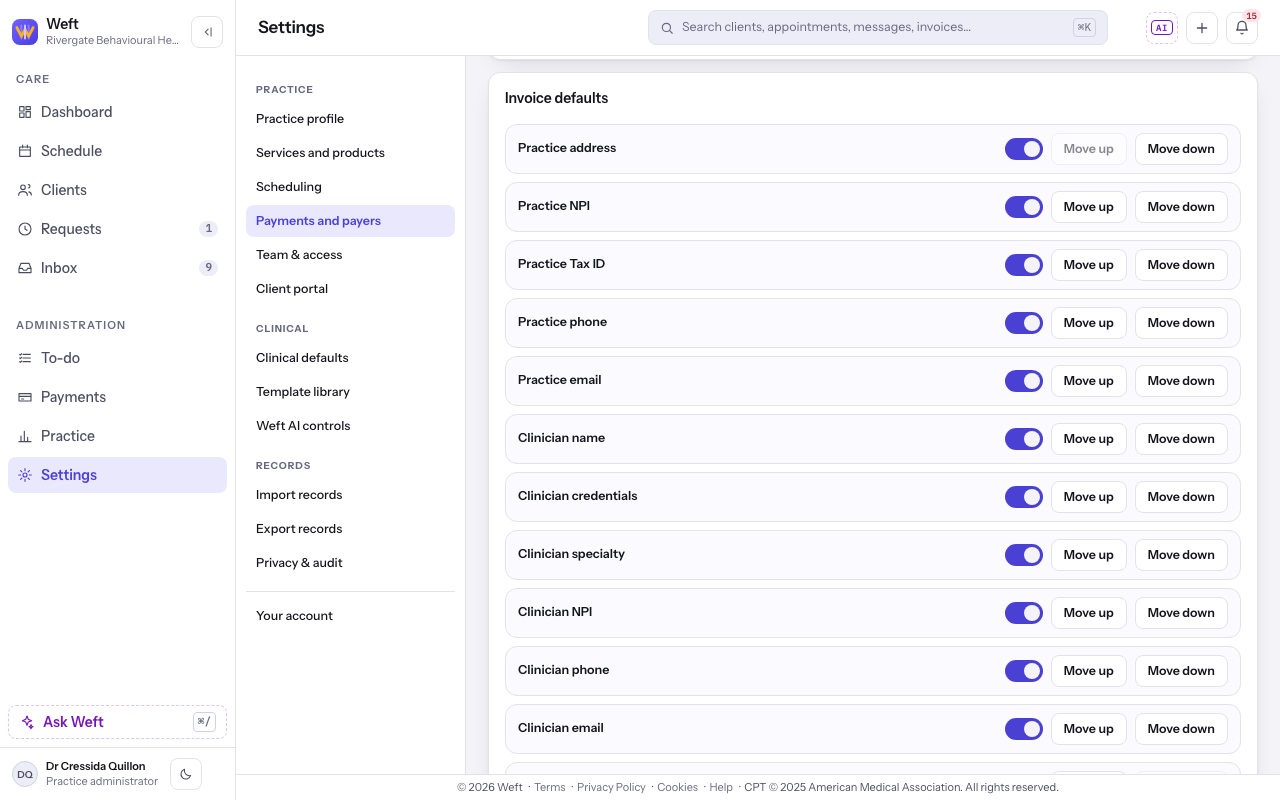
- Under Invoice defaults, turn each detail on or off. Use Move up or Move down to set its position. Each change saves as you make it.
Choose automatic invoices and AutoPay
Automatic invoicing raises the amount left with the client after a payer payment is posted. AutoPay also issues that invoice and charges the card on file. Automatic invoicing starts on; AutoPay starts off.
- Choose whether to turn on Automatic invoices for the client's share. See billing the client their share.
- Turn on AutoPay if you want these invoices charged to the card on file. The row appears when card payments are available. See setting up card payments first if needed.
Last checked against Weft on 31 Oct 2026. Something on your screen reads differently? Tell us at support@weftary.com.