Reading your practice's figures and activity
Read the reports on writing up, attendance, collections, ageing and claims, and the practice's activity log.
Who this is for: Practice administrator, Practice manager, Biller, Scheduler, Clinician
What you see depends on your role: the whole practice, the money, the desk's view, or your own caseload.
Read the figures
- Select Practice in the side rail, then Insights.
- Read the window the figures were counted over at the top of the page.
- Under Not shown here, read which reports did not come back and why.
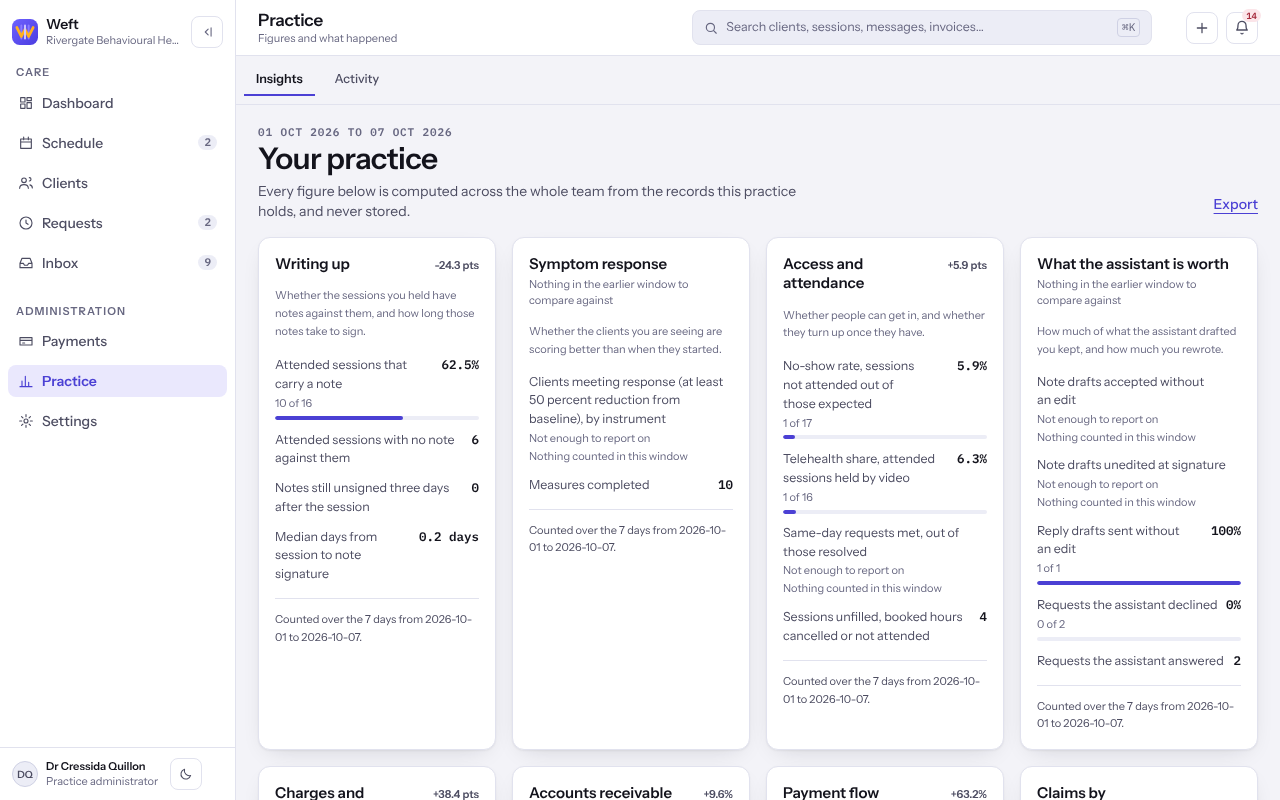
Note: A figure that could not be worked out says so rather than showing nought. Where the practice has too few active clients to report on, the screen says that too.
Read the activity log
- Select Activity beside Insights.
- Narrow it under Filter by category, for example Scheduling or Billing, and select Clear filter to see everything.
Last checked against Weft on 07 Oct 2026. Something on your screen reads differently? Tell us at support@weftary.com.