
Changing how Weft looks
Choose a palette, light or dark, the time and date format, and whether times show in the practice's clock or yours.
Who this is for: Everyone at the practice
These choices apply to the device you make them on, so a phone and a desk computer can differ.
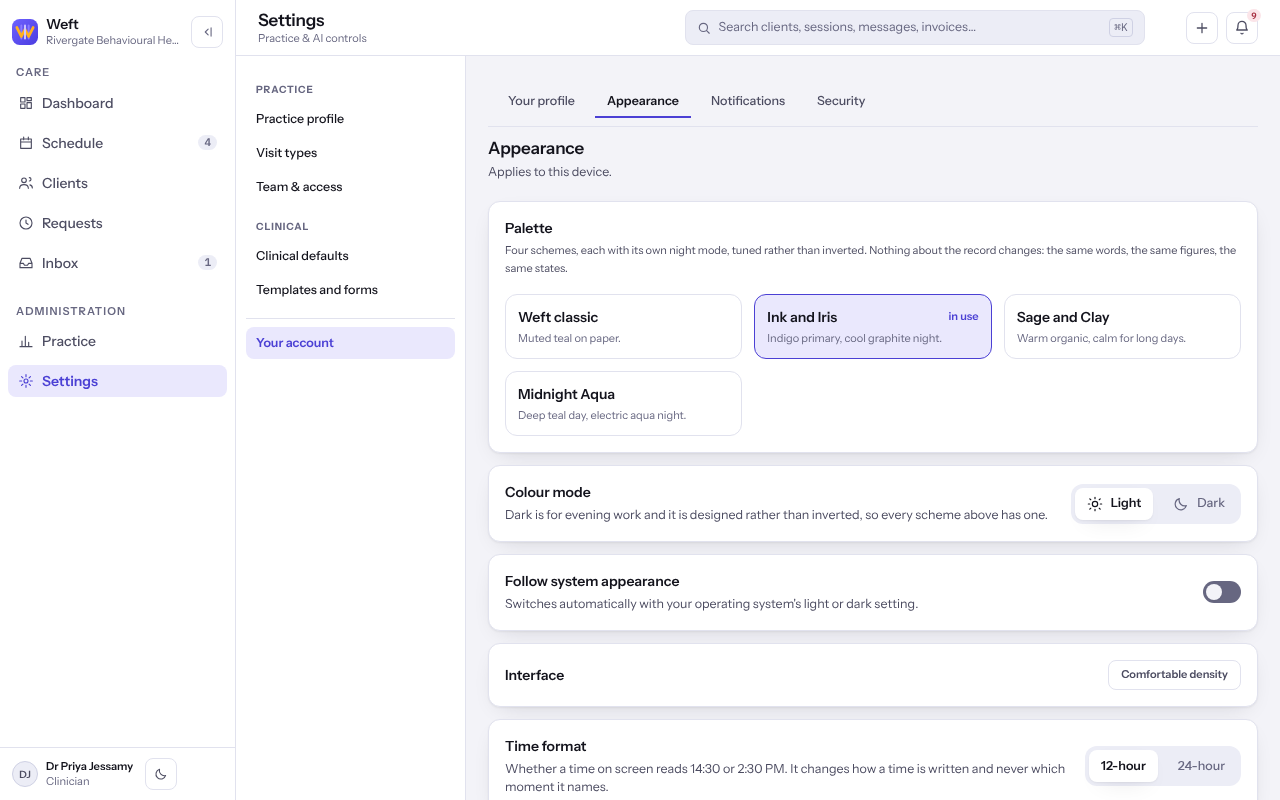
Choose your appearance
- Select Settings, then Your account, then Appearance.
- Under Palette, choose one of the four schemes.
- Under Colour mode, choose light or dark, or turn on Follow system appearance.
- Choose a Time format and a Date format.
- Under Clock, choose Show practice time or Show my local time.
Last checked against Weft on 07 Oct 2026. Something on your screen reads differently? Tell us at support@weftary.com.