Asking for a first appointment
Ask a practice for a first appointment from its portal, before you have an account.
Who this is for: Someone new to the practice
Send your request
- Go to the practice's portal address and select Request a first appointment.
- Under Who is this for?, choose who the appointment is for from what the practice offers, such as Just me, then choose Which service?
- Write What would you like to be seen about? in your own words. If the service you chose can be held by video, you are also asked How would you rather be seen?
- Under Times of day and Days, choose what suits you, or leave both empty if anything does.
- Under Who you are, give your name, date of birth and how the practice can reach you.
- If the practice asks Pre-screening questions, answer them.
- Select Send your request.
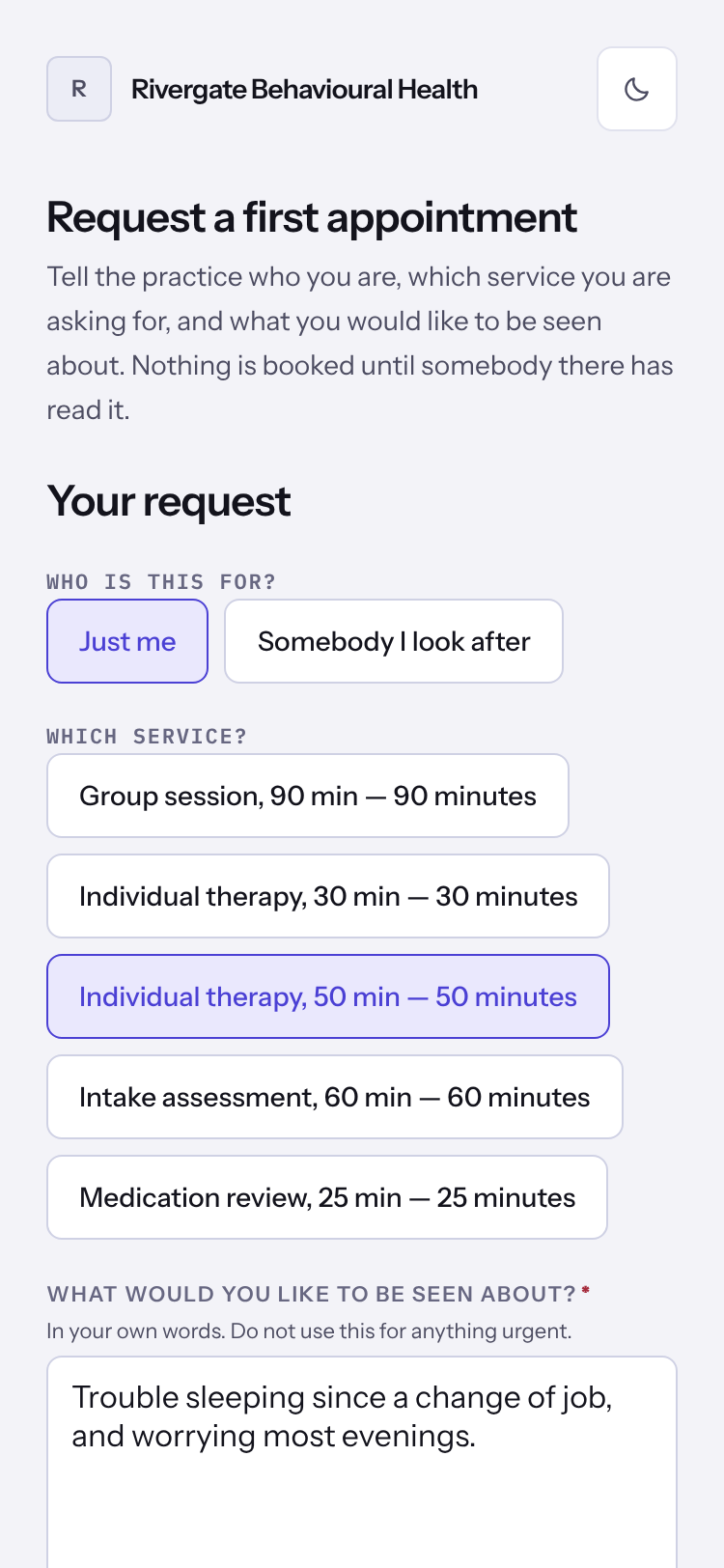
Important: Do not use this for anything urgent. If you need help now, call 911 or the 988 Suicide & Crisis Lifeline.
Note: Nothing is booked until somebody at the practice has read your request and agreed a time. If they take you on, they send you an email to set up your portal.
Last checked against Weft on 07 Oct 2026. Something on your screen reads differently? Tell us at support@weftary.com.