
Telling your practice about your insurance
Send your practice the details from your insurance card so they can check what your plan covers.
Who this is for: Client, Parent or guardian
Add your insurance
- Select Insurance, then Add your insurance.
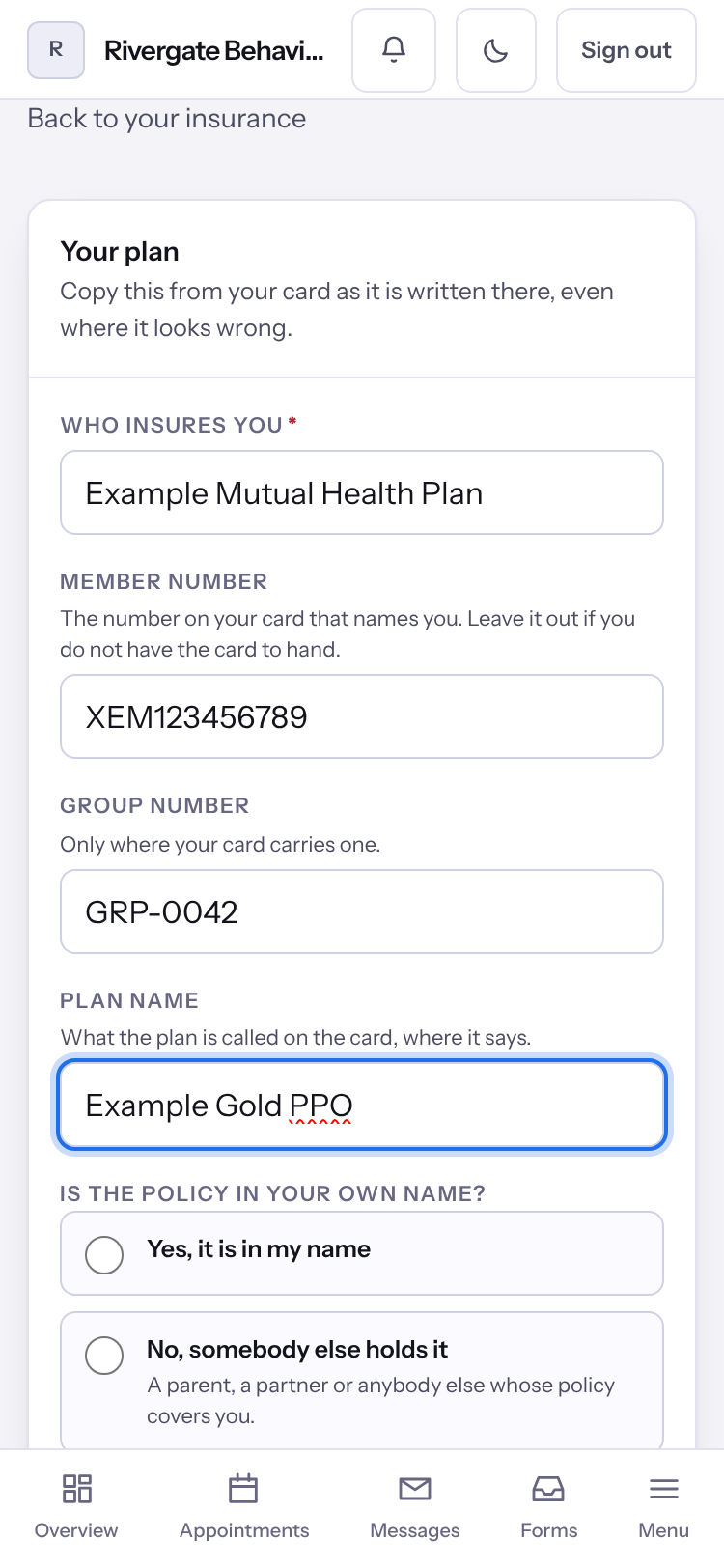
- Under Your plan, copy Who insures you, the Member number, the Group number and the Plan name from your card as they are written.
- Under Is the policy in your own name?, choose Yes, it is in my name, or No, somebody else holds it and say who and how they are related to you.
- Select Send this to your practice.
Tip: If your practice already has a photograph of your card, select Read from your card to fill in the boxes you left empty. Check what it finds before you send.
Note: Your practice checks what you send and records your policy themselves.
Last checked against Weft on 07 Oct 2026. Something on your screen reads differently? Tell us at support@weftary.com.