
Check a client's eligibility
Ask the payer whether a policy is in force and what copay, coinsurance and deductible the client has left.
Who this is for: Biller, Practice manager, Practice administrator
Check before the first visit and again when a policy might have changed. This is the third stage of insurance from start to finish.
Ask the payer
- Open the client, select Insurance and find the policy.
- Beside the policy, select Ask the payer.
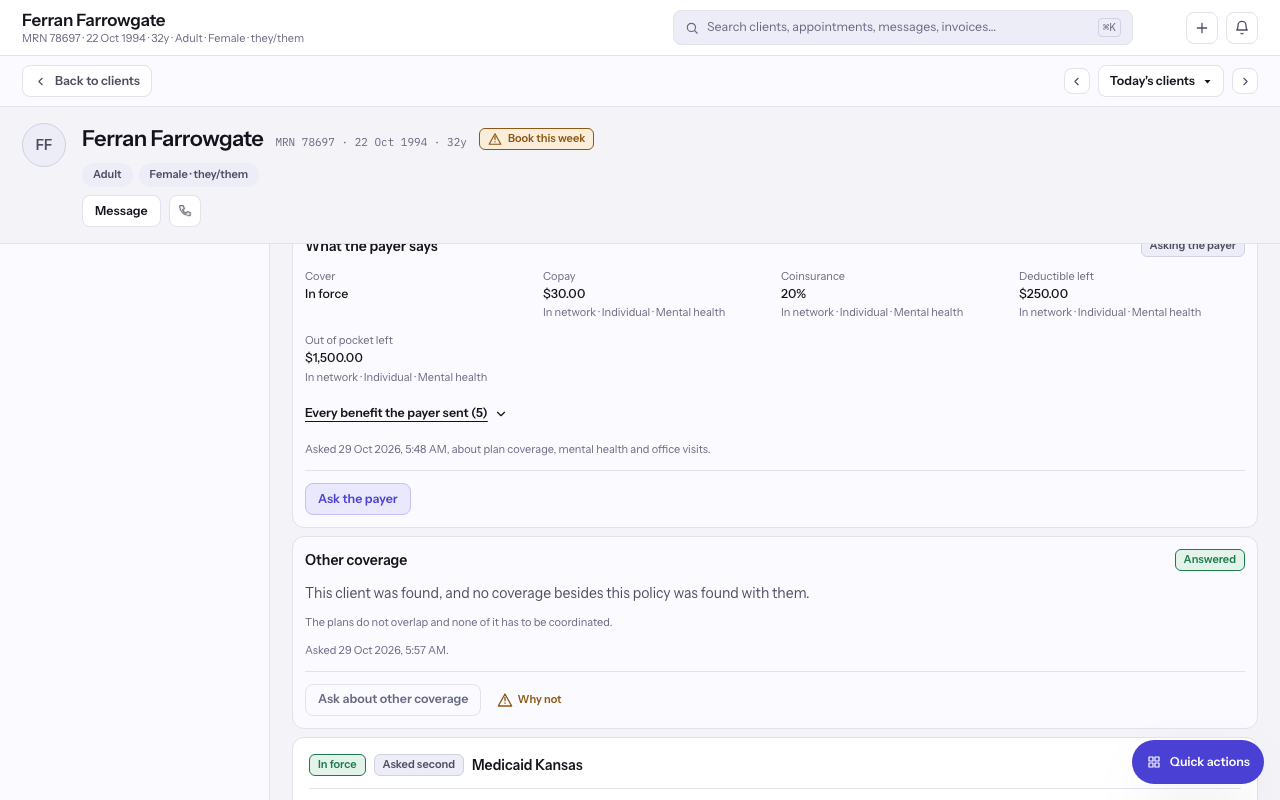
- Read What the payer says: whether the cover is In force, and the Copay, Coinsurance, Deductible left and Out of pocket left.
Note: Each question costs the practice money, so the same question waits a few minutes before it can be asked again.
Tip: If the payer refuses or nobody answers, the panel says so. Check the member ID against the card and ask again.
Ask about other coverage
- Select Ask about other coverage to find out whether the client holds a policy with another payer.
- Read which payer pays first. If another policy is found, select Record this policy to add it.
Last checked against Weft on 29 Oct 2026. Something on your screen reads differently? Tell us at support@weftary.com.