
Review and post an ERA
Read what the payer paid and took off, match any row that matched no claim, post the payment and withdraw one that never arrived.
Who this is for: Biller, Practice manager, Practice administrator
A payer's answer, an ERA, arrives through the clearinghouse and appears under ERAs by itself. A paper explanation of benefits is typed in. This is the seventh stage of insurance from start to finish.
Open a payment
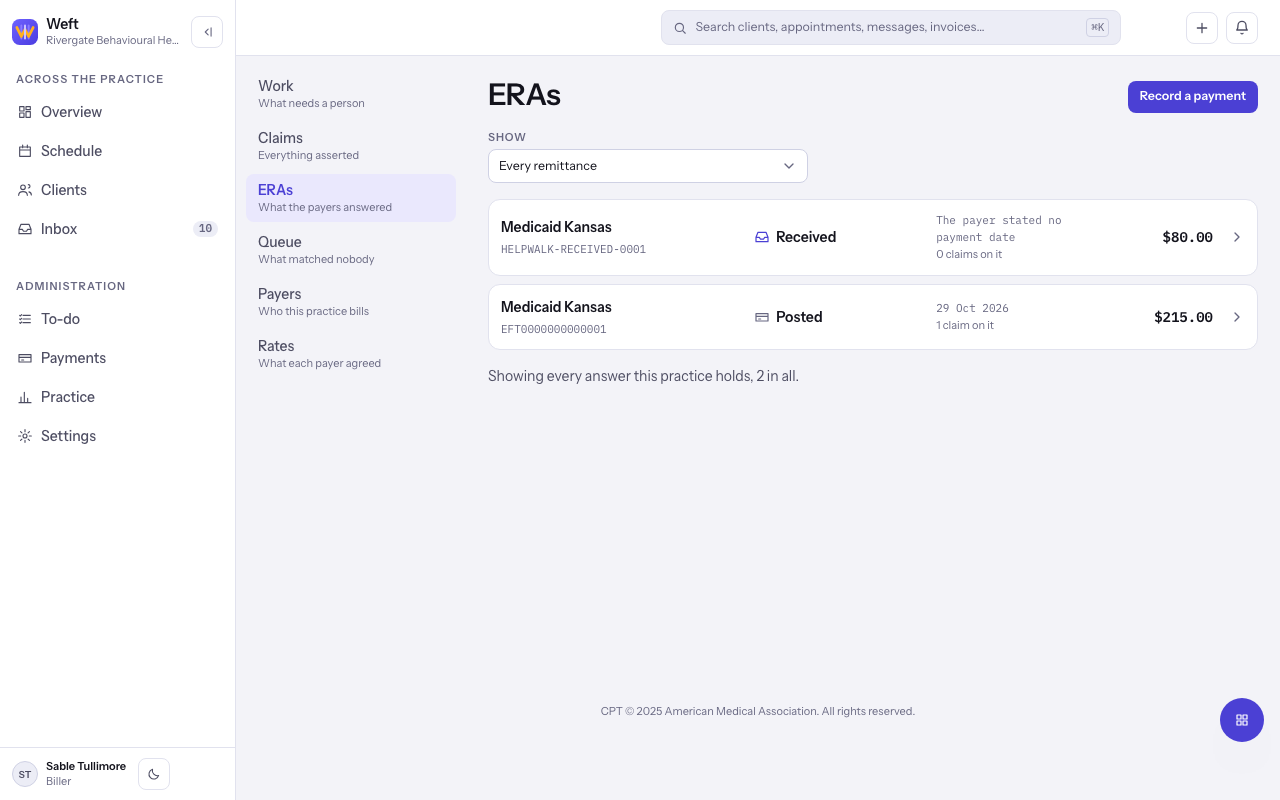
- Go to Insurance and choose ERAs. Use Show to narrow the list by state.
- A new payment is Received, which means nobody has reviewed it. Other states are Being matched, Ready to post, Partly posted, Posted and Withdrawn.
- Open the payment. Read Paid in total, Unallocated, Received, Delivered by and Paid to.
Read what the payer did
- Under What the payer said, read each claim: Charged, Paid and the Status the payer sent.
- Claim-level adjustments are amounts the payer took off a whole claim. Open the service lines to see What the payer took off this line.
- Provider-level adjustments are taken against the practice, not a claim. They appear under Adjusted against this practice, not against a claim.
- Unallocated is the part of a charge the payer neither paid nor explained. A claim showing It does not add up will not post on its own.
Note: The adjustment group Client responsibility is money the payer says the client owes. See billing the client their share.
Match rows that matched no claim
- A row marked Multiple matches needs you to choose which claim it answers. Use Find a claim, Choose a claim, then Tie it to this claim.
- A row marked Matched nothing names a claim nobody here recognises. Tie it to the right claim, or select Set it aside.
- Rows no one could place also appear on the Queue tab.
Post it to the ledger
- When the state reads Ready to post, select Post payment, then Post it. What the payer paid goes against the claims, and what it left with a client is raised as their share.
- If Not ready to post shows, follow the link to the row it names and settle that first.
- If the money never arrived, select Withdraw payment, then confirm. Nothing already on the ledger is reversed.
Type in a paper explanation of benefits
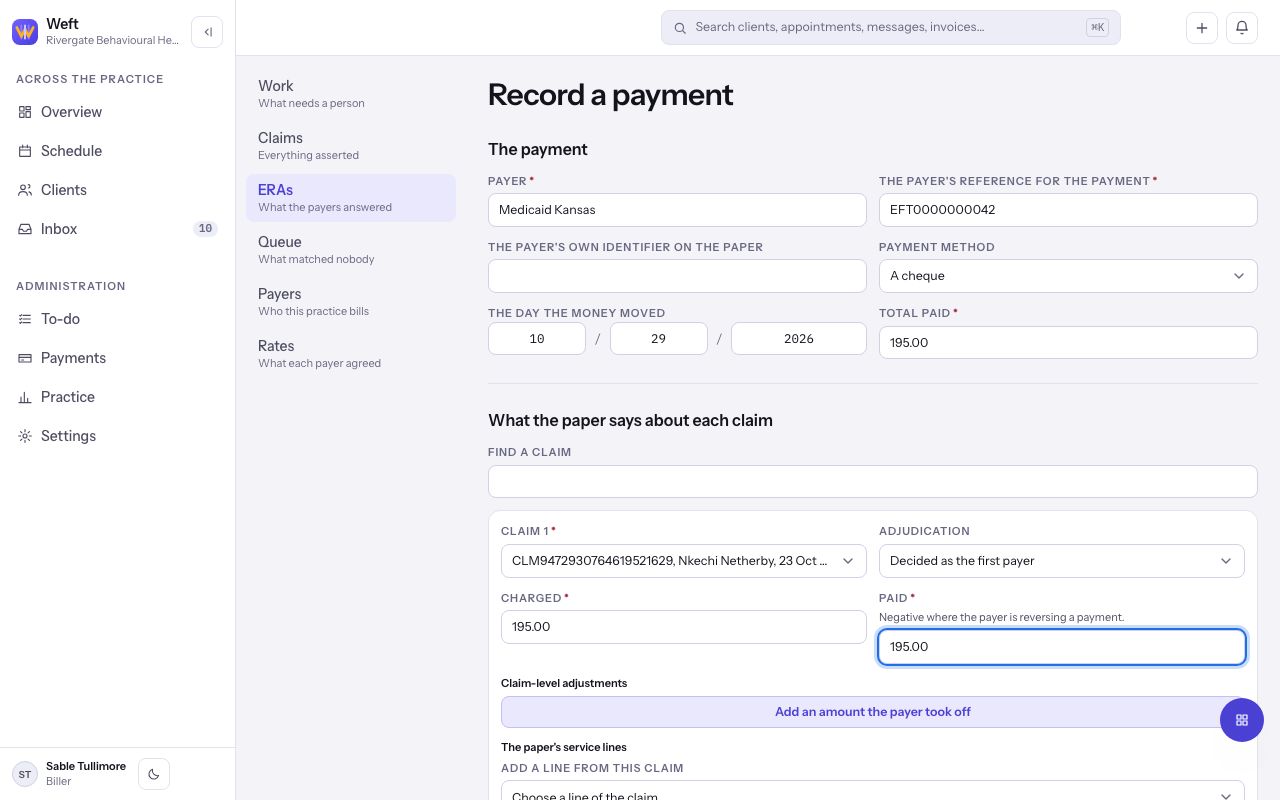
- On ERAs, select Record a payment.
- Under The payment, choose the Payer, enter The payer's reference for the payment, the Payment method, The day the money moved and Total paid.
- Select Add a claim from the paper for each claim it answers, and fill in Charged, Paid and what the payer took off, line by line.
- Select Record the payment, then post it as above.
Important: Enter amounts in dollars and cents, such as 12.50.
Last checked against Weft on 29 Oct 2026. Something on your screen reads differently? Tell us at support@weftary.com.