
Turn on insurance billing and adopt payers
Choose whether your practice bills health plans, adopt the payers you bill and open the registrations they need.
Who this is for: Biller, Practice manager, Practice administrator
Insurance billing appears only where it is available to your practice. If Payments and payers is not under Settings, contact support. This is the first stage of insurance from start to finish.
Turn it on
- Select Settings, then Payments and payers, and turn Insurance billing on.
- Read Clearinghouse to see who your claims and eligibility questions go through, and whether it is ready to use.
- Optionally turn on Automatic invoices for the client's share, and AutoPay.
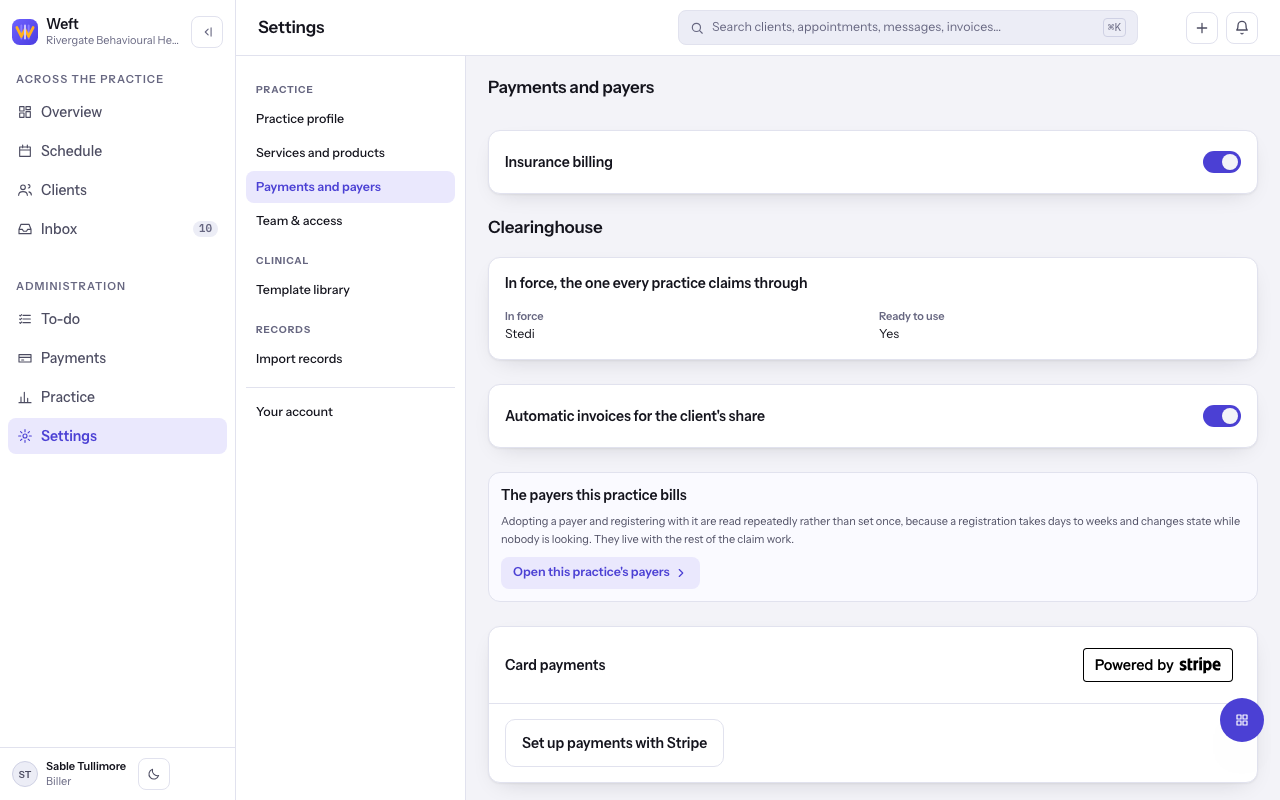
Note: Turning Insurance billing off hides every policy, eligibility answer and payer. It cannot be turned off while a payer still owes your practice an answer.
Adopt the payers you bill
- Select Open this practice's payers, or go to Insurance and choose Payers.
- Under Find a payer, search by the name on the client's card or the payer identifier, and select Adopt.
- Under Registrations, select Open registrations for any exchange a payer accepts only once you are registered, then Send it on each.
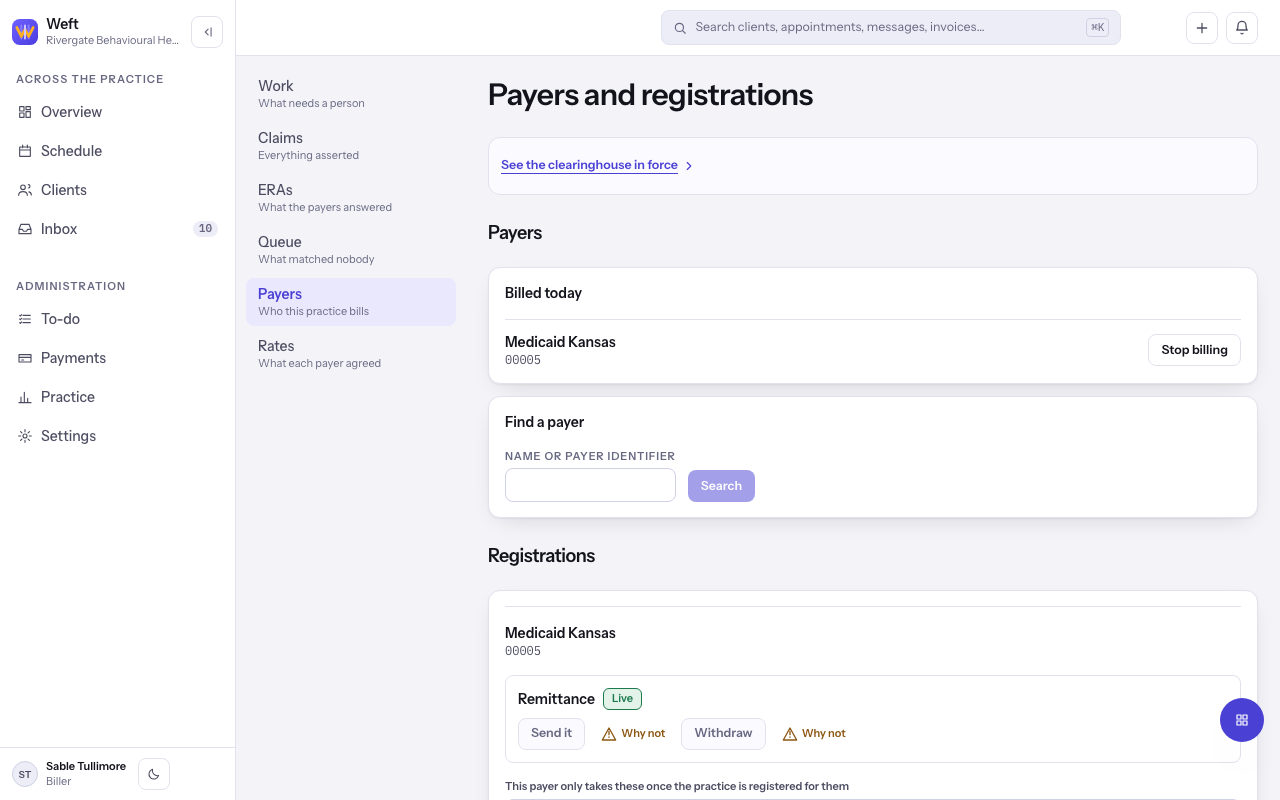
Tip: Registrations take days rather than seconds, so open them well before your first claim.
Last checked against Weft on 29 Oct 2026. Something on your screen reads differently? Tell us at support@weftary.com.
Common questions
Why can I not find a payer?
Search by the name on the client's card or by the payer identifier. A payer must be adopted before a client's policy can name it.