
Checking a payer's enrollment and your clearinghouse
Read payer registrations and find the clearinghouse selected for the practice.
Who this is for: Biller
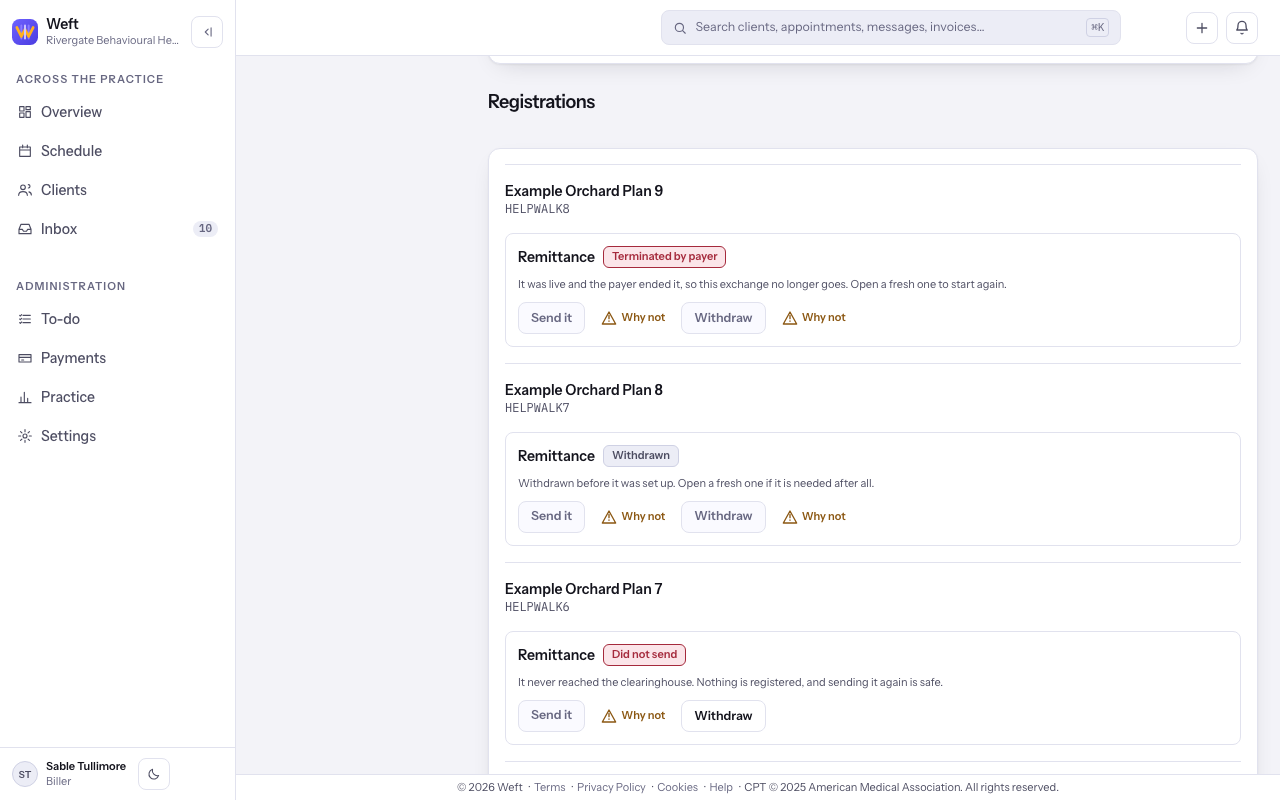
Insurance billing appears only where it is available to the practice. Enrollment is shown as registrations on the Payers screen.
Read payer enrollment
Not sent yet is a draft. Sent and Being set up are waiting downstream; Waiting on you needs a response. Live is approved. Not accepted, Did not send, Withdrawn and Terminated by payer each need the next action shown on that registration.
- Open Insurance, then Payers. Read Registrations for each payer and transaction, including its current state and any next action.
- To adopt a payer or open and send a registration, follow turning on insurance and adopting payers.
Check the clearinghouse
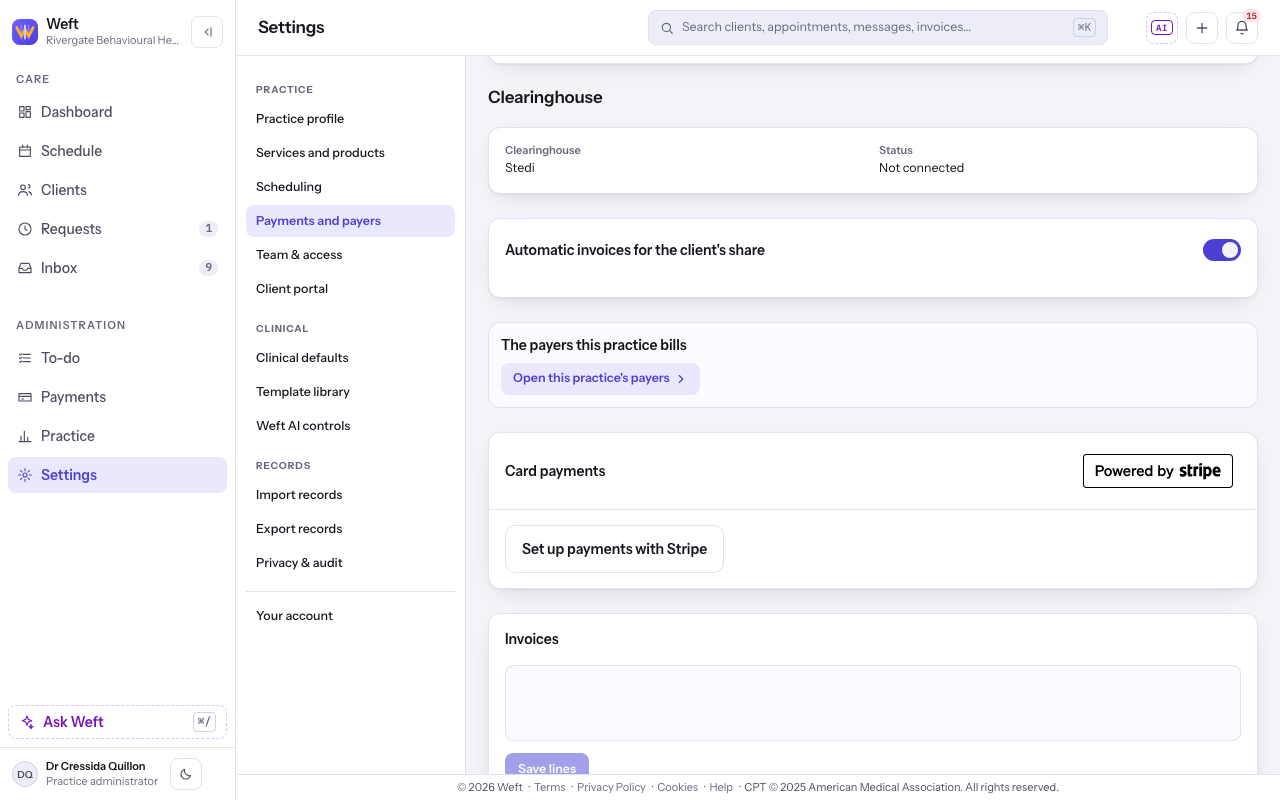
- Open Settings, then Payments and payers, and read Clearinghouse. Not chosen and Not connected identify a setup that is incomplete; Connected confirms the configured clearinghouse.
Last checked against Weft on 31 Oct 2026. Something on your screen reads differently? Tell us at support@weftary.com.