
Tracking claims and reading their statuses
Read the claims list, follow a sent claim and check what is still outstanding.
Who this is for: Biller
Insurance billing appears only where it is available to the practice. Use Claims to follow a claim after it is assembled.
Read the claims list
Rejected on its face was returned before a decision; Denied was decided without payment. Needs correction needs a change. Voided is withdrawn from the payer; Abandoned stopped before being sent.
- Open Insurance, then Claims. Read the state beside each claim; select Show older claims when offered to read more.
- Draft and Checked have not been sent. Sent awaits an answer; Received means somebody downstream holds it. Decided means the payer has answered; read the amounts to see the outcome.
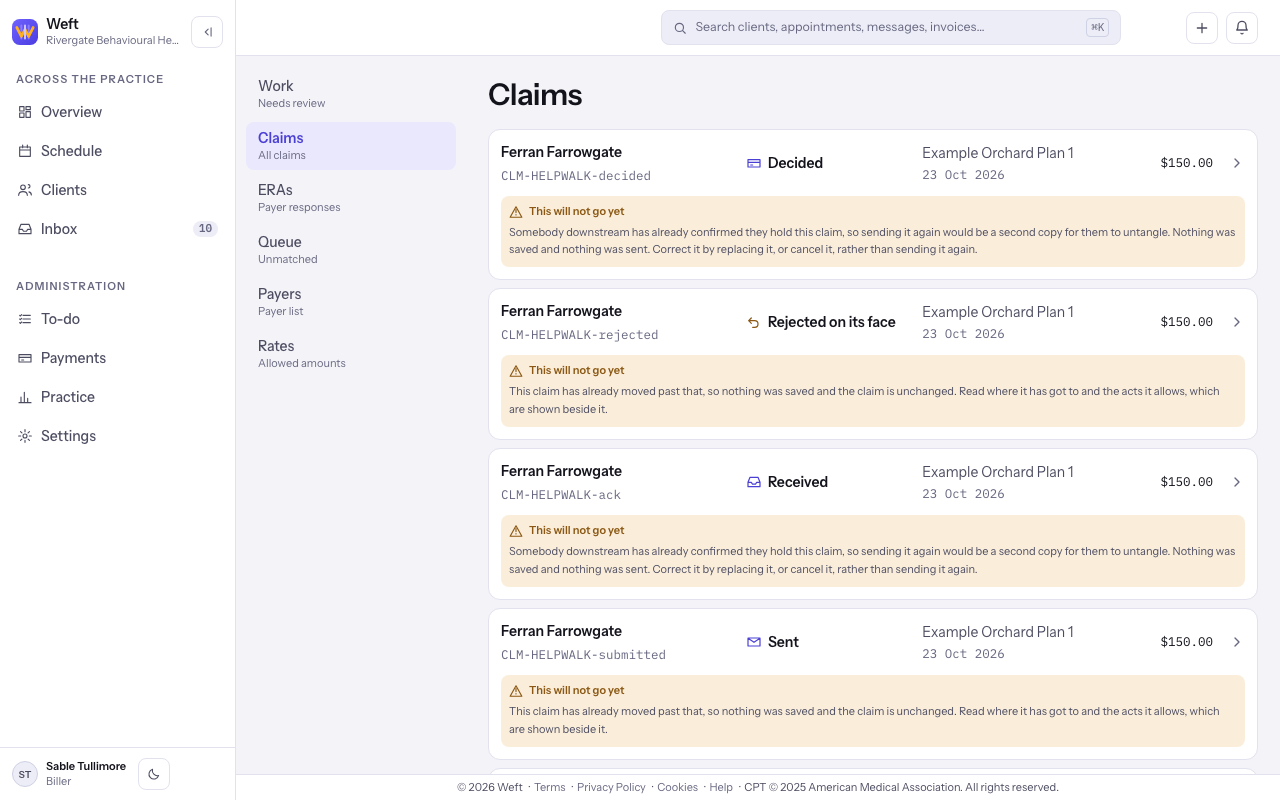
Note: A claim that has already been sent shows This will not go yet under its row, with the reason. It says that sending the claim again is refused, not that anything is wrong with it. To change a sent claim, open it and use the actions it offers.
Follow a sent claim
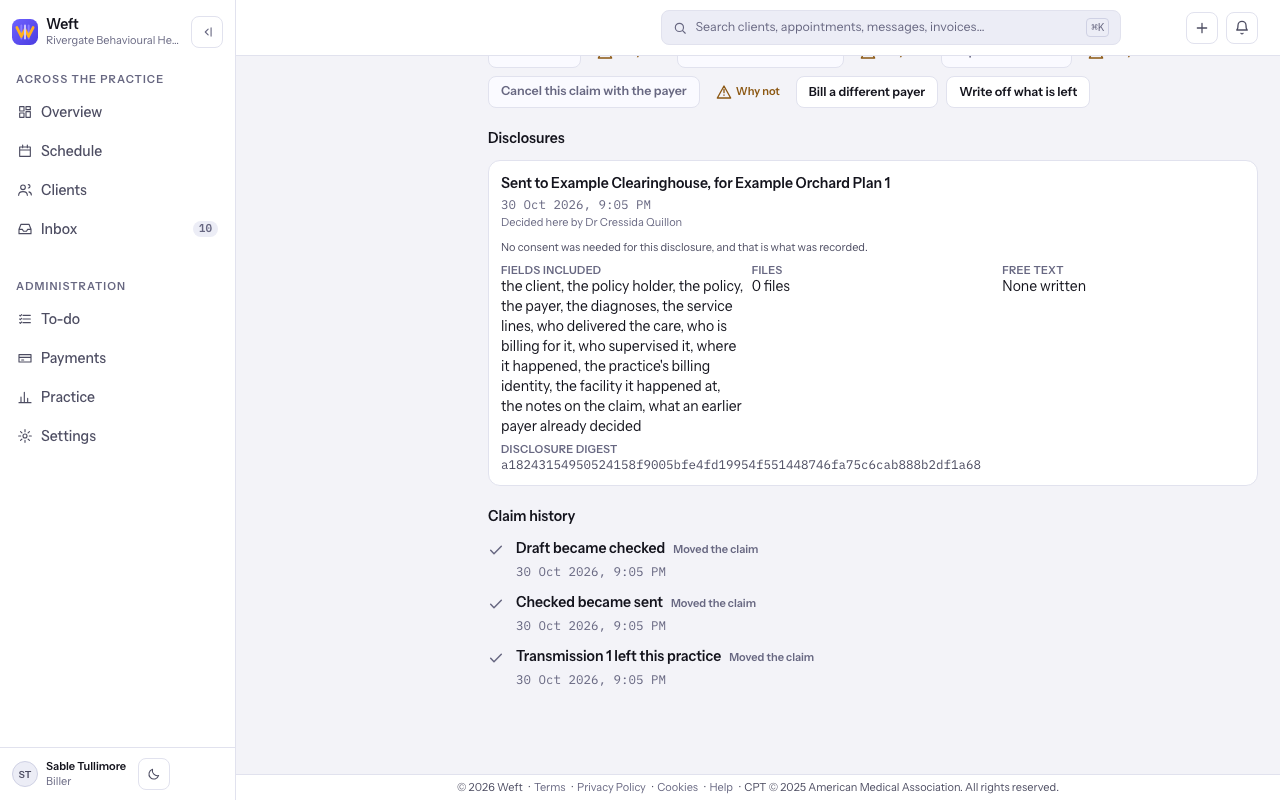
- Open a Sent claim and read Claim history for transmissions and answers. Entries distinguish Moved the claim from Recorded, changed nothing.
Read what is outstanding
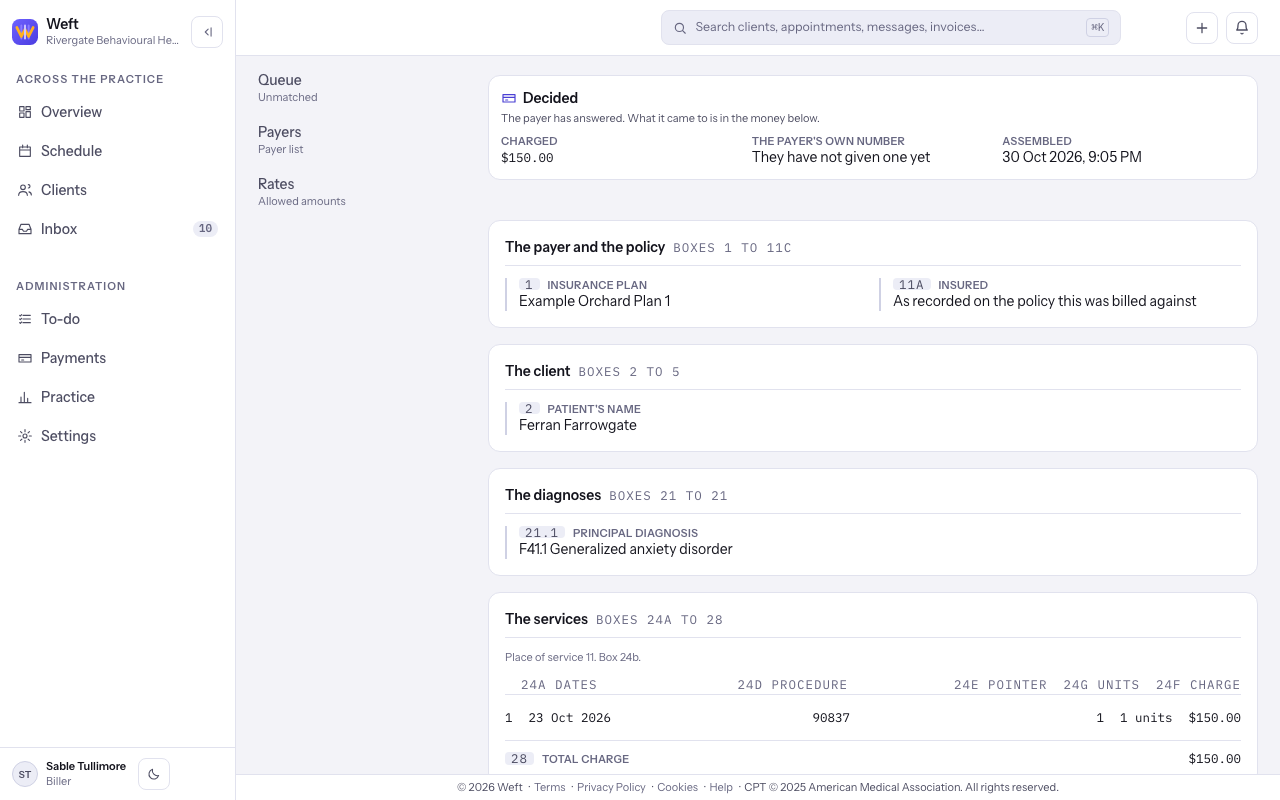
- Read Charged and the claim state. Open its ERA to read what was paid and adjusted. A Decided claim can still leave money to collect; follow reviewing and posting an ERA for the payment breakdown.
Note: For a returned claim, see fixing a rejected or denied claim. For a payer payment, see reviewing and posting an ERA.
Last checked against Weft on 31 Oct 2026. Something on your screen reads differently? Tell us at support@weftary.com.